Choose a document creation model
Select a document model based on desired quality and speed.
Updated: September 2026
The chat model and the document creation method are selected separately. In the first step of New document, use the model cards above the format choices to select an available method, such as Standard or Advanced. Compare Standard for fast, balanced drafts with Advanced for more detailed structure and wording. Read the card descriptions, estimated time and credits, then choose the file format.
Choose the output format
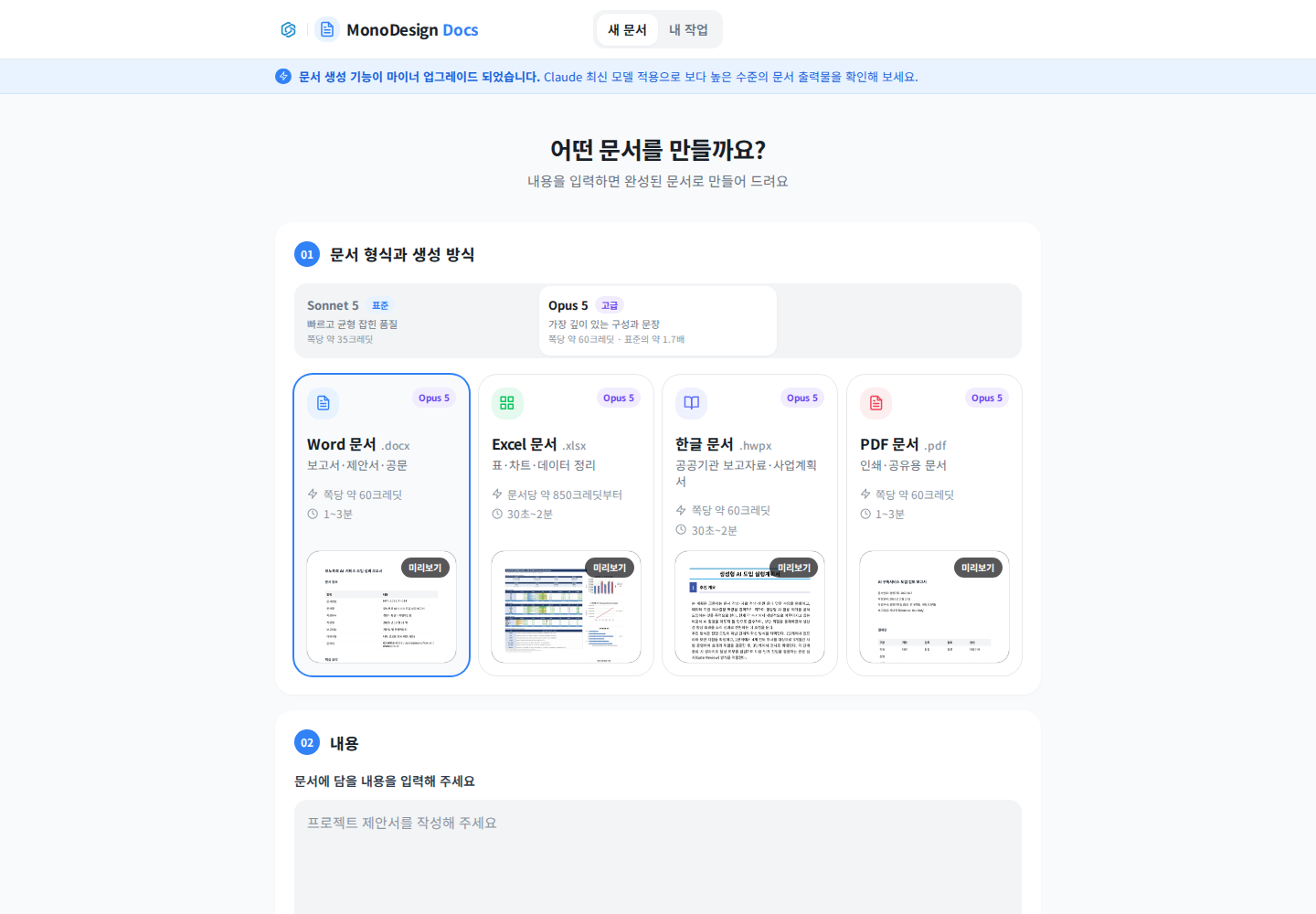
Open Document creation and decide whether the recipient needs an editable file or a reading copy. Use slide creation for presentations. Recheck available options after changing formats.
Describe a representative task
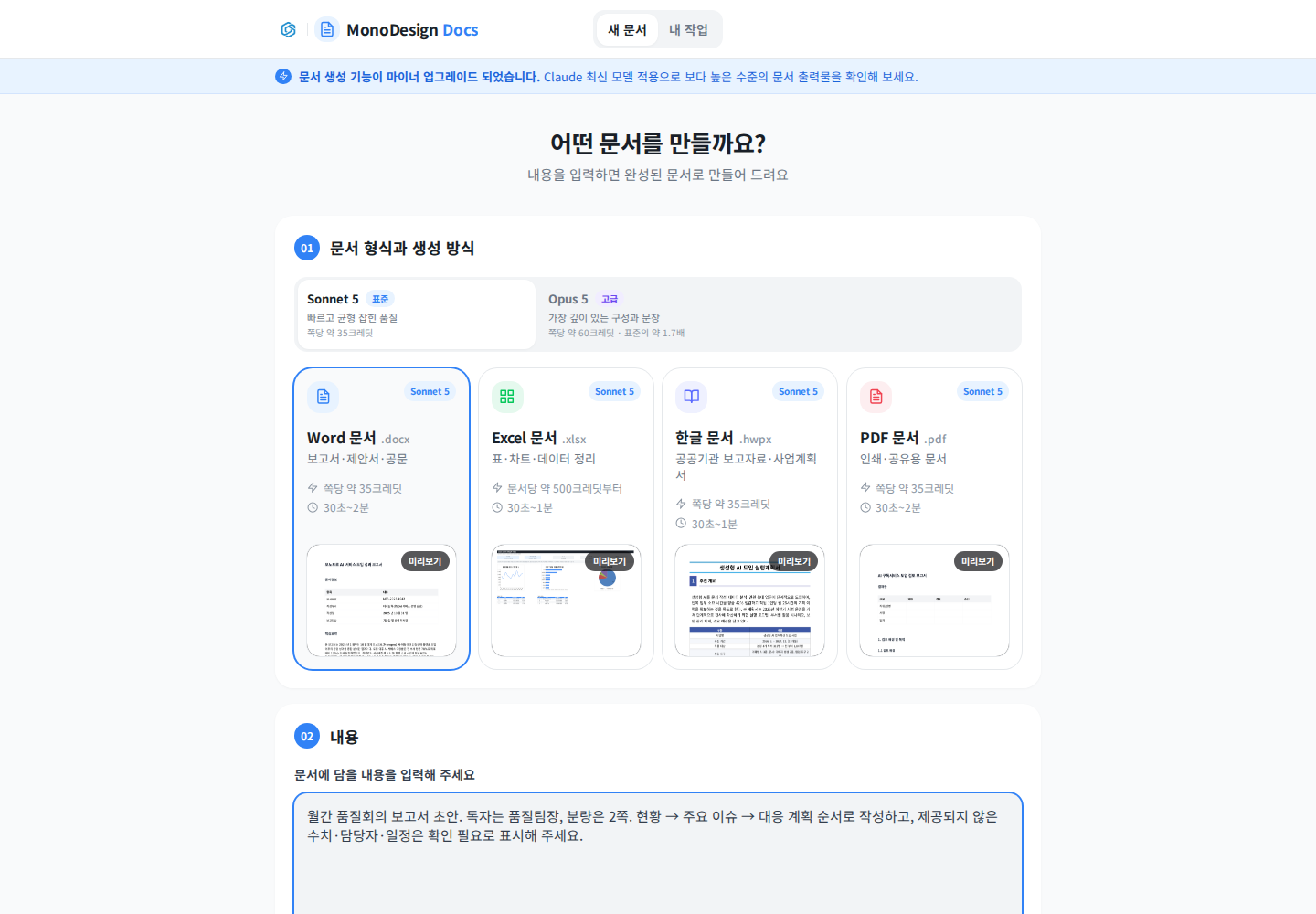
Specify audience, length, outline, tables and factual sources rather than relying only on model choice. A short representative document helps reveal formatting issues early. Mark missing facts as needing confirmation.
Actually add reference material
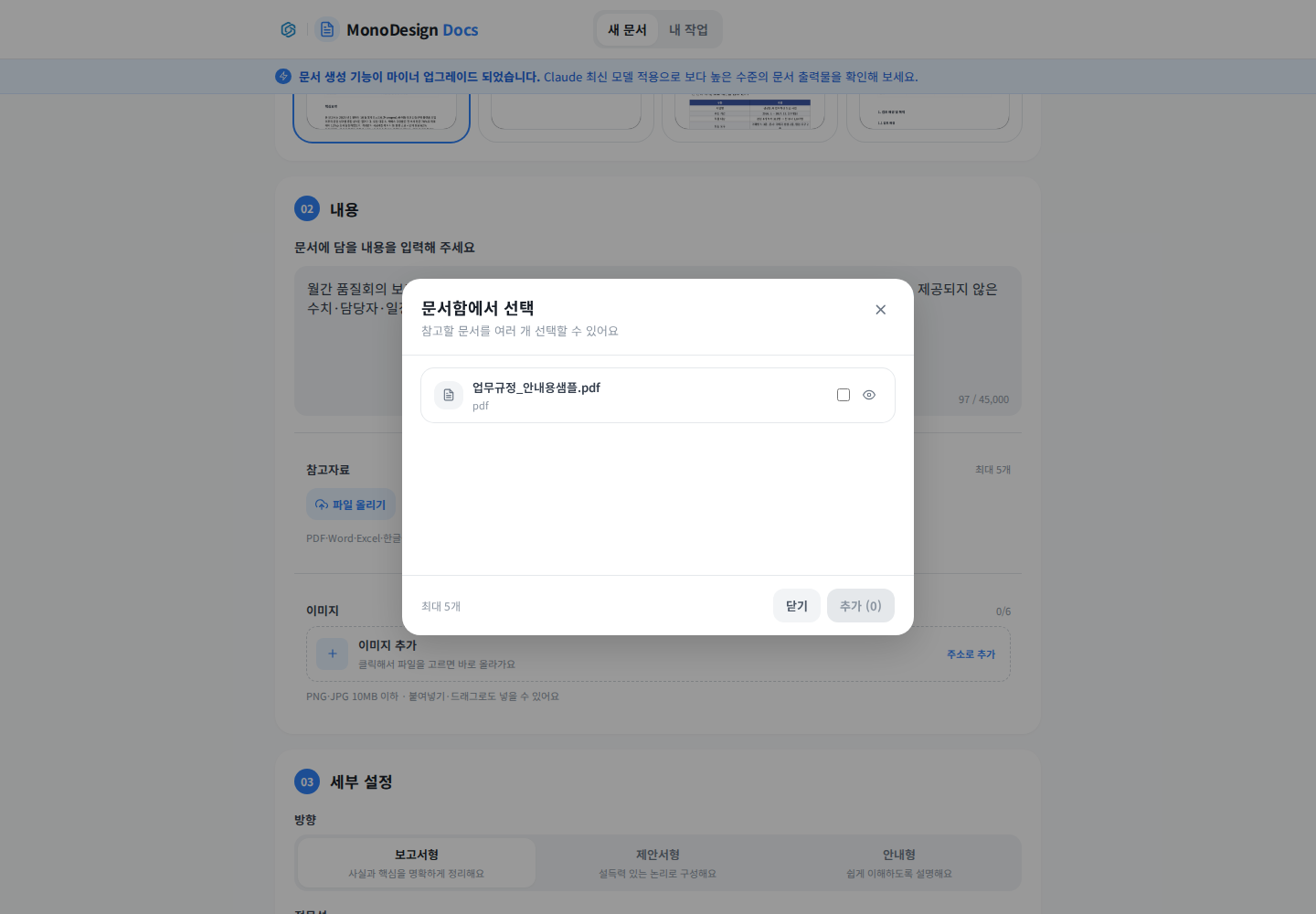
Select files and click Add. Opening the picker alone does not attach them. Verify filenames on the main screen and avoid mixing old versions.
Review settings and cost before generation
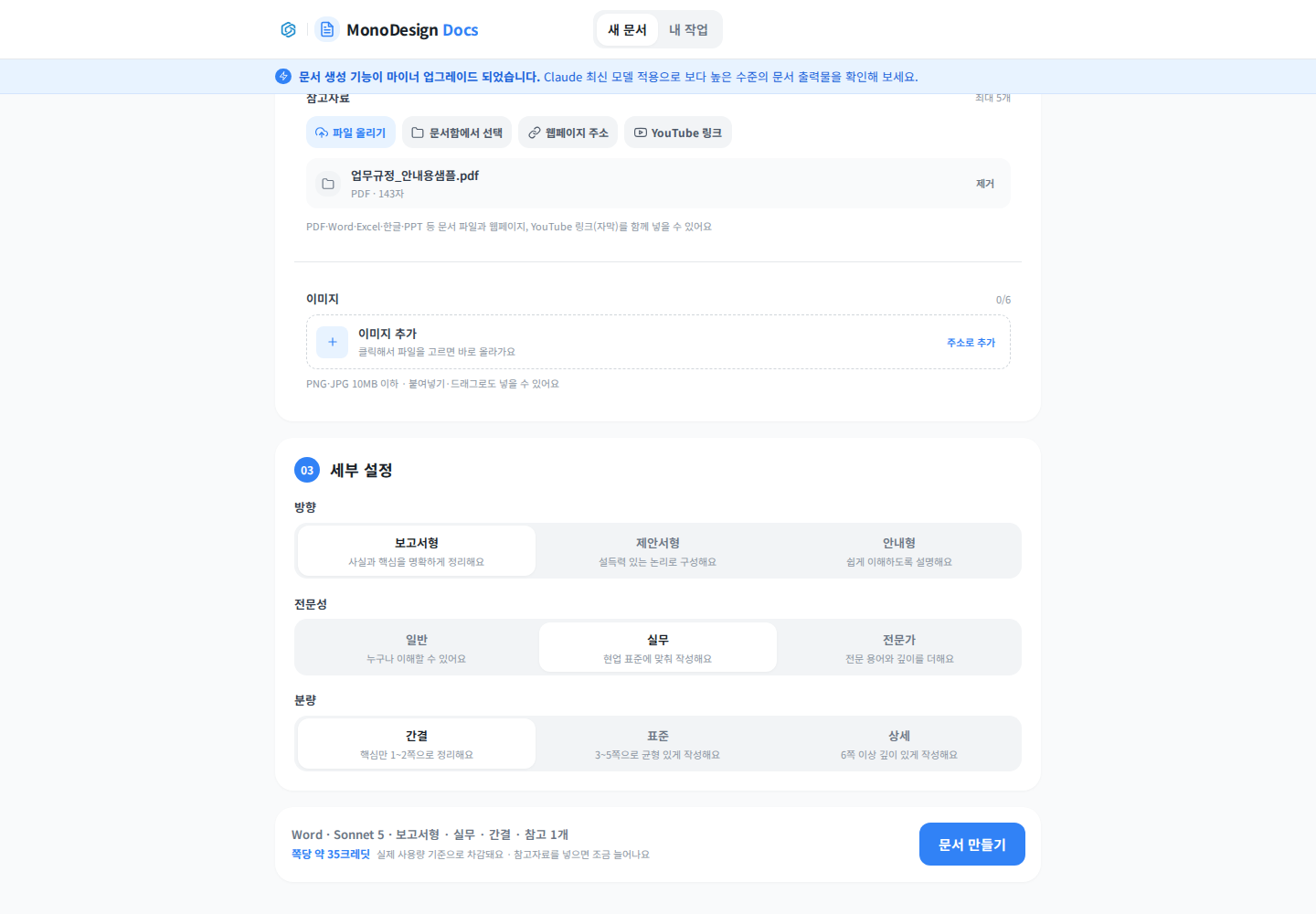
Review the available method, direction, expertise, length, format and displayed cost. Ensure the summary matches your requirements before generating. A higher-cost option does not replace factual review. Check tables, calculations, source use and downloaded files. See Create documents.
Was this answer helpful?