Manage your organization with the Enterprise API
How to manage companies, groups, and members from your HR system through the API.
Updated: September 2026
The Enterprise API is a REST API that lets the master admin of an enterprise organization manage companies, groups (departments), and members from an external system. Connect it to your HR system to reflect onboarding, transfers, and offboarding automatically.
Overview
- Add, update, and deactivate companies and the group (department) tree.
- Adding a member creates the account automatically, and attributes such as employee number, grade code, title code, and phone number are managed together.
- Every change is recorded in the organization audit log, and deletion works as deactivation so history is preserved.
Requirements and token issuance
- Sign in with the master account of an organization that has enterprise mode (organization chart) enabled.
- Open the Enterprise management → Enterprise API tab, enter a token name, permission scopes, and an IP allowlist, then issue a token.
- Store the token value shown only once right after issuance in a safe place. The original value is never stored on the server.
Authentication
Every request uses a Bearer authorization header in the format below.
Base URL: https://monogpt.kr/api/enterprise/v1
Authorization: Bearer entapi_...
- An IP allowlist is required for every token. Requests from unlisted IPs are rejected with 403 and recorded in the audit log.
- There are two permission scopes: read (view) and write (add, change, deactivate).
- A revoked token can never be reactivated; issue a new token when needed.
- Rate limits are 120 reads and 30 writes per minute per token; exceeding them returns 429 with a Retry-After header.
Optional request headers
| Header | Description |
|---|---|
| Idempotency-Key | 8-128 characters. Re-sending the same key with the same body replays the stored result (replayed: true). The same key with a different body returns 409. Recommended for safe network retries. |
| If-Match | The organization structure revision. If it differs from the current revision, 409 is returned along with currentRevision. |
Organization snapshot
GET /organization returns both active and inactive companies, groups (departments), and members by default, without query parameters. Items deactivated through DELETE remain visible so you can check whether they already exist before creating them again.
| Request | Returned items |
|---|---|
| GET /organization | Active and inactive (default) |
| GET /organization?includeInactive=true or ?status=all | Active and inactive |
| GET /organization?includeInactive=false or ?status=active | Active only |
- Each item has status active or inactive. The response field data.includeInactive indicates whether inactive items are included and defaults to true.
- Match companies by code, departments by companyId and code, and members by email. Use the returned companyId or groupId for updates.
- includeInactive accepts true/false and 1/0. When both filters are supplied, a value requesting all statuses takes precedence. Unsupported values return 400 ENTERPRISE_API_INVALID_REQUEST.
- An inactive member's phone is null. Closed department assignments are no longer current, so groupId and HR codes may also be null.
- The snapshot includes up to 50,000 members. If membersTruncated is true, paginate /members?status=active and /members?status=inactive separately. Pass the response's nextCursor as afterId in the next request.
This example shows selected response fields and inactive items. The IDs and email are illustrative.
{
  "success": true,
  "revision": "7",
  "data": {
    "includeInactive": true,
    "companies": [{"companyId": "100", "code": "COMPANY_A", "status": "inactive"}],
    "groups": [{"groupId": "200", "companyId": "100", "code": "TEAM_A", "status": "inactive"}],
    "members": [{"email": "[email protected]", "status": "inactive", "groupId": null, "phone": null}],
    "membersTruncated": false
  }
}
To reactivate a company or department, send PATCH {"status":"active"} to its existing ID. To reactivate an inactive member, send POST /members with the same email, a name, and an active department's groupId. Member PATCH updates currently active members. Existing parent, account status, and permission requirements still apply to reactivation.
Company API
| Method | Path | Body |
|---|---|---|
| POST | /companies | { code, name, parentCompanyId?, sortOrder? } |
| PATCH | /companies/{companyId} | { name?, parentCompanyId?, sortOrder?, status? } |
| DELETE | /companies/{companyId} | None — deactivates |
- The code must be unique across the whole organization.
- A company with active child companies or groups cannot be deactivated, and reactivation is done by sending status active in a PATCH.
Group API
| Method | Path | Body |
|---|---|---|
| POST | /groups | { companyId, code, name, parentGroupId?, sortOrder? } |
| PATCH | /groups/{groupId} | { name?, parentGroupId?, sortOrder?, status? } |
| DELETE | /groups/{groupId} | None — deactivates |
- Creating a group automatically links a credit group; credit allocation is handled in the enterprise admin console.
- A group with remaining child groups or assigned members cannot be deactivated.
Member API
| Method | Path | Body |
|---|---|---|
| GET | /members | Supports email, groupId, status, limit, afterId queries |
| POST | /members | { email, name, groupId, employeeCode?, gradeCode?, titleCode?, phone?, sendInviteEmail? } |
| PATCH | /members/{email} | { name?, phone?, groupId?, employeeCode?, gradeCode?, titleCode? } |
| DELETE | /members/{email} | None — deactivates |
- GET /members returns active members by default; use status=inactive to retrieve inactive members. This differs from GET /organization, which includes both by default.
- If no account exists for the email, one is created automatically and a temporary password is included in the response exactly once. A password change is required at first sign-in.
- Changing groupId is handled as a department transfer, and the credit membership is reorganized together.
- Changing the email is not supported. Deactivate the member and add them again with the new email.
- The master account and members with group admin permission cannot be modified through this API.
Grade and title code label API
Attach display names to codes. Only the codes you send are applied, and sending an empty string deletes the label for that code.
GET /code-labels
PUT /code-labels    {"grade": {"SM2": "Director"}, "title": {"17": "Team Lead"}}
Full organization sync API
Upload the organization chart workbook (XLSX) from the enterprise admin console in one call to rebuild every company that appears in the workbook.
POST /organization/sync {"workbookBase64": "<xlsx base64>", "dryRun": true}
- The workbook uses the organization sheet (company code, department code, department name, parent department code) and the member sheet (company code, employee number, name, email, department code, grade code, title code). It is the same file you download from the console template.
- Only the subtree of the company codes that appear in the workbook is in scope. Other companies, groups, and members are left untouched.
- Within scope, groups and members missing from the workbook are deactivated, and emails without an account are created automatically with a temporary password returned once in the response. Protected rows such as the master account are skipped and reported in skippedProtected.
- Send dryRun as true to receive only a summary of the planned changes without modifying anything. Always confirm with dryRun before applying.
- One call can handle up to 500 groups, 1,000 members, and 300 new accounts, and this request alone allows a body of up to 10MB.
Error codes
| Code | Status | Meaning |
|---|---|---|
| ENTERPRISE_API_UNAUTHORIZED | 401 | The token is missing or invalid. |
| ENTERPRISE_API_IP_DENIED | 403 | The IP is not on the allowlist. |
| ENTERPRISE_API_SCOPE_FORBIDDEN | 403 | The token lacks the required permission scope. |
| ENTERPRISE_API_DUPLICATE_CODE | 409 | The company or group code already exists. |
| ENTERPRISE_API_HAS_ACTIVE_CHILDREN | 409 | Active child items or assigned members remain. |
| ENTERPRISE_API_ORG_EDIT_IN_PROGRESS | 409 | The organization chart is being edited in the console. |
| ENTERPRISE_API_REVISION_MISMATCH | 409 | The If-Match revision differs from the current value. |
| ENTERPRISE_API_RATE_LIMITED | 429 | The request limit has been exceeded. |
Request examples
This example adds a member while registering the employee number and the grade and title codes.
curl -X POST https://monogpt.kr/api/enterprise/v1/members \
  -H "Authorization: Bearer entapi_..." \
  -H "Content-Type: application/json" \
  -H "Idempotency-Key: hr-sync-0001" \
  -d '{"email":"[email protected]","name":"Hong Gildong","groupId":"1234",
       "employeeCode":"10001","gradeCode":"SM2","titleCode":"17","phone":"010-1234-5678"}'
A department transfer and a title change are handled with a single PATCH.
curl -X PATCH https://monogpt.kr/api/enterprise/v1/members/hong%40example.com \
  -H "Authorization: Bearer entapi_..." \
  -H "Content-Type: application/json" \
  -d '{"groupId":"1300","titleCode":"10"}'
Get the whole organization state, including active and inactive items, with a single snapshot call and no query parameters.
curl https://monogpt.kr/api/enterprise/v1/organization \
  -H "Authorization: Bearer entapi_..."
Notes
- Every change must pass the organization consistency check before it is applied, and a failed request is rolled back entirely.
- Running this API alongside other sync methods such as organization sheet uploads can overwrite each other, so operate with one method as the source of truth.
- The request body must be JSON of 256KB or less.
If you did not receive or lost the temporary password, use the password reset feature in the enterprise admin console.
Follow the screen
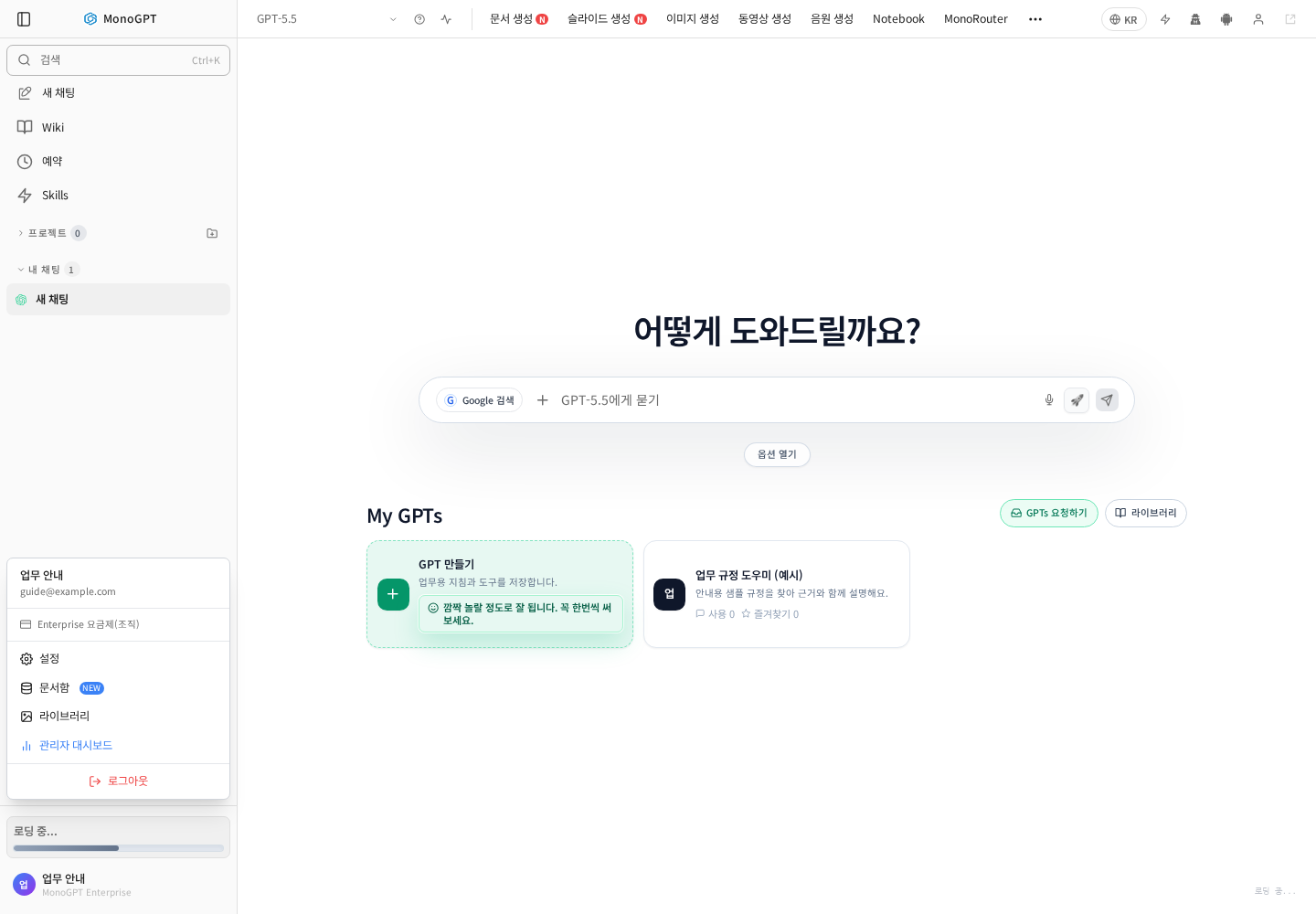
Actual Korean application screen with sample account/data. Available controls depend on permissions and selections.
This is an ordinary account menu example. Enterprise API is shown only to accounts with the required management permission.
Sign in as an organization administrator, open the Enterprise API tab in organization management, and confirm the target organization and feature conditions. Review the request and response examples above before applying changes. Do not include complete keys in screenshots or inquiries. For ordinary knowledge lookup, see GPTs knowledge search.
Was this answer helpful?