Find company policies in GPTs Library
Select an organization GPT and ask questions within its registered knowledge scope.
Updated: September 2026
The GPTs library contains assistants configured with work instructions, knowledge and tools. For internal policies, choose a work GPT shared under Organization. It does not automatically search every company repository.
Actual Korean app screens show a fictional policy assistant and demonstration document, with no real company data or employee information.
1. Open organization GPTs
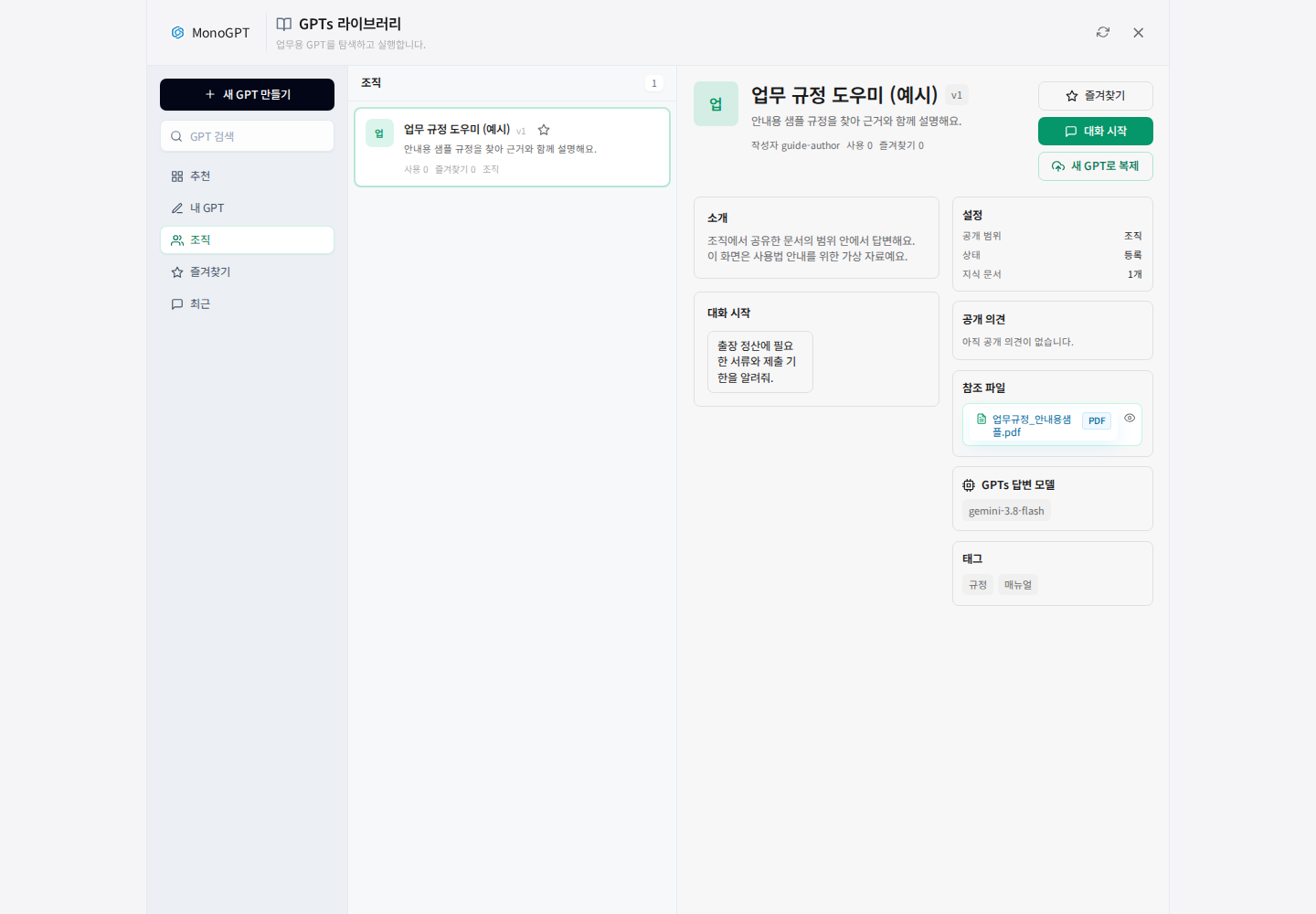
Use My GPTs → Library on the home screen or the link above, then select Organization. Recommended, my GPTs, organization and favorites are different lists. If organization is empty, check your account affiliation and sharing scope.
2. Search by work topic
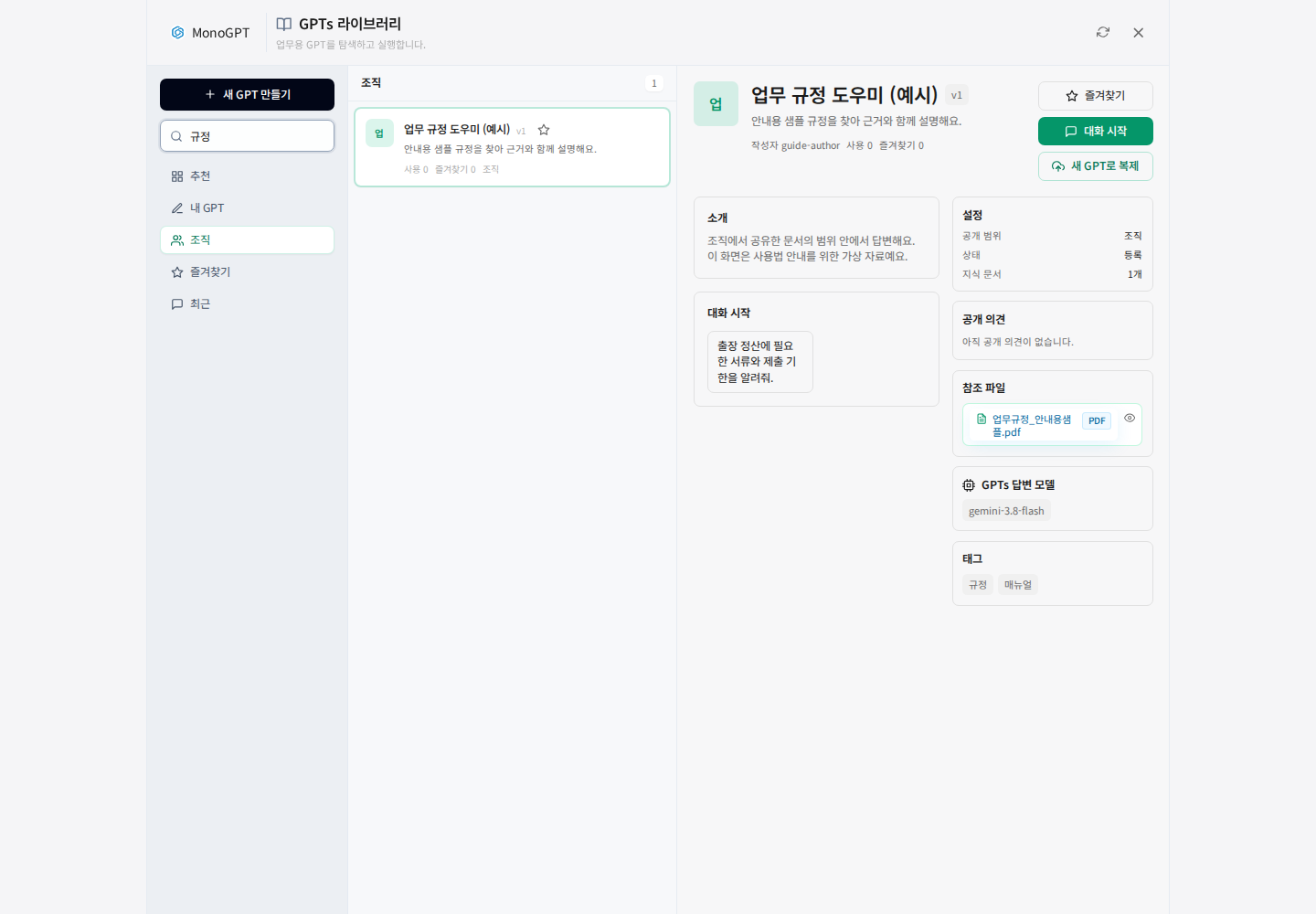
Enter a topic such as policy, purchasing or quality in Search GPTs. Select an assistant and read its description, visibility, knowledge-document count and answer model. Save frequently used assistants with Favorites (favorite).
3. Inspect reference files
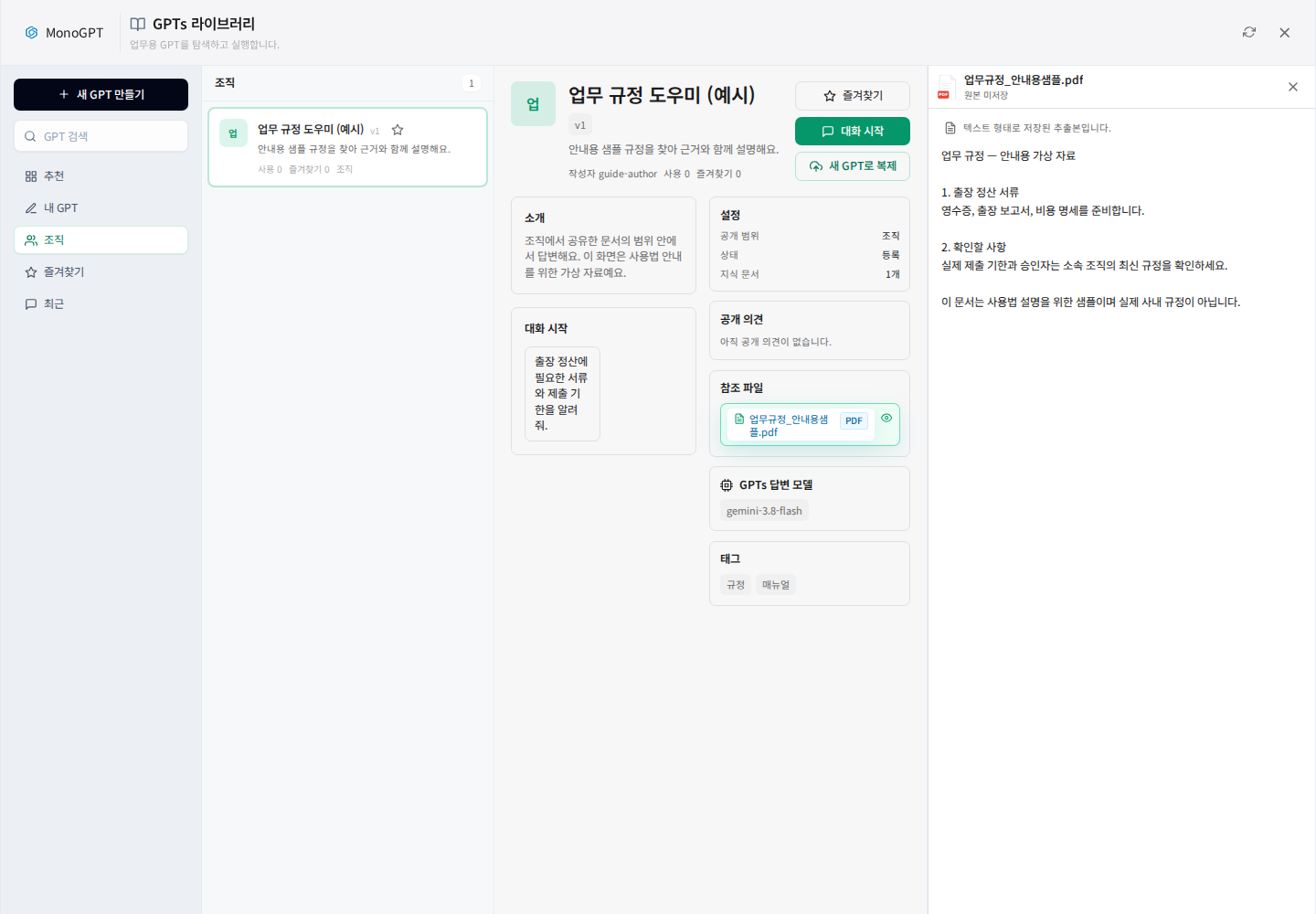
Click a Reference files (reference file). In the preview, check the topic, version and effective date. If the original file is not stored, extracted text may appear instead, as shown. Compare missing formatting or tables with the document owner's original. Ask the owner to add or update missing policy material.
4. Start a conversation and request evidence
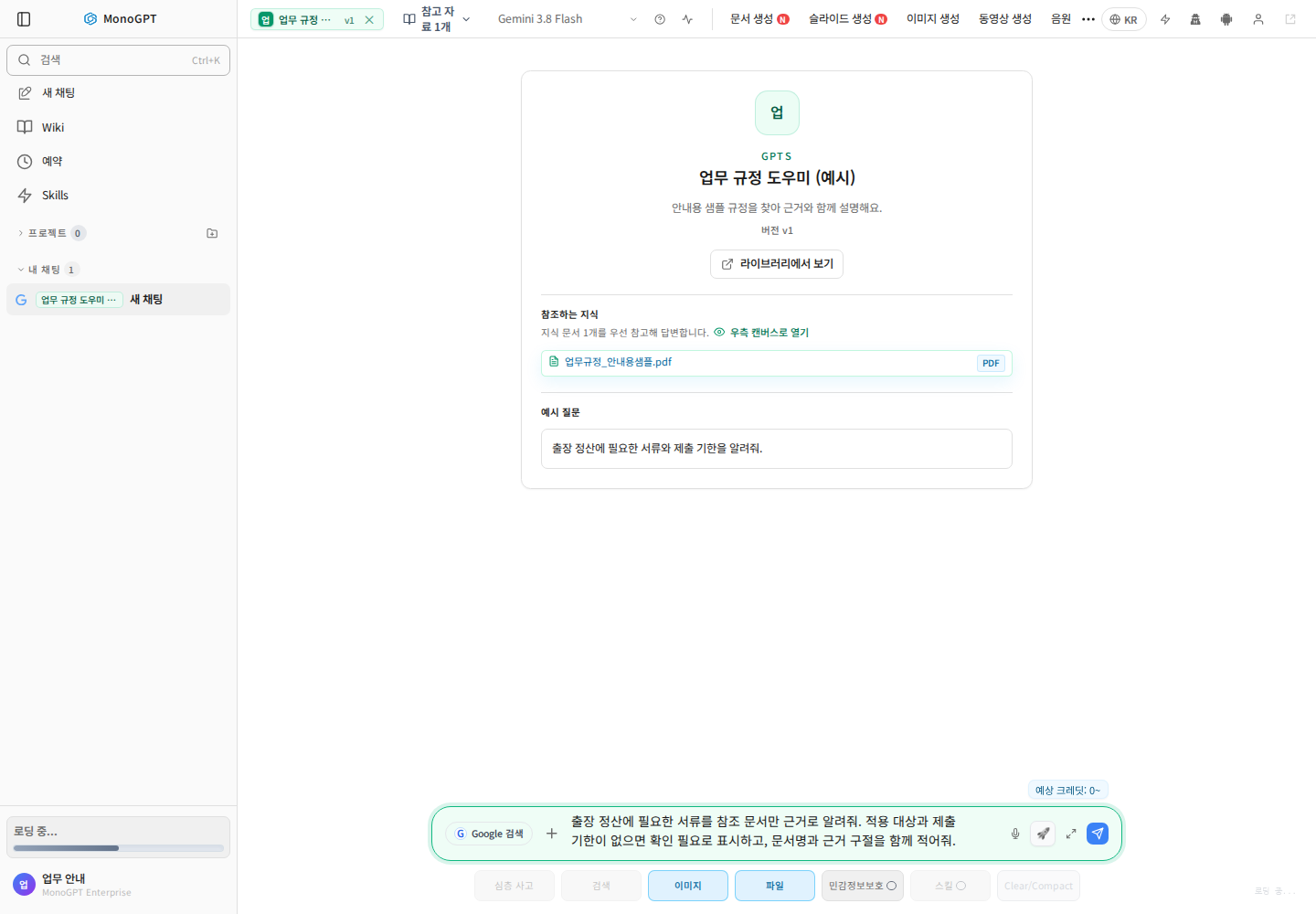
Click Start chat and check the GPT name and version in chat. Use a starter or enter your situation. The knowledge area shows linked sources.
Using the registered travel policy, list required expense documents, deadlines and exceptions for domestic travel. Distinguish eligible groups and include the document name and supporting passage. Flag missing information for confirmation.
Specify the situation, audience and conditions instead of asking for the entire policy. Gemini 3.8 Flash or GPT-5.6 Terra can handle everyday questions where allowed by the GPT settings. Default models and permission to change them depend on the organization configuration.
5. Verify evidence and follow up
Open available citations and check dates, clauses and exceptions. Ask focused follow-ups such as “Which exception applies here?” or “Compare only the revised conditions.” Confirm unsupported conclusions with the responsible person.
- Missing GPT: check registration and sharing with the administrator.
- Restricted launch: check publication status and usage permissions.
- For a file used only in the current task, see file-based Q&A.
- If permitted, use Create a GPT to configure instructions and sources, then review the sharing audience.
Was this answer helpful?