Start your first conversation
Open a new chat, ask a question, and refine the answer with follow-up requests.
Updated: September 2026
For your first conversation, briefly explain the result you want and any useful background instead of trying to craft a perfect prompt. After the first answer, add follow-up requests to refine it in the same context.
Start a conversation
- Select New chat in the sidebar.
- Enter your question or task in the central input area.
- Review the answer, then add any missing condition or requested change.
Adjust the answer
Include the audience, target length, tone, and output format to make the result more useful. If generation takes too long or you want to revise the request, use the stop control shown on screen, edit the request, and try again.
Keeping one topic in the same conversation makes it easier to build on earlier context.
Follow the screen
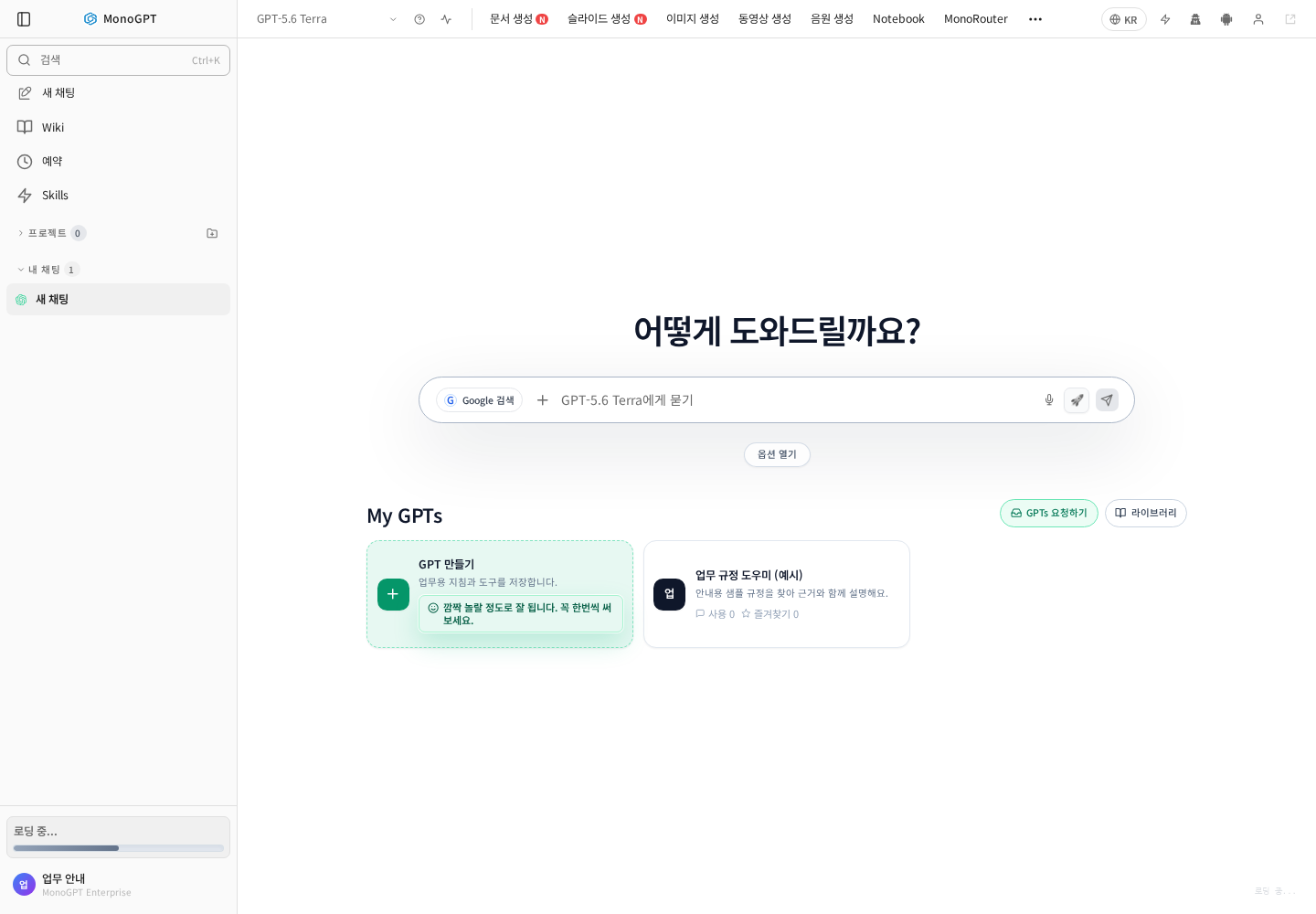
Actual Korean application screen with sample account/data. Available controls depend on permissions and selections.
First request: “Create five agenda items for a 30-minute quality-improvement meeting with production, quality, and purchasing teams.”
Follow-up: “Add the preparation materials and decision needed for each item.”
Enter and send the question, check the response against your conditions, then refine it. Start a new chat for a different topic. Wait for attachments to finish processing. See task examples.
Was this answer helpful?