Explore the interface
Learn where to find conversations, models, studios, and the main chat area.
Updated: September 2026
The main MonoGPT interface has areas for finding conversations, choosing work tools, and exchanging questions and answers. Knowing what each area does helps you reach the feature you need quickly.
Left sidebar
Use the sidebar to start a New chat and review earlier conversations. Reopen a saved conversation to ask a follow-up question, or visit Documents to review uploaded material.
Top and center areas
Choose an AI from Model selection at the top. You can also reach slide, sheet, video, and music creation tools and customer support. The central chat area is where you enter requests and review generated answers and files.
Some items may appear differently depending on screen width or sign-in status.
Follow the screen
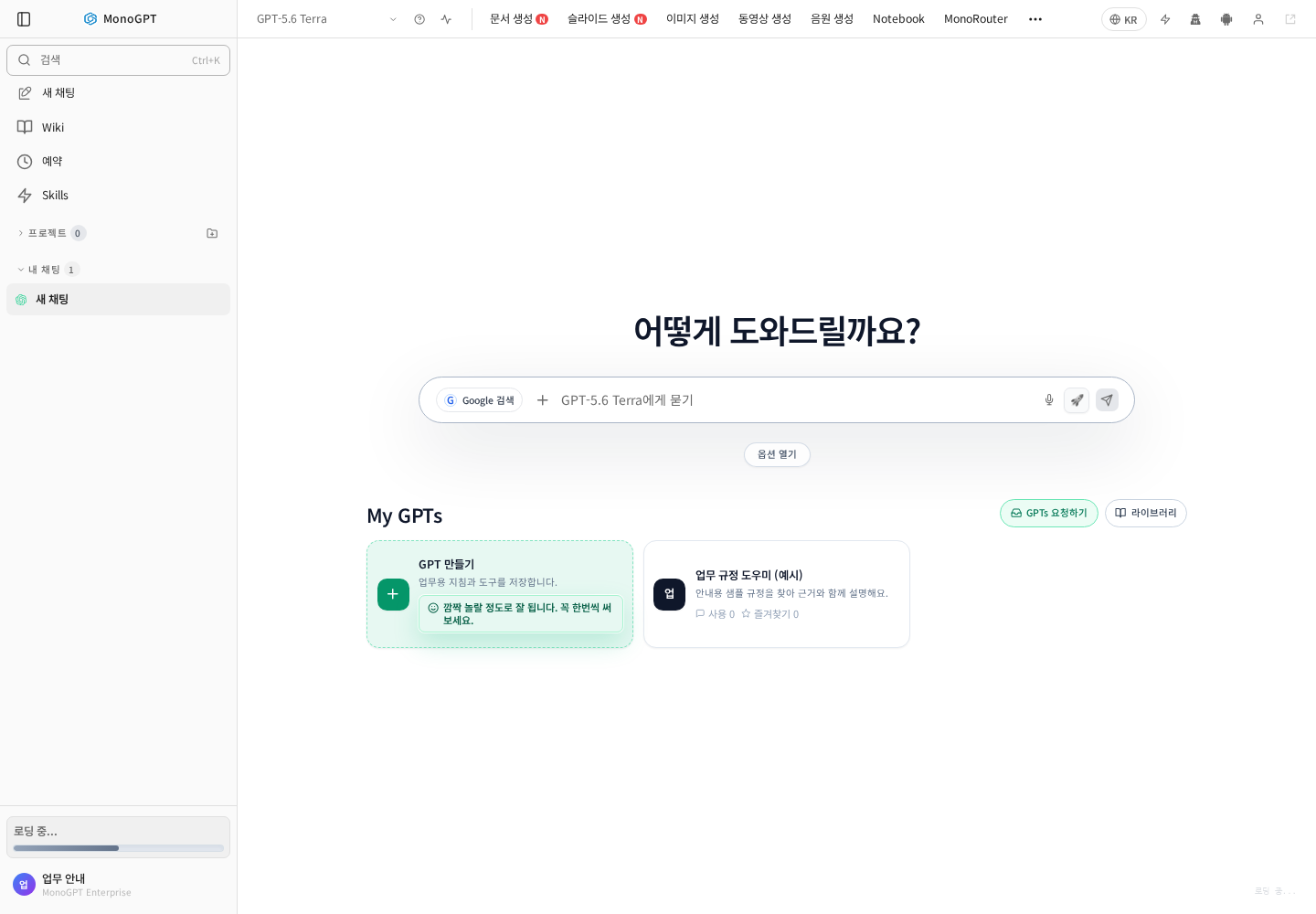
Actual Korean application screen with sample account/data. Available controls depend on permissions and selections.
| Location | Purpose |
|---|---|
| Left sidebar | New chat, search, projects, Wiki |
| Model name at top | Select an AI |
| Creation menus | Documents, slides, images, video, music |
| Center input | Questions, attachments, search settings |
| My GPTs Library | Find work GPTs |
| Account at lower left | Settings and account menu |
On narrow screens, expand the sidebar or More menu. Choose a model before checking its options.
Was this answer helpful?