When you run out of credits
Review options for adding credits or changing your plan.
Updated: September 2026
When credits are insufficient, some chat or creation tasks may not continue. Check the remaining amount and your upcoming work before deciding whether to add credits or change the plan.
Check first
- Review Remaining credits in the sidebar.
- List the task you want to run and any later features you will need.
- Check the usage history to confirm that recent tasks are reflected.
Continue using MonoGPT
Compare the available credit and plan options, then choose the one that fits your intended use. Current prices, benefits, and available choices are listed at /pricing.
If a payment or balance does not appear correctly, review the screen status and contact 1:1 support instead of repeatedly running the same action.
Check the actual screen
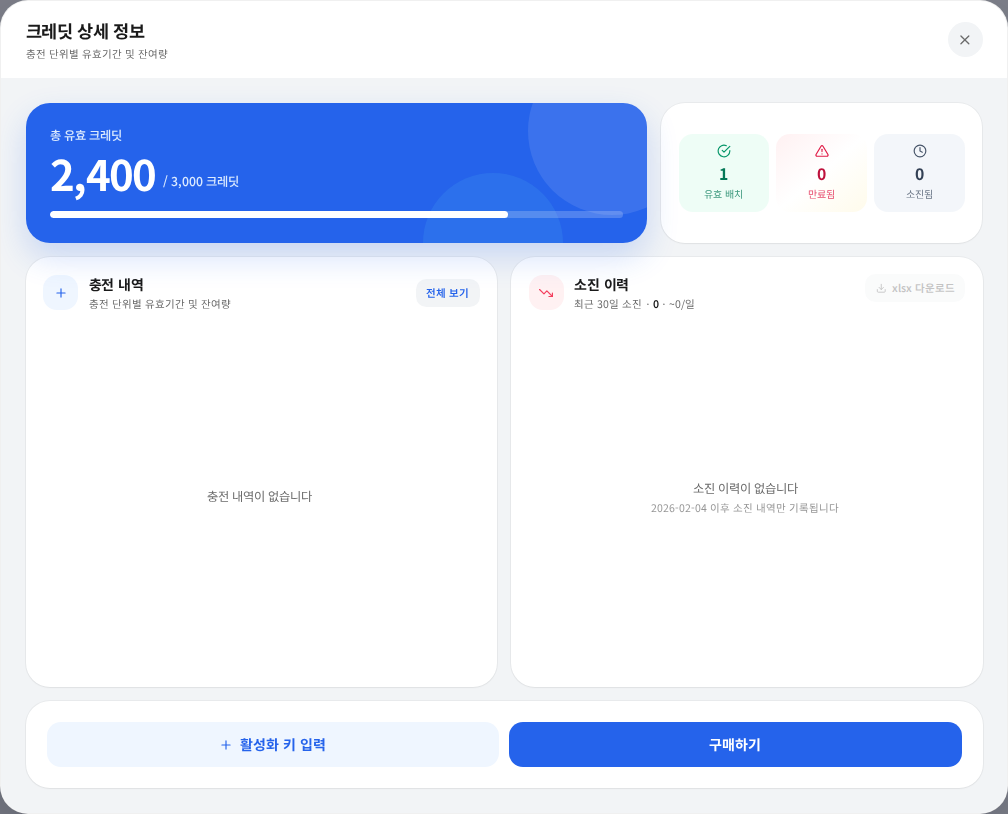
Actual Korean interface with sample credit amounts.
Check whether credits expired or an individual/group allocation was exhausted. Organization members should ask the administrator about allocations. If you received a code, follow activation instructions. Verify the updated balance and existing job status before retrying.
Was this answer helpful?