Check answer citations
Open citations in a document-based answer to review the source location.
Updated: September 2026
For a document-based answer, verify which file was read, whether the cited passage supports the claim, and whether the version is current. A source link does not validate the entire answer.
Select the intended document
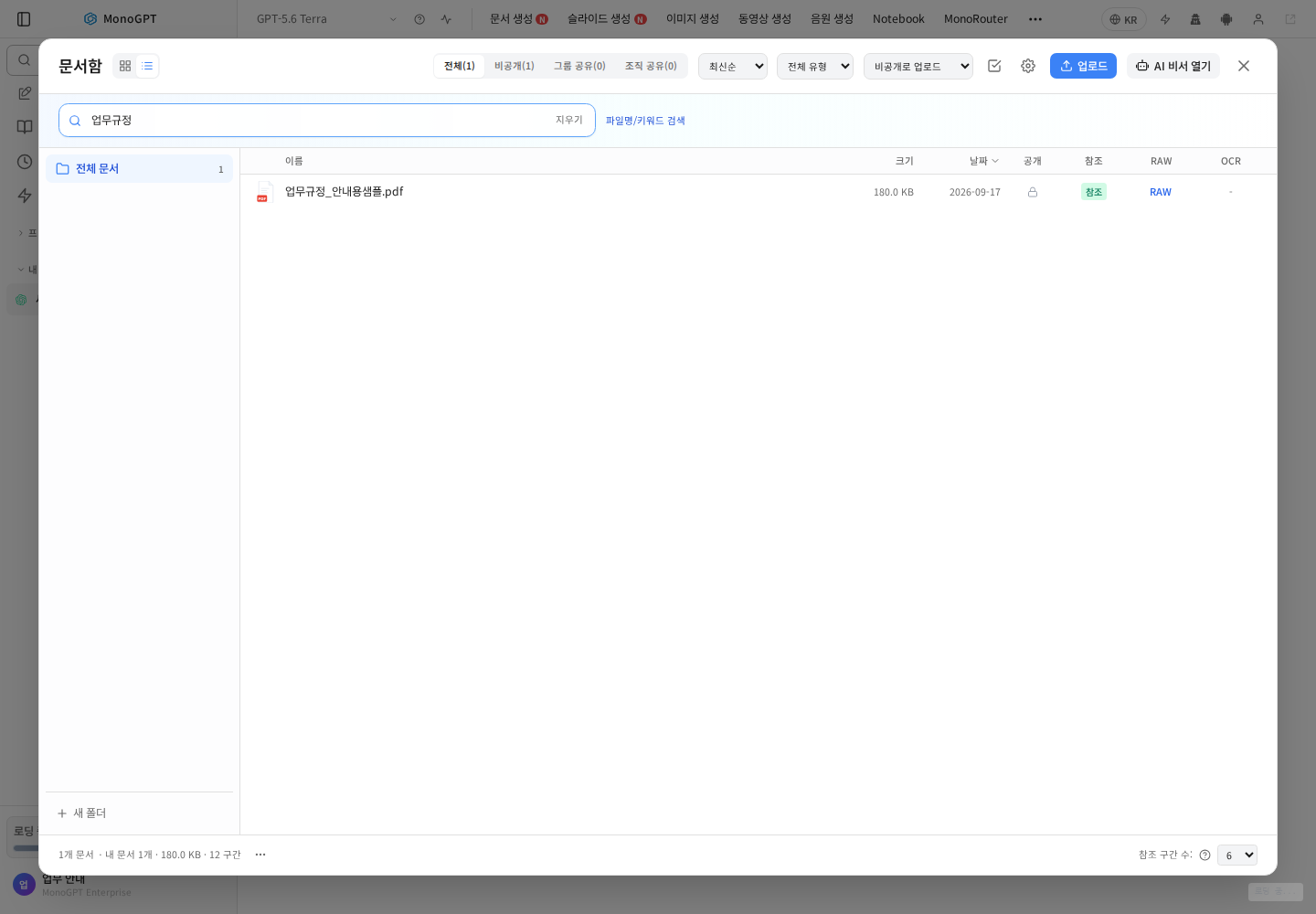
Use names and dates to distinguish current and older versions. Select material relevant to the question. For an organization GPT, inspect knowledge files you can access; otherwise ask the administrator which versions are linked.
Check extracted content
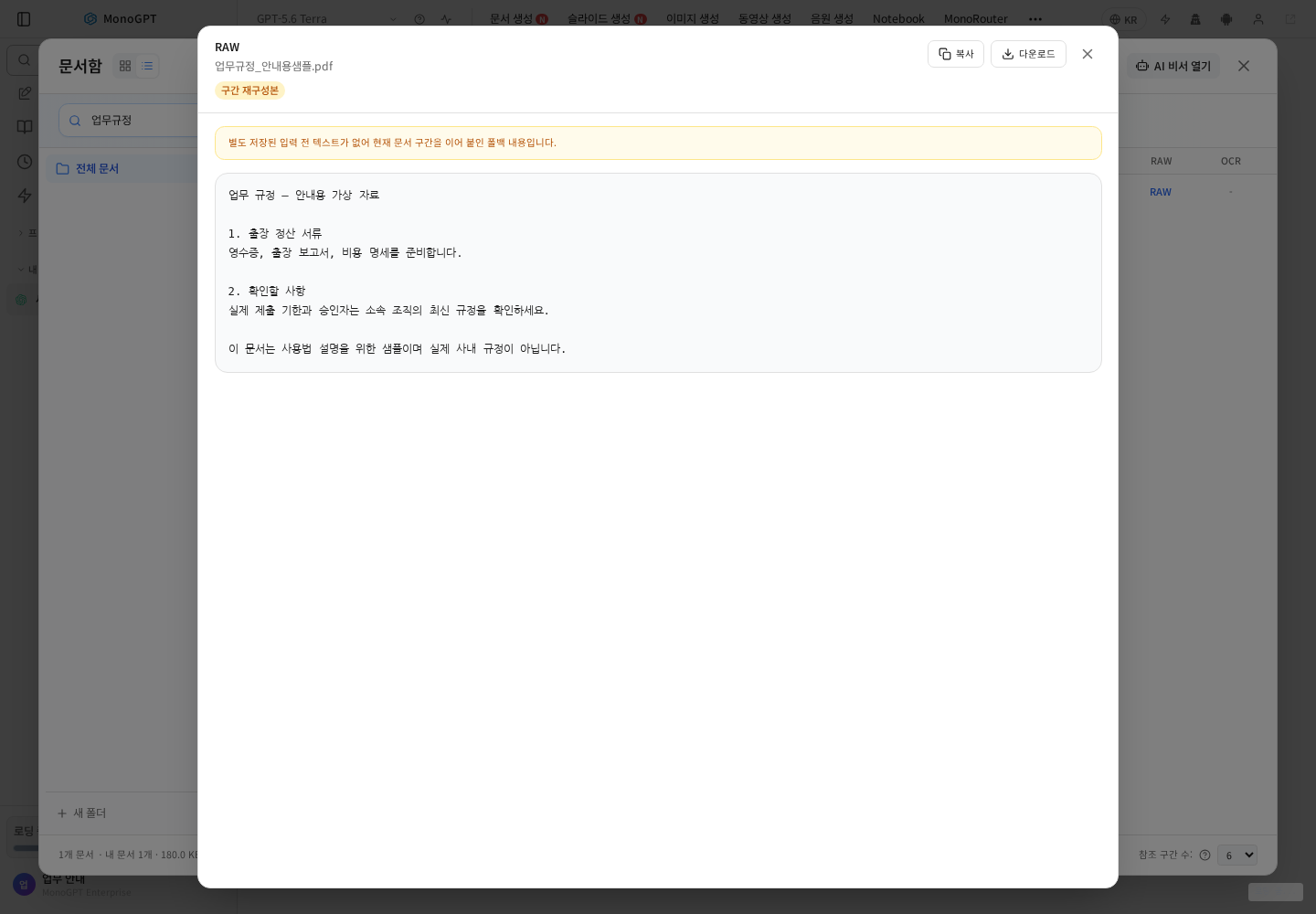
Open the document content and check that tables, figures and clauses were extracted. Scans and complex tables can differ from the original; verify missing passages in the source file.
Ask for evidence explicitly
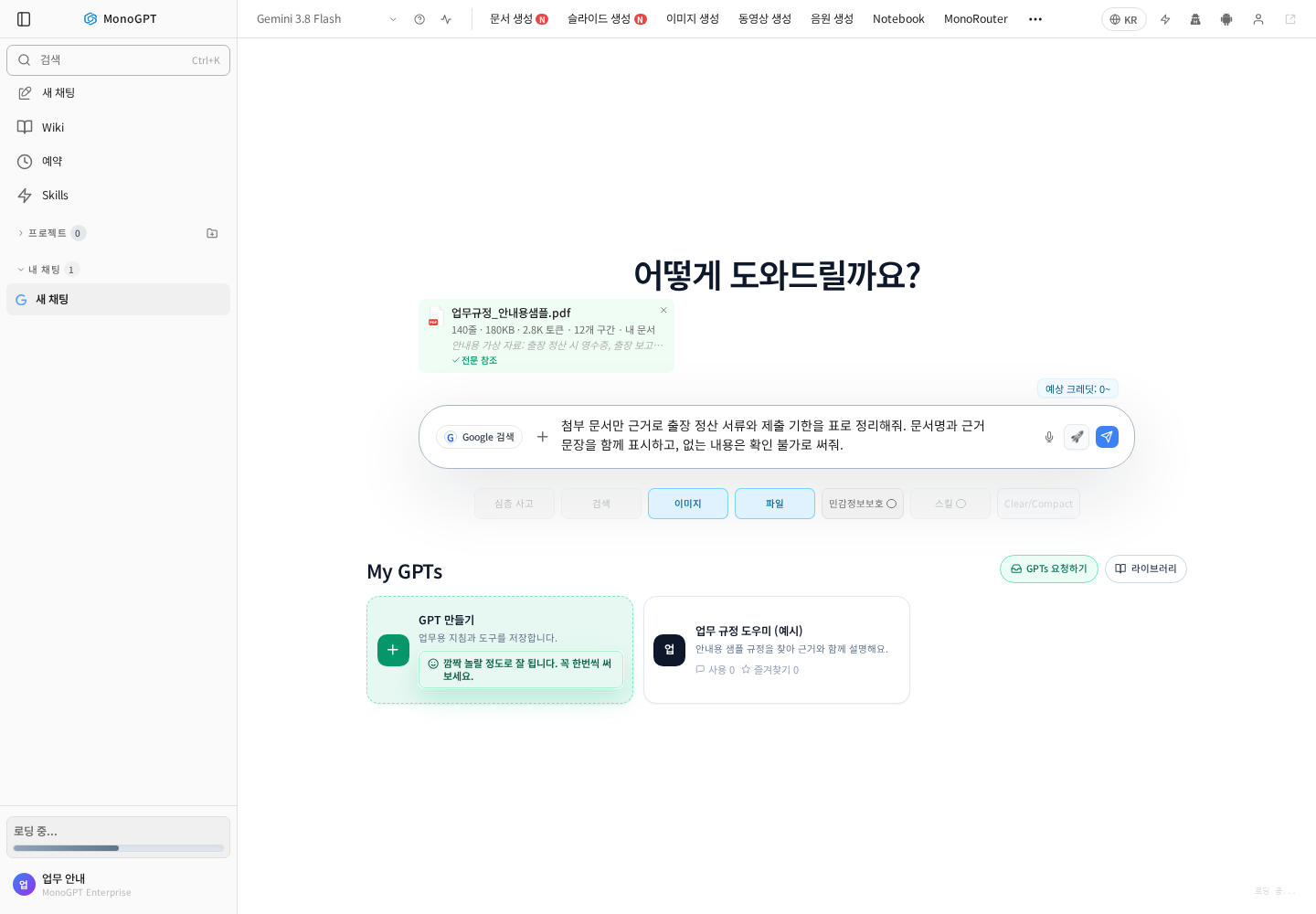
For example: “Find the lodging limit in the attached travel policy. Include the document name and supporting clause; say if the policy does not specify it.” Expand the Sources card with its numeric badge below an answer, then open an item in the source list. Where document evidence numbers are shown, click a number to inspect its reference passage. Check the exact scope and conditions.
Compare figures and exceptions
| Check | Compare |
|---|---|
| Name/version | The intended current file |
| Figures/units | Currency, scale, daily/monthly and tax basis |
| Scope | All employees or particular locations/roles |
| Exceptions/effective date | Conditions and revisions omitted from the answer |
If a source cannot be opened, check access and file processing. Leave unverifiable claims marked for review. See File-based questions.
Was this answer helpful?