Upload documents and ask questions
Use an uploaded document as reference material in a conversation.
Updated: September 2026
Files stored in the document library can be selected again as chat references. Start document Q&A with Gemini 3.8 Flash or GPT-5.6 Terra. For reusable organization knowledge, also see the organization GPT guide.
Actual Korean app screens use fictional demonstration documents. The sample regulation is not a real company policy.
1. Open the library from the account menu
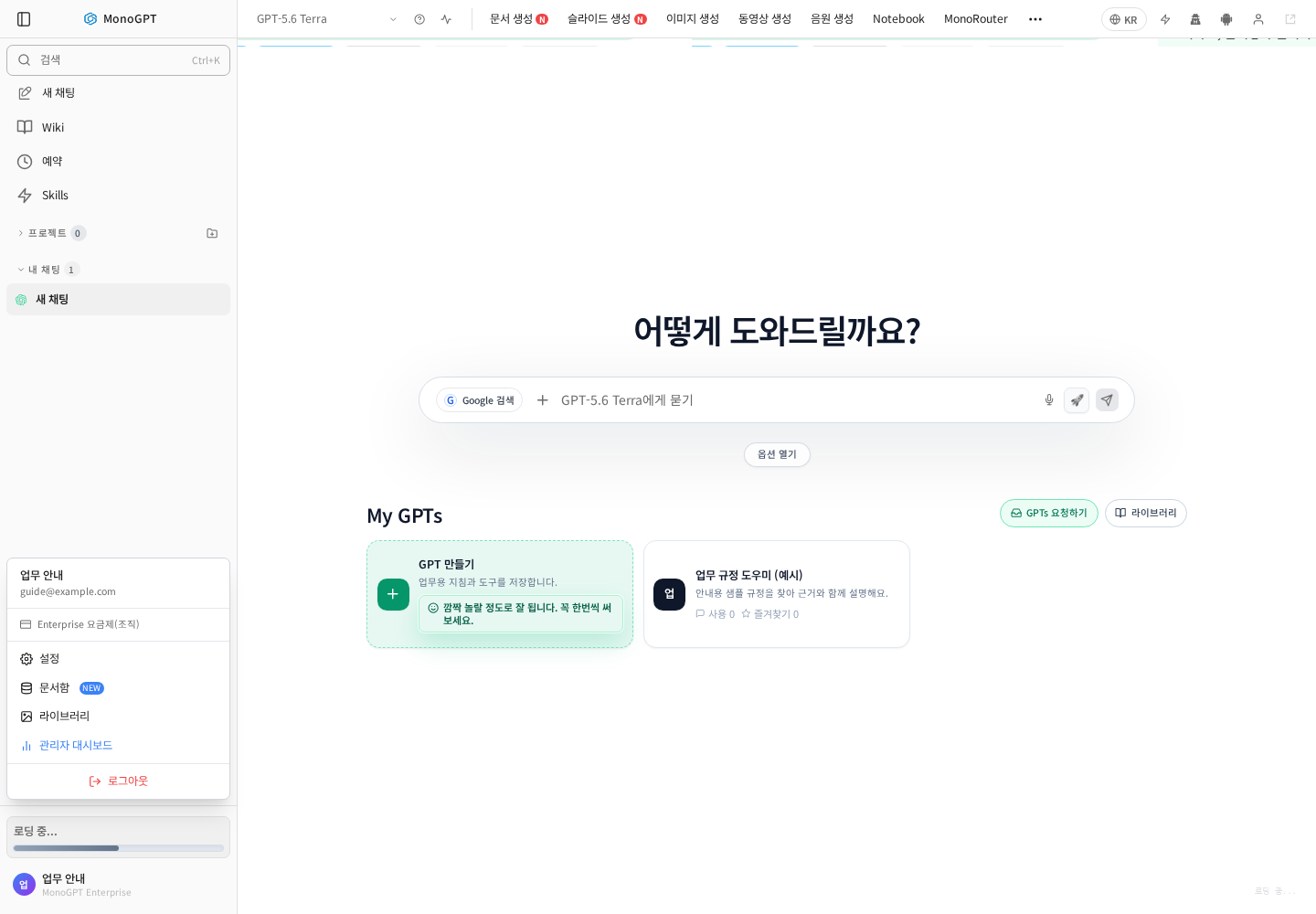
In chat, click your account name at the lower left and select Document library. To attach a new file for the current question, you can also use file attachment.
2. Check upload and sharing settings
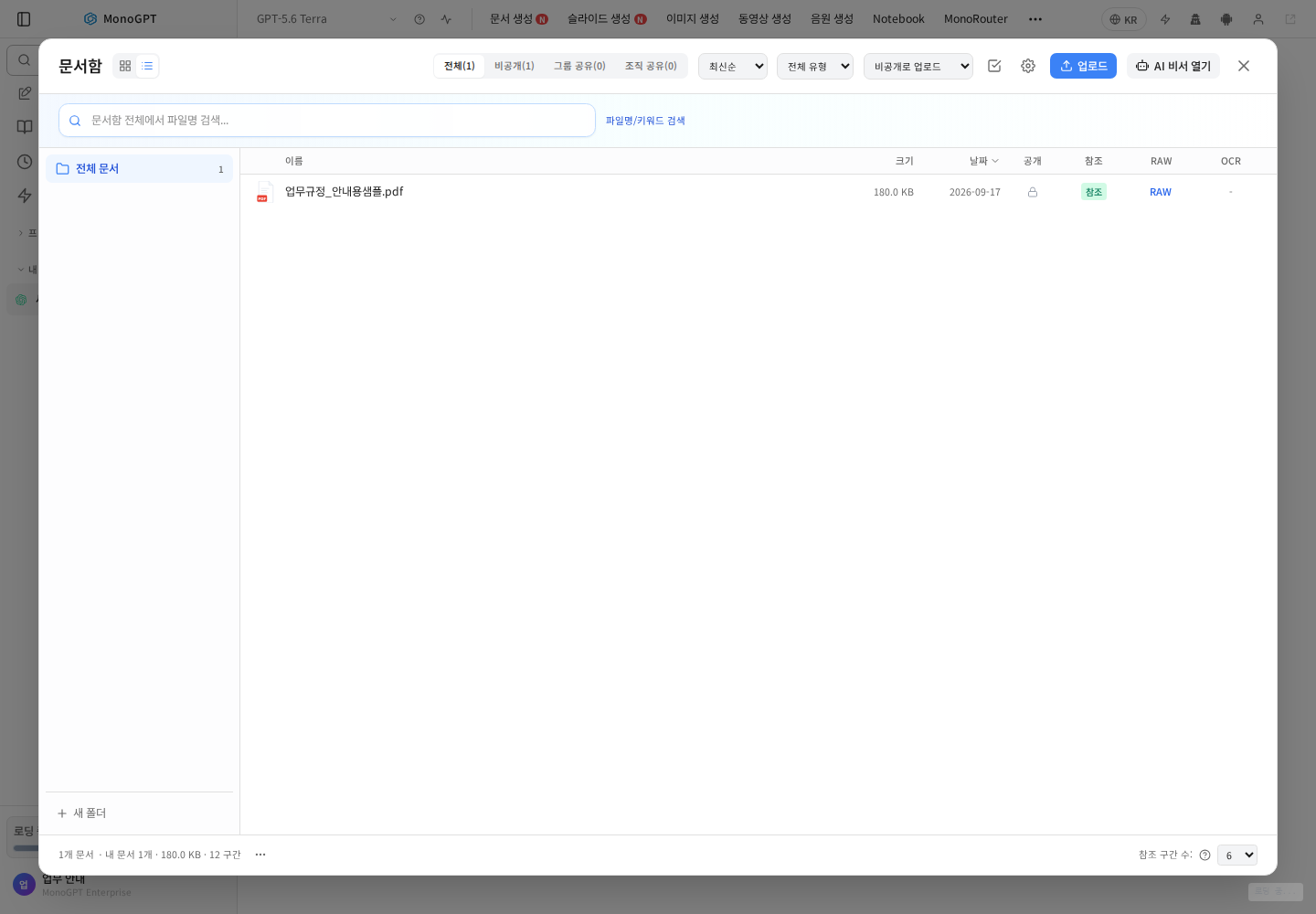
Check the sharing selector beside Upload: private, group shared and organization shared have different audiences. Upload a supported document and wait for processing. Check its filename, date, size and sharing scope. An attachment does not automatically become organization-wide shared material.
3. Find files by name and type
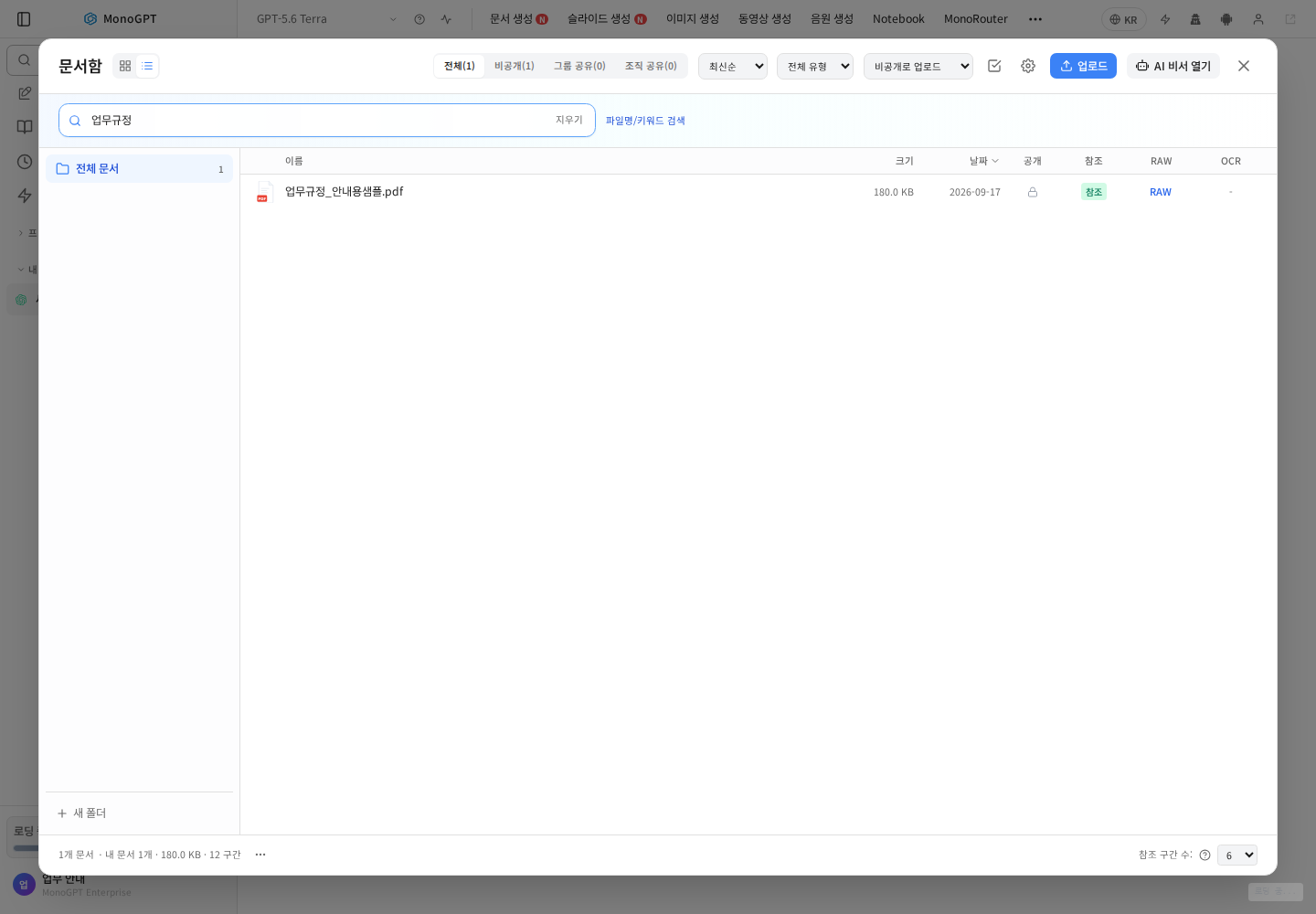
Enter part of a filename. Check the all/private/group/organization tabs, file-type filter and sorting. Distinguish revisions by their date and version before choosing a source.
4. Inspect extracted text with RAW
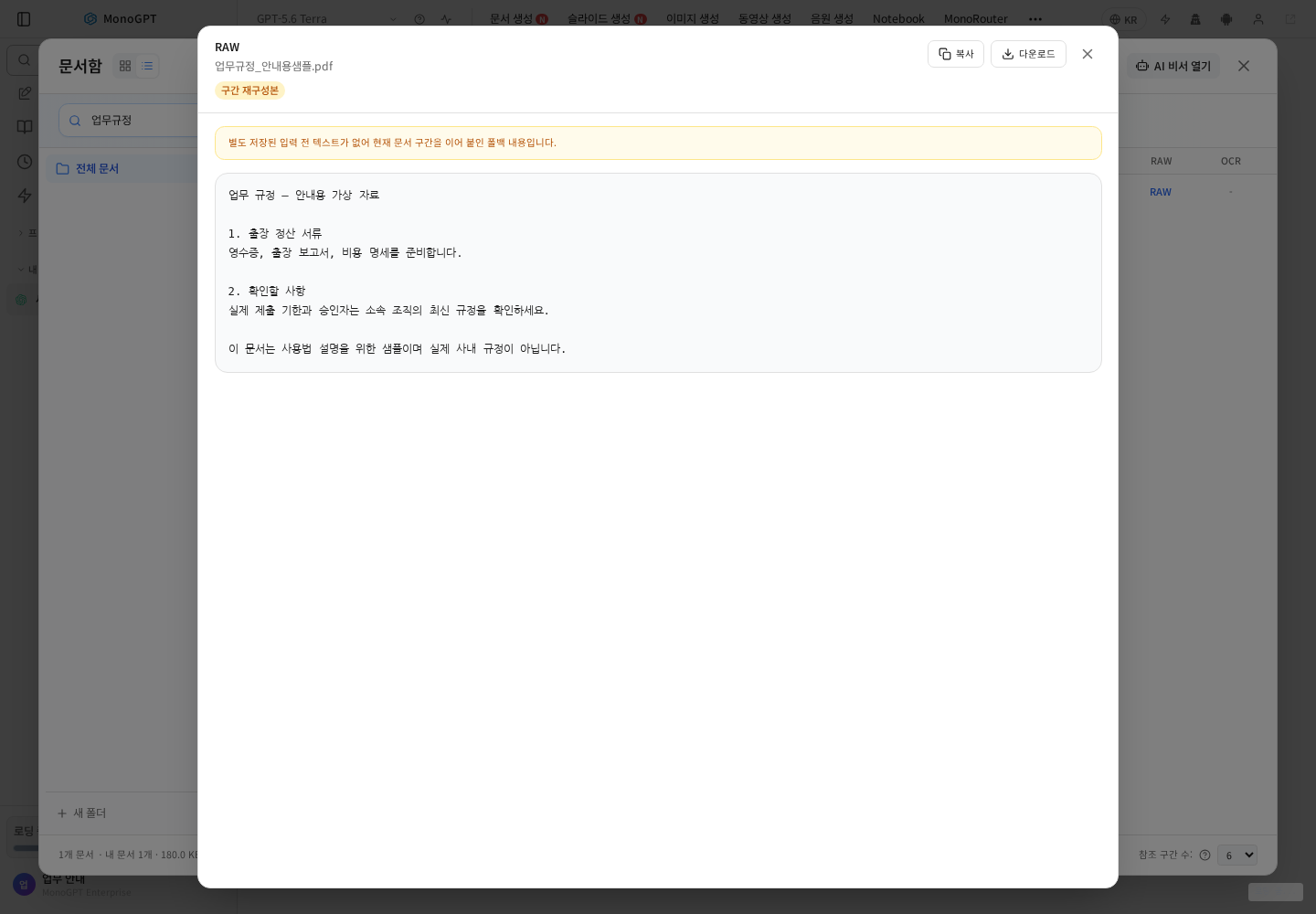
RAW helps you check the text read from a document. Copy or download it for inspection. If separately stored raw text is unavailable, a reconstructed chunk view may appear, as shown. It is not a complete reproduction of the original formatting. For empty text or severely broken tables, check the source file, OCR or conversion.
5. Reference the document and ask
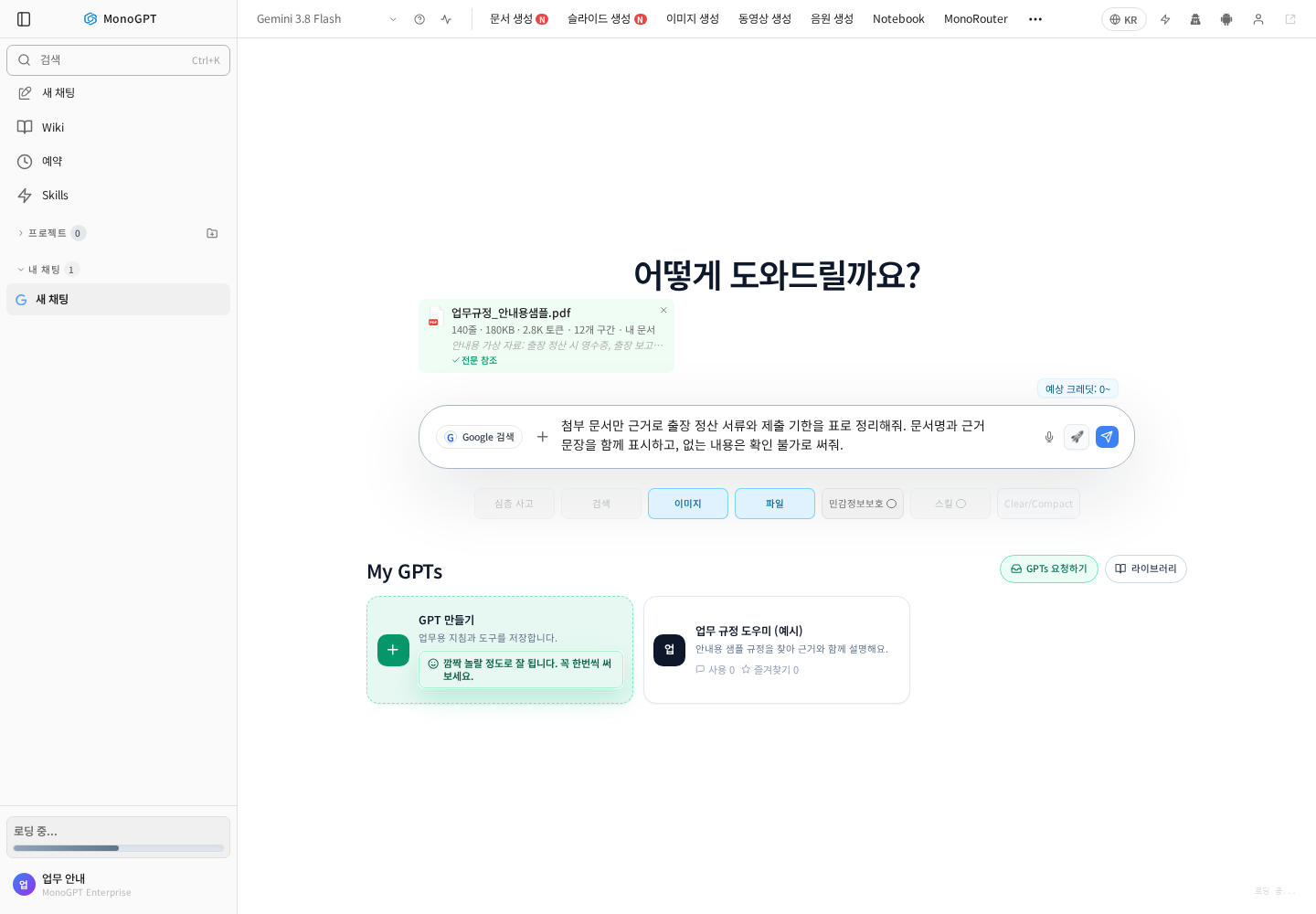
Use a document's Reference action or select it with @ in chat. Verify that the attachment card names the intended file.
Use only the attached regulation to list travel-expense documents, deadlines and exceptions. Include the document name and clause or supporting quotation. Mark missing information as unconfirmed.
Open citations and read the surrounding context. If no citation is provided, ask for the source passage. Page numbers are not always available, so compare with the actual document. Narrow follow-ups, such as “Which conditions changed in the revision?”, are easier to verify. Use the summary guide for long files.
Troubleshooting
For missing files, check the account, sharing tab and search. For unreadable content, check processing, password protection and scans. If an answer goes beyond the source, restate the selected document and evidence boundary. Ask the document owner whether shared material is current.
Was this answer helpful?