Ask questions with file attachments
Attach documents and images to ask questions based on their contents.
Updated: September 2026
Attach files for summaries, comparisons, table interpretation and document Q&A. Start with Gemini 3.8 Flash or GPT-5.6 Terra. For calculations, also check the execution tools and resulting outputs.
Actual Korean chat screens use a demonstration document. Supported formats, sizes and processing depend on the selected model and current UI guidance.
1. Check file tools
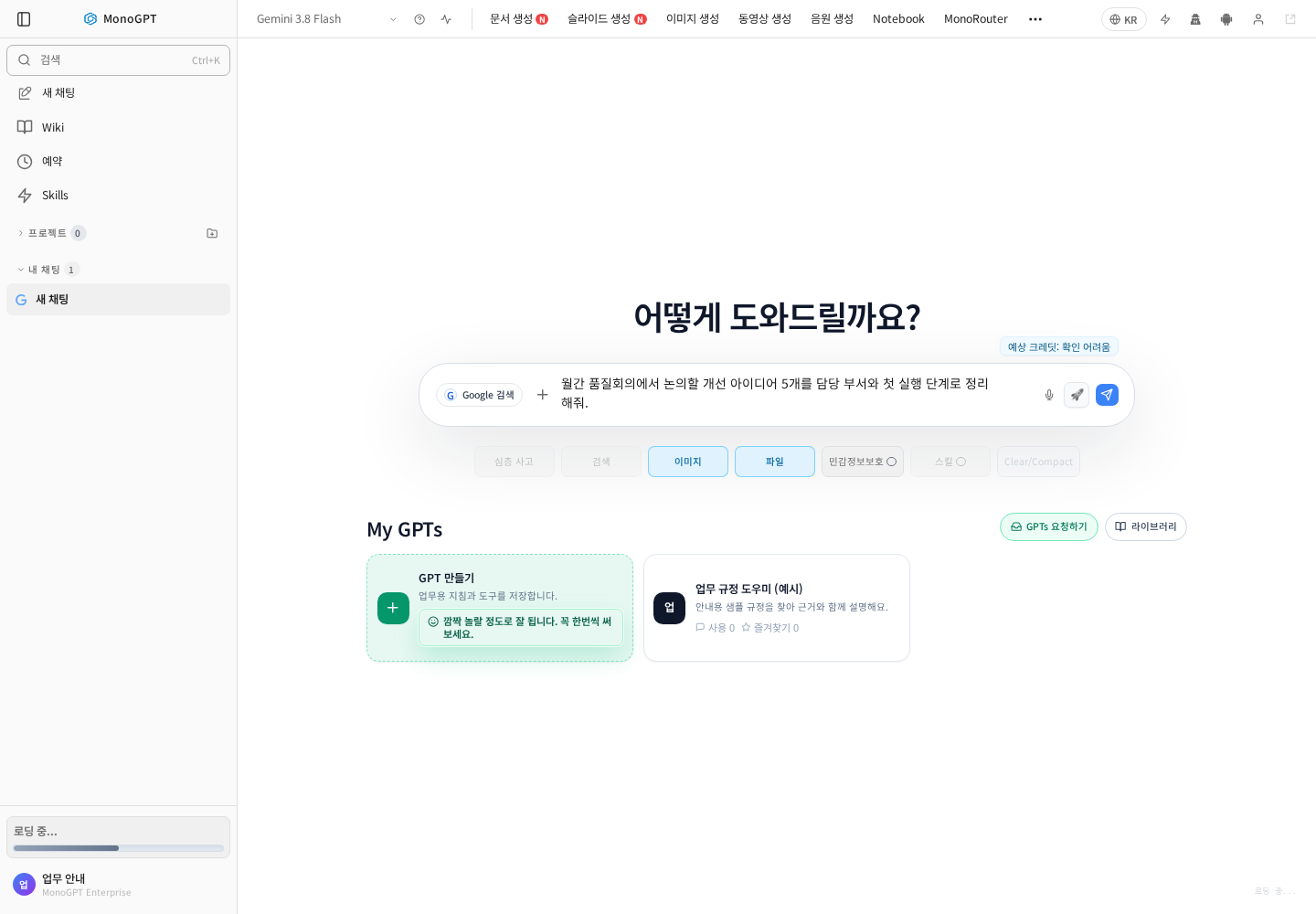
In chat, select a model and open Show options (options). Check available file and image features; document files and images may use different input menus.
2. Choose a new file or a library reference
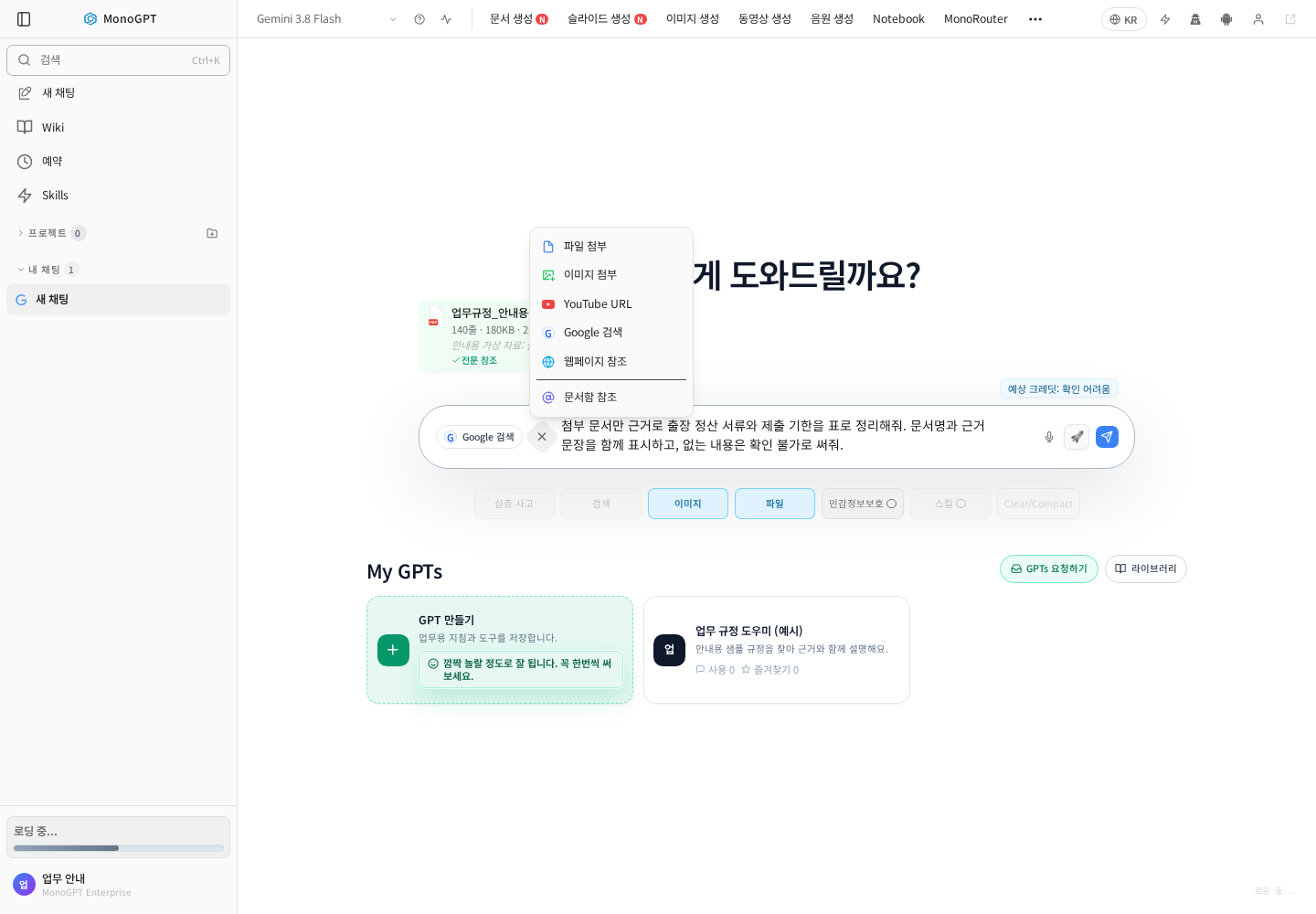
Open + / Attach file beside the composer. Choose Attach file for a file from your computer, Library reference for a stored document, or Attach image for a picture or screenshot. Wait for uploaded files to finish processing. You can also type @ to find stored documents.
Selecting a file does not send the question. Check the attachment and prompt before submitting.
3. Find stored documents with @
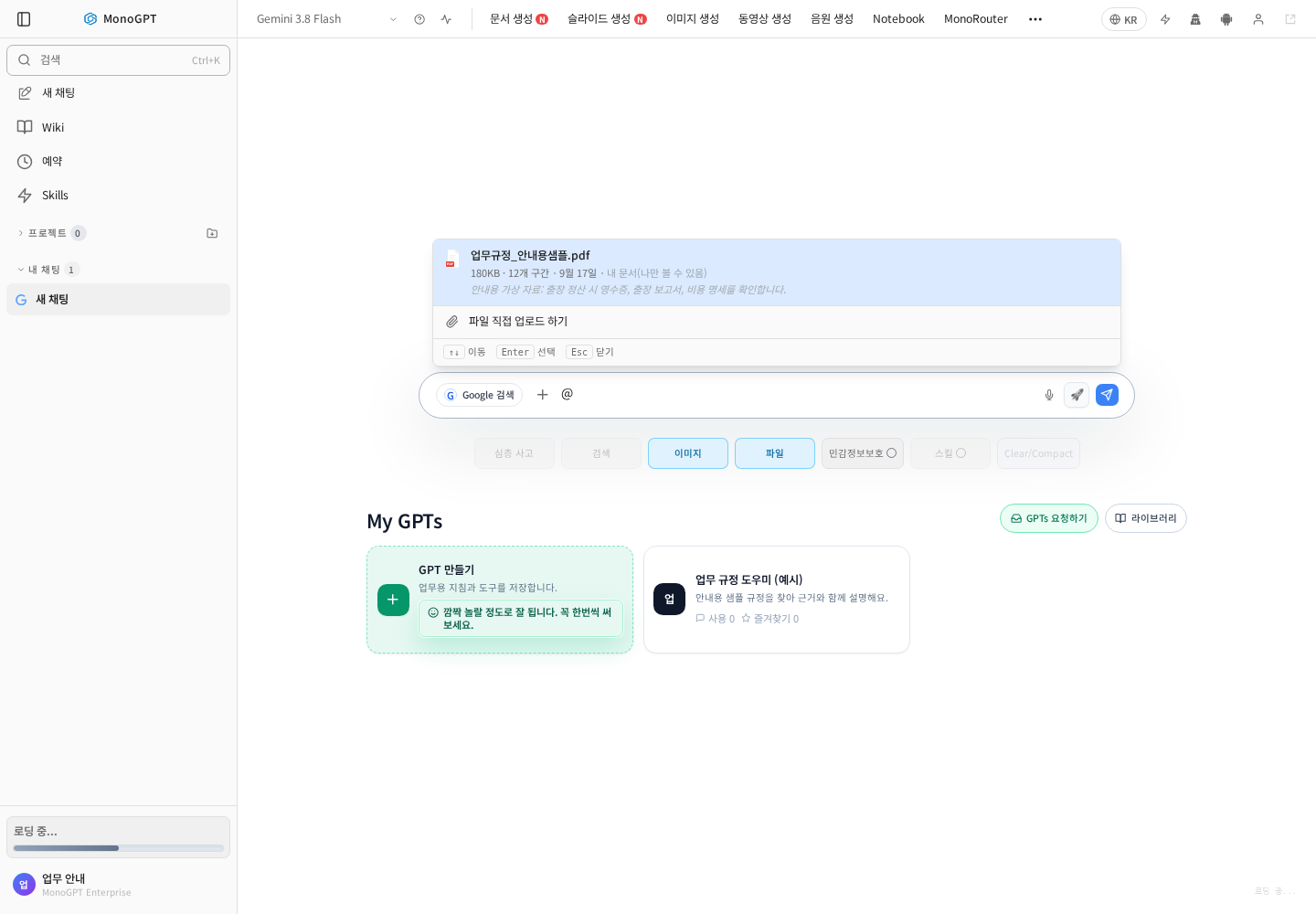
Type @ followed by part of the filename. Check the name, registration date and sharing scope, then click the document or use arrow keys and Enter. If it is missing, check upload and processing in the document-library guide.
4. Confirm the attachment and question scope
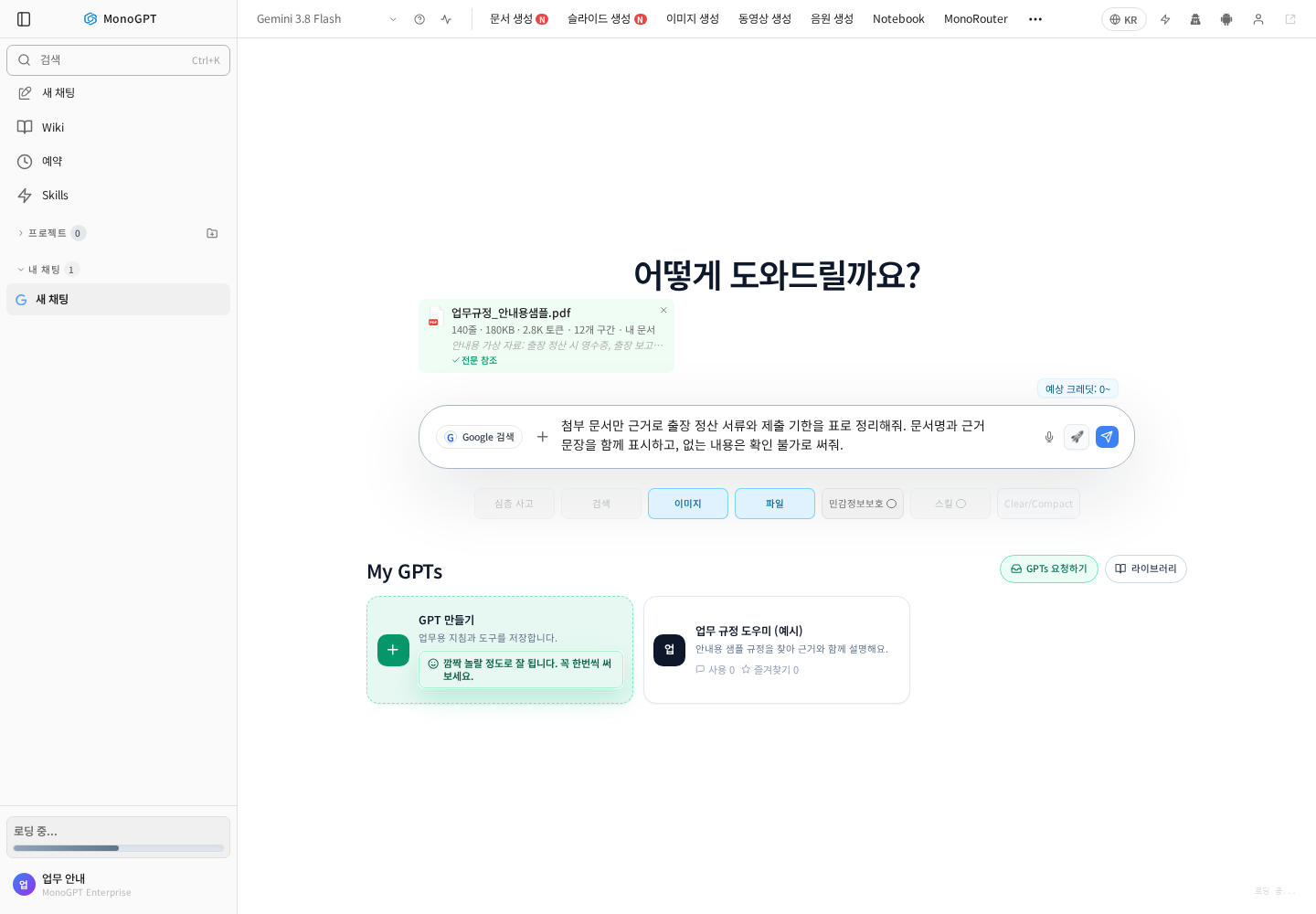
Check the document card above the composer. It can show the filename, size, extracted-text information and reference mode. Explain each file's role and the output you need.
| Task | Example request |
|---|---|
| Summary | Use this report only; return five key points, major figures and unresolved issues. |
| Comparison | Compare inspection procedures in original A and revision B, citing section titles. |
| Q&A | Find travel-expense documents and deadlines; include source quotations and mark absent information as unavailable. |
| Excel/CSV | First identify sheets and columns; then show monthly totals, formulas, units and excluded rows. |
After sending, compare citations with the original. Specify dates, versions and sheet names when files are similar. See the summary guide for long reports.
If a file cannot be read
Remove the wrong attachment before sending and select it again. Use an unlocked copy of password-protected files and extracted text for scanned documents. Wait for processing to complete. Check current support before uploading special formats such as ZIP, and compare calculation results with source totals.
Was this answer helpful?