Draft reports, emails, and meeting materials
Provide source material, refine a draft, and turn reviewed content into a document or slides.
Updated: September 2026
Use Gemini 3.8 Flash or GPT-5.6 Terra to draft and revise text. Use Document generation for downloadable documents and Slides for presentations.
Prepare the request
- Specify the reader, purpose, and length.
- Attach a source report or paste your notes.
- Separate confirmed facts, unresolved details, and required sections.
Example requests
Report: “Draft a one-page quality report for a manager using only the attached monthly results. Include status, issues, possible causes, and actions. Preserve units and periods; mark unsupported causes and dates as ‘needs confirmation’.”
Email: “Turn these notes into a polite supplier delivery-confirmation email. Provide a subject and body, preserving product names, quantities, requested delivery date, and response deadline: [notes].”
Meeting: “Create a 30-minute agenda from this issue list. Show the current situation, decision needed, participating team, and time per item. Do not describe proposals as decisions.”
Create a file from a reviewed draft
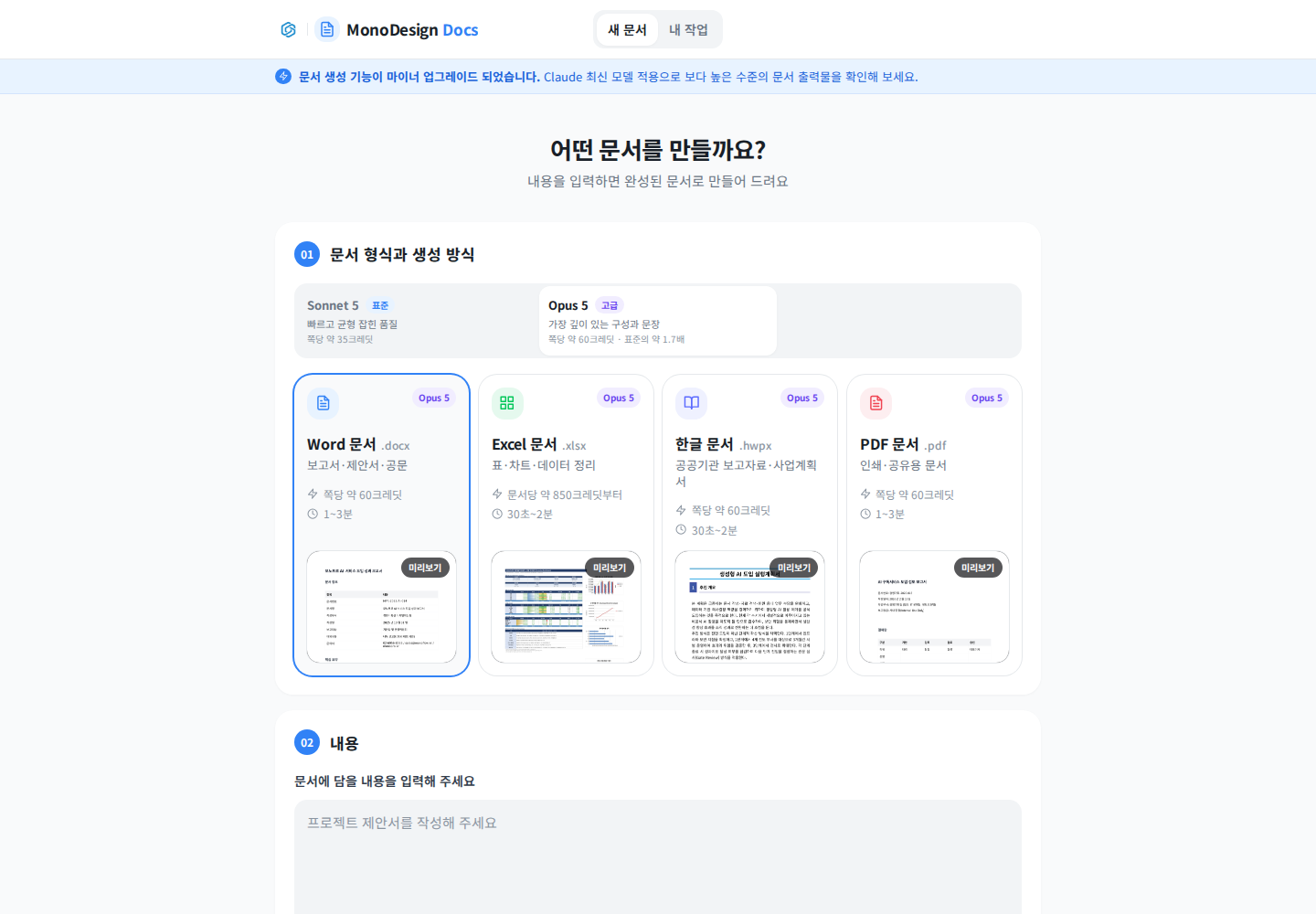
Actual Korean document-generation screen. Available models and displayed costs may change.
- Open Document generation and choose Word, Excel, Korean document, or PDF.
- Paste the draft into the content field and add reference materials.
- Set the direction, expertise, and length; review the displayed cost before creating.
- Check both the preview and downloaded file for tables, page layout, and missing content.
- For presentations, follow the slides guide.
Request a precise revision
Change only the action section into a table of team, action, deadline, and verification method. Keep source figures and the other sections unchanged.
If it does not work
Ask the model to use only supplied facts if it adds unsupported details. If chat returns only text, use Document generation for a file. An email draft is not sent automatically; review it and send it through your email service.
Was this answer helpful?