Choose an AI model
Compare CSAT scores and cost to choose an AI model for your task and budget.
Updated: September 2026
Workshop guide: Current screens and step-by-step practice.
Start everyday work with Gemini 3.8 Flash or GPT-5.6 Terra. For SQL and script drafts, start with Gemini 3.8 Flash or GPT-5.6 Luna. Choose the required tools as well as the model.
These are actual MonoGPT app screens in Korean, using a demonstration account and sample data. Availability depends on organization permissions and service updates. Click an image to enlarge it.
Compare CSAT scores and cost first
If you are unsure which model to choose, open the CSAT score chart in the Model selection guide. It shows scores and cost together, helping you find models with similar scores that fit your budget.
- Open chat and click Model selection guide in the header.
- Select Cost vs performance → Chat models.
- Compare model positions as shown below. Click a provider name to show or hide its models.
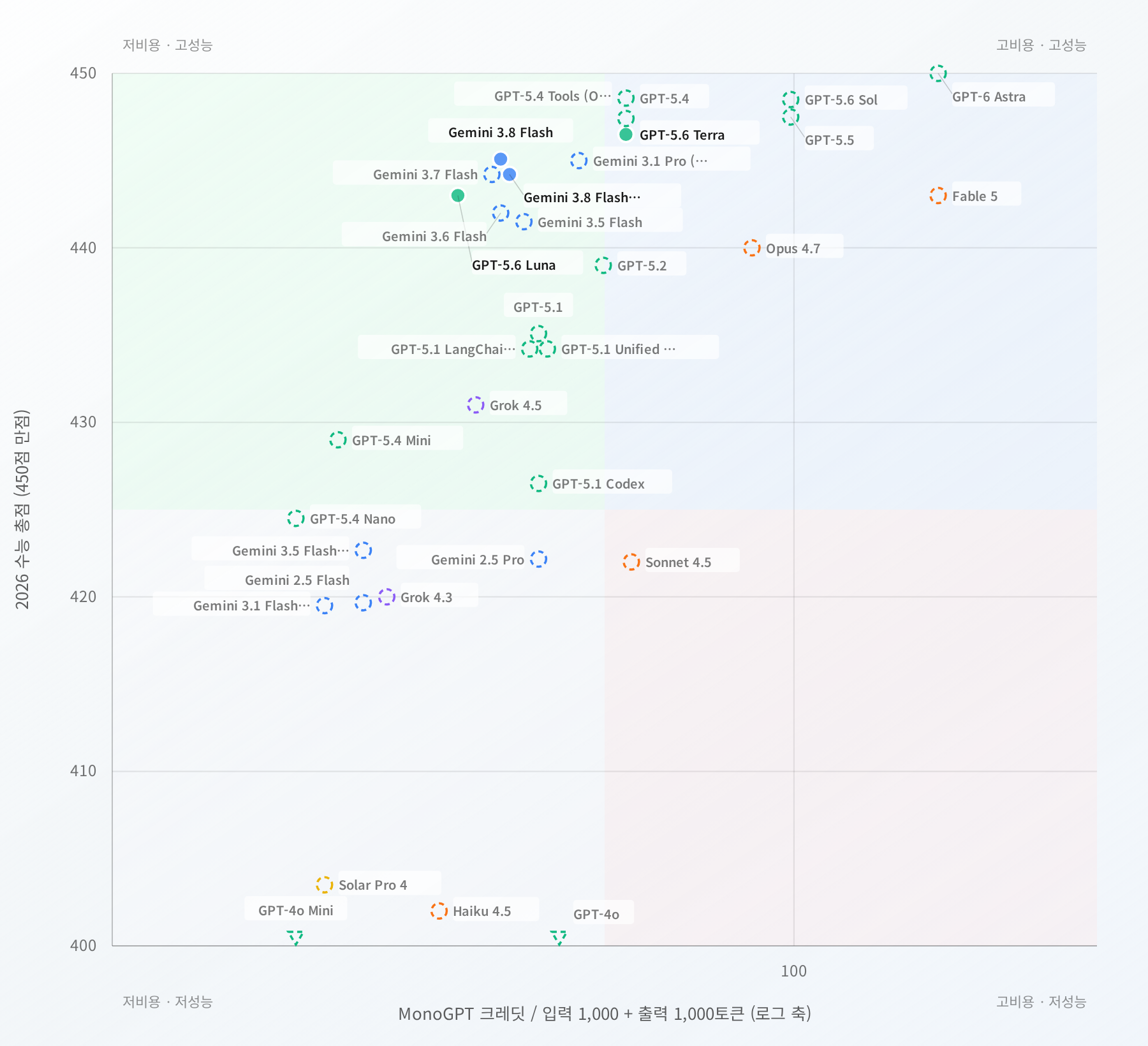
This enlarged crop shows the actual service chart. Click the image to open the high-resolution original. Captured on 2026-09-17; check the current service for scores, costs and availability.
Read the chart
| What to look at | Meaning and use |
|---|---|
| Vertical axis: CSAT score | Higher points have higher 2026 CSAT benchmark scores, out of 450. The chart zooms in on the 400–450 range. |
| Horizontal axis: credits | Further left means a lower cost on the same basis: 1,000 input tokens plus 1,000 output tokens. This is a comparison amount, not a fixed price per question. |
| Models near the upper left | Compare these candidates when looking for both high scores and low cost. For similar scores, inspect the model further left. |
| Model points | Hover to see the full name, score, cost and availability. If labels overlap, inspect the point or the performance ranking beside the chart. |
The horizontal axis uses a log scale, so equal spacing does not mean an equal credit difference. Models below 400 may appear at the bottom boundary; inspect their details for the exact score.
Inspect details and select a model
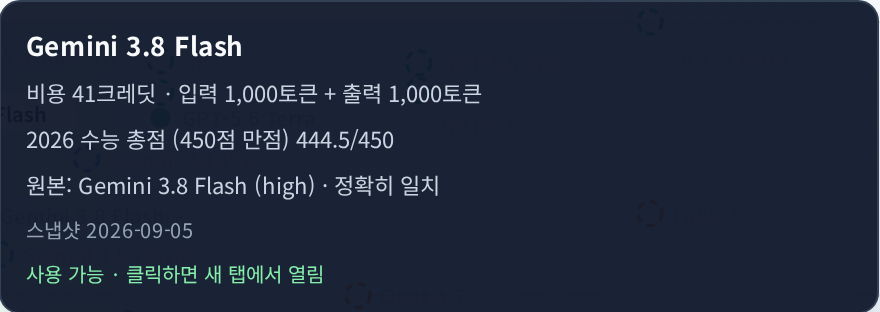
- Hover over a model point in the live chart, or use Tab to focus it.
- Check its score and cost, source benchmark model and snapshot date. Also check the base-model label when the service model differs from the benchmark entry.
- Click a point marked Available · Click to open in a new tab, or press Enter. A new conversation with that model opens in a new tab.
- Models shown only for comparison or unavailable to your account cannot be selected directly. Confirm the model name in the new conversation before asking.
Images in this guide are screenshots that can be enlarged. Use the live Model selection guide in chat to compare and select models.
Choose for your work
- Everyday questions, email and summaries: Start with Gemini 3.8 Flash and compare GPT-5.6 Terra using the same material and instructions.
- Report structure, source comparisons and analysis interpretation: Check whether Gemini 3.8 Flash and GPT-5.6 Terra meet your evidence and output requirements.
- SQL and scripts: Start with Gemini 3.8 Flash or GPT-5.6 Luna, then check execution results and errors.
- Managing your budget: Try the lower-cost candidates that meet your quality needs, then compare other models on tasks that need improvement.
CSAT scores are a selection aid. They do not measure every aspect of coding, translation, file handling or current-information search. Check measurement conditions through the source and official leaderboard links below the live chart, then compare results and supported tools using your own work material.
1. Locate the current model
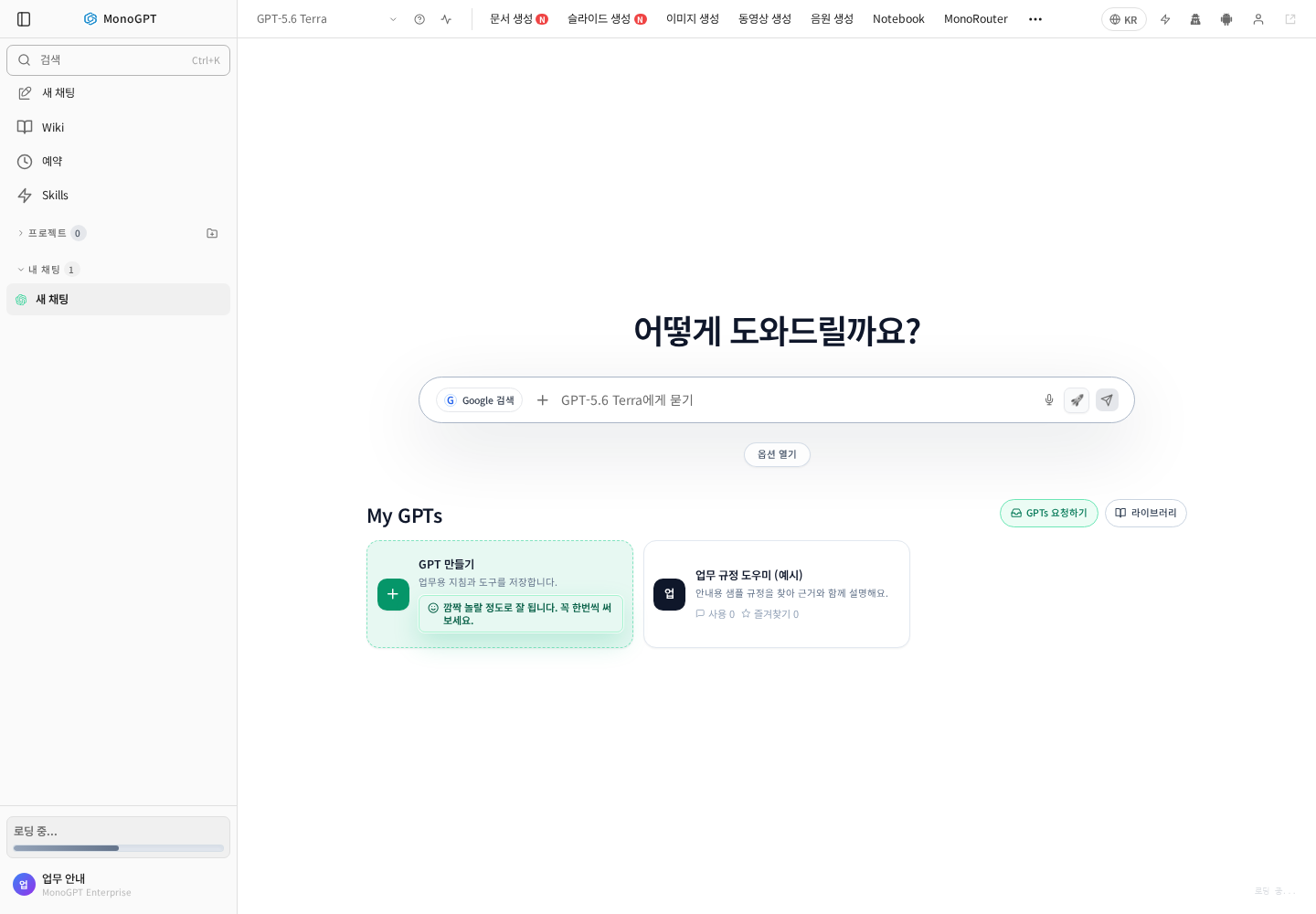
Open chat and click the model name at the upper left. The composer also shows the selected model. Document and slide generation menus open separate creation apps.
2. Open the full list
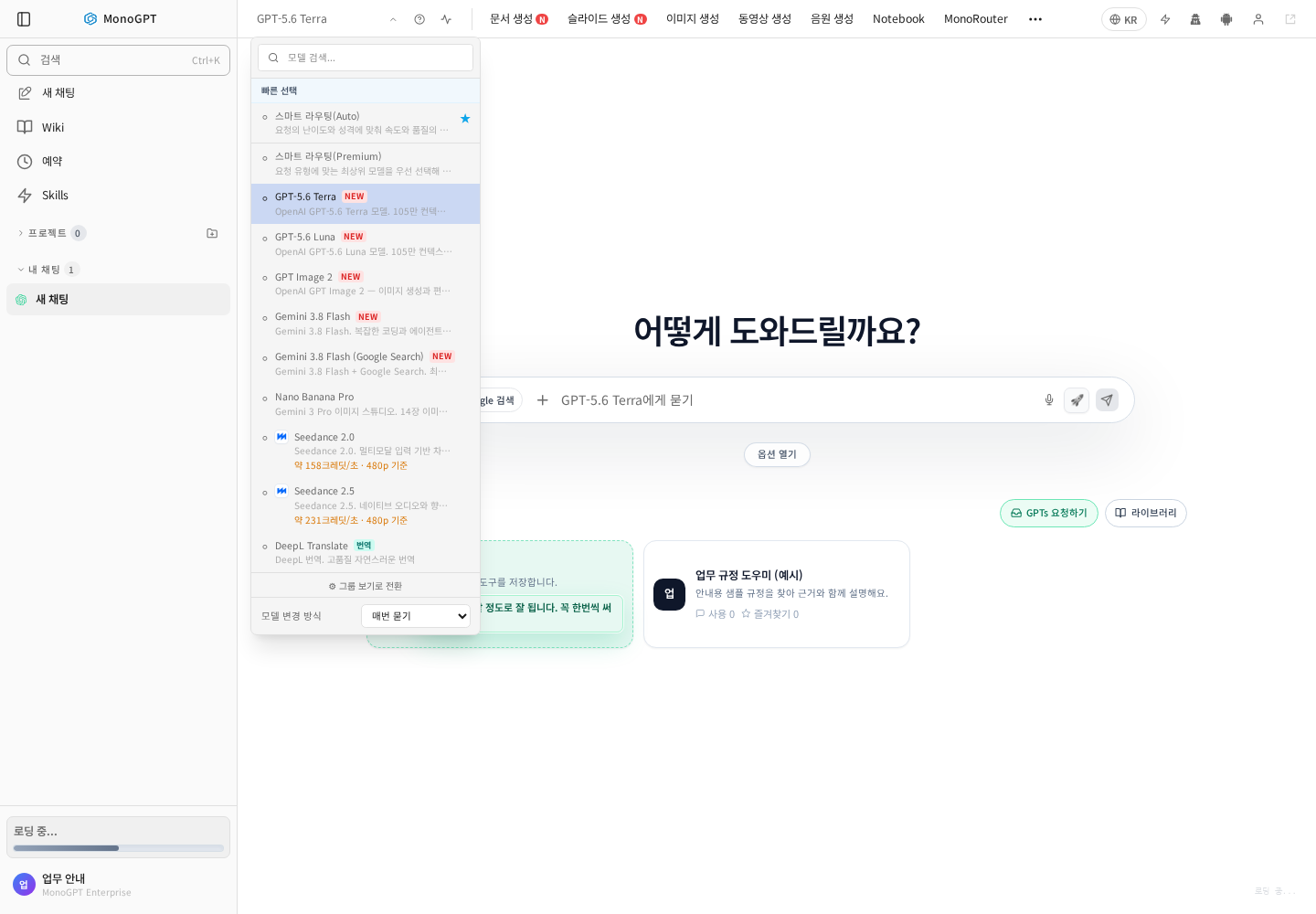
- If only provider shortcuts appear, choose Switch to full view (full view).
- Check Model change behavior.
- Continue the current conversation for the same task, start a new conversation for a new topic, or keep the option to ask each time.
3. Search by model name
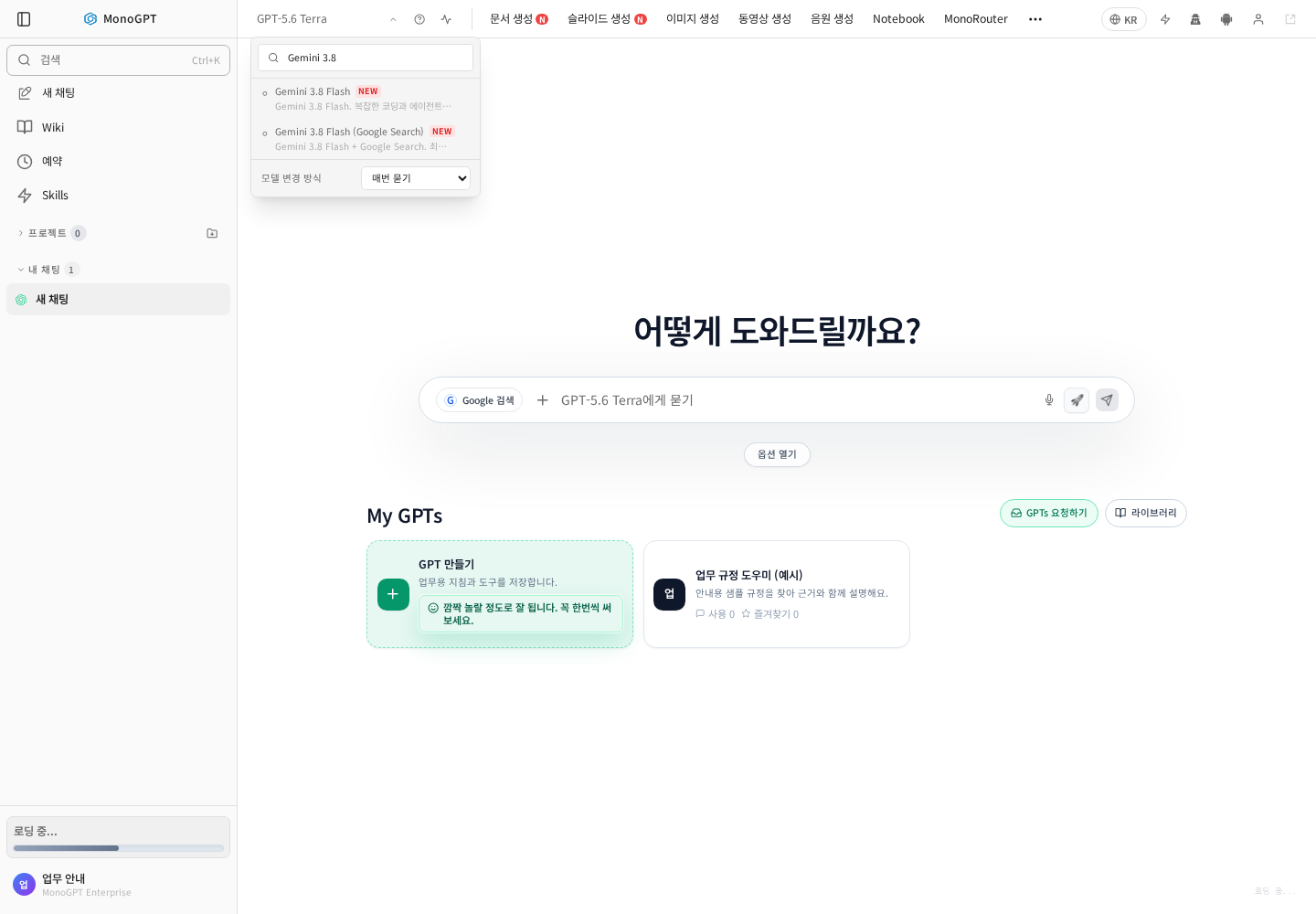
Enter part of a name, such as Gemini 3.8, Terra, or Luna. For recent public information, check search support and the search setting. The example includes Gemini 3.8 Flash (Google Search).
| Task | Starting model | Include in your request |
|---|---|---|
| Ideas, email, short summaries | Gemini 3.8 Flash | Purpose, reader, length |
| Report structure, comparisons, analysis interpretation | GPT-5.6 Terra or Gemini 3.8 Flash | Sources, comparison criteria, calculation rules |
| SQL and scripts | Gemini 3.8 Flash or GPT-5.6 Luna | Database type, sample input/output, execution constraints |
Selecting a model does not automatically enable every file, calculation, search, or download tool. Check the composer options.
4. Confirm the selection and ask
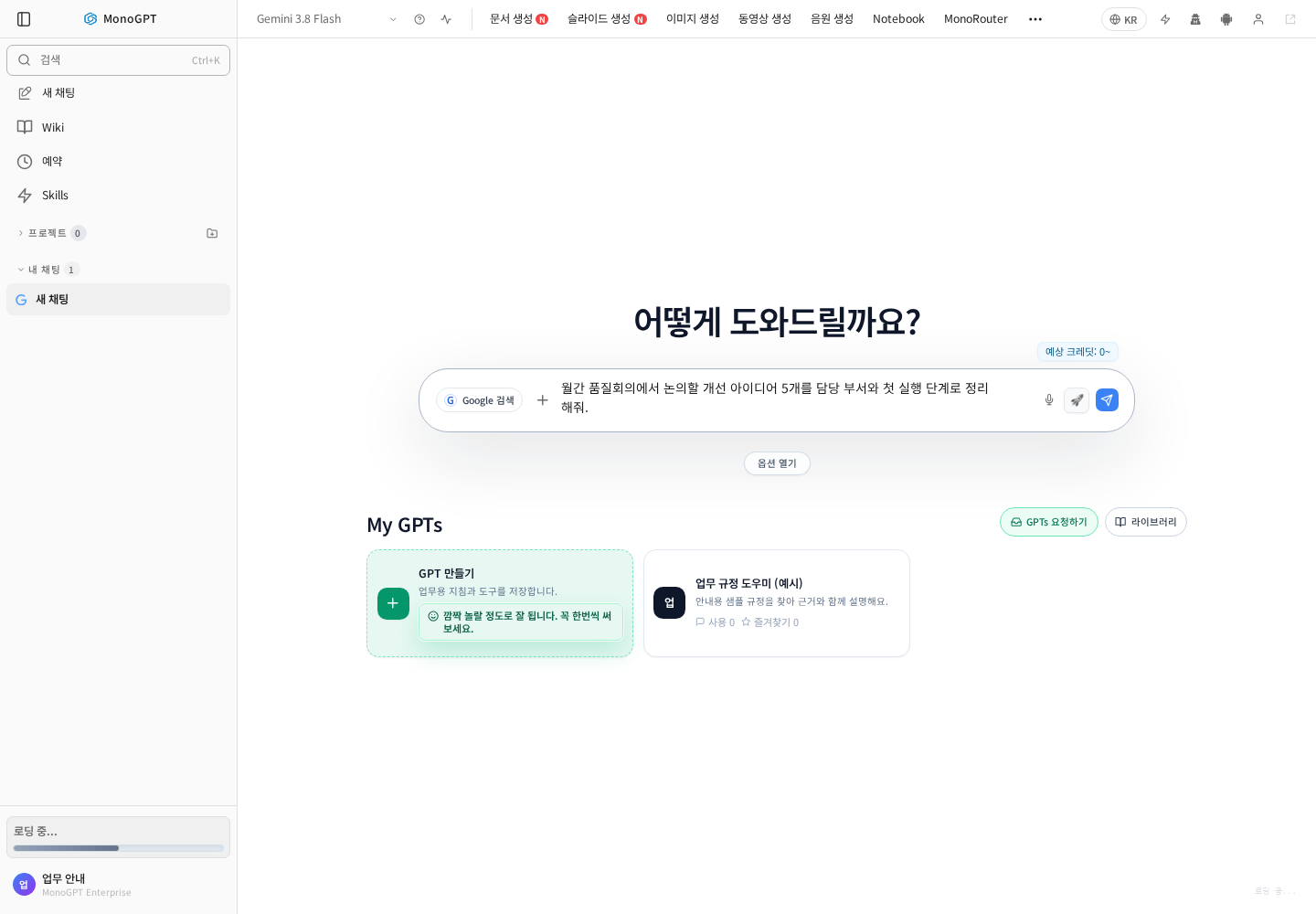
Check the header name before sending. Try: “Suggest five quality-meeting improvement ideas, with the responsible team and first action for each.” Refine the parts that need more detail after reviewing the response.
When something is missing
- Clear the search and check the full list. Organization, group, and individual permissions can differ.
- For file questions, verify the filename and processing status first.
- Check source dates for research and formulas, units, and source totals for calculations.
- See the model catalog and task recommendation table.
Was this answer helpful?