Let Smart Routing choose a model
Automatically select a suitable model when you are unsure which one to use.
Updated: September 2026
Workshop guide: Current screens and step-by-step practice.
Smart routing helps when you have not chosen a model. Automatic model selection is separate from attachments, search and connectors.
Open model selection
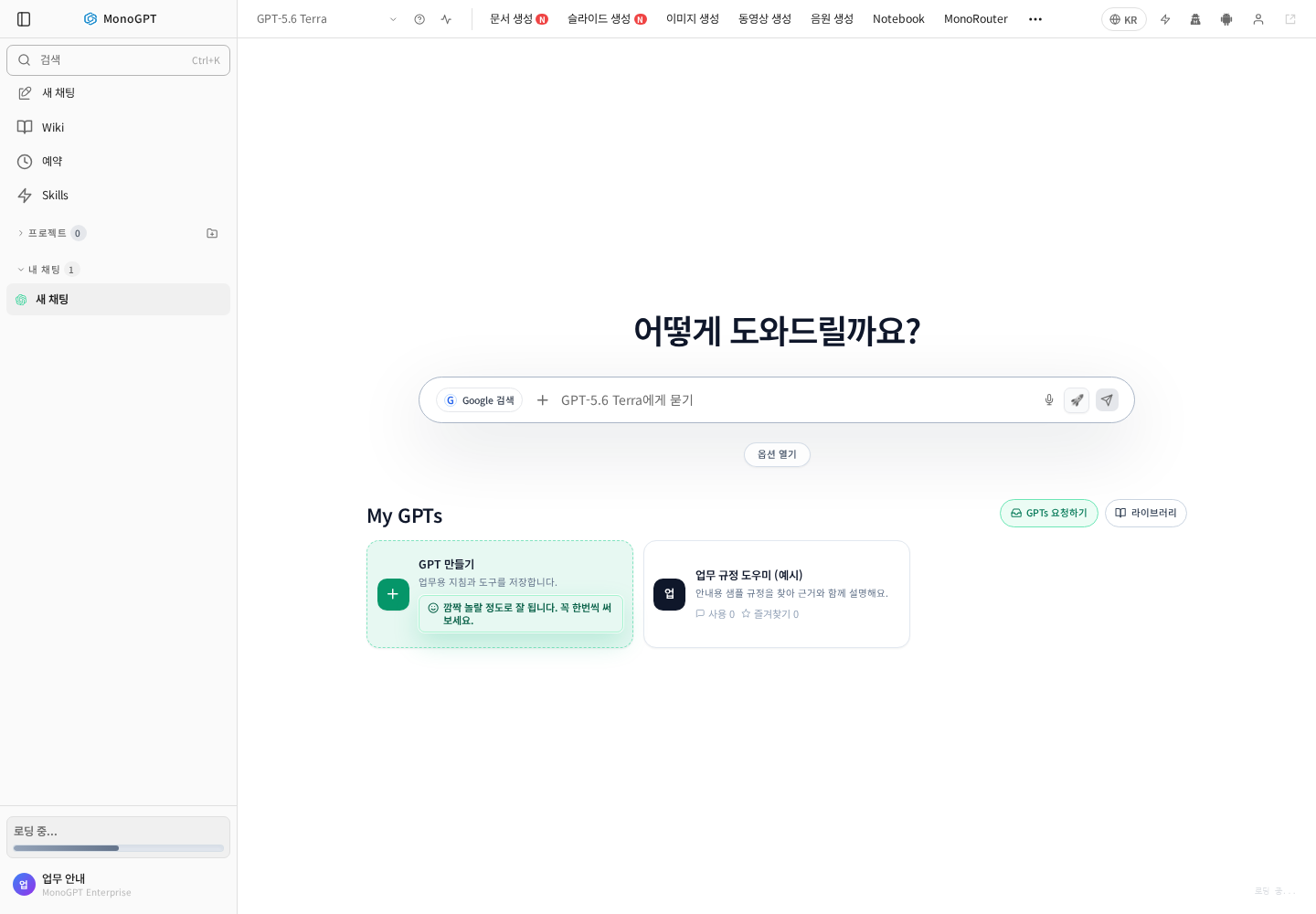
Click the current model above chat. Open the full list if the compact list omits an option. Verify the selected name afterwards.
Choose an available automatic option
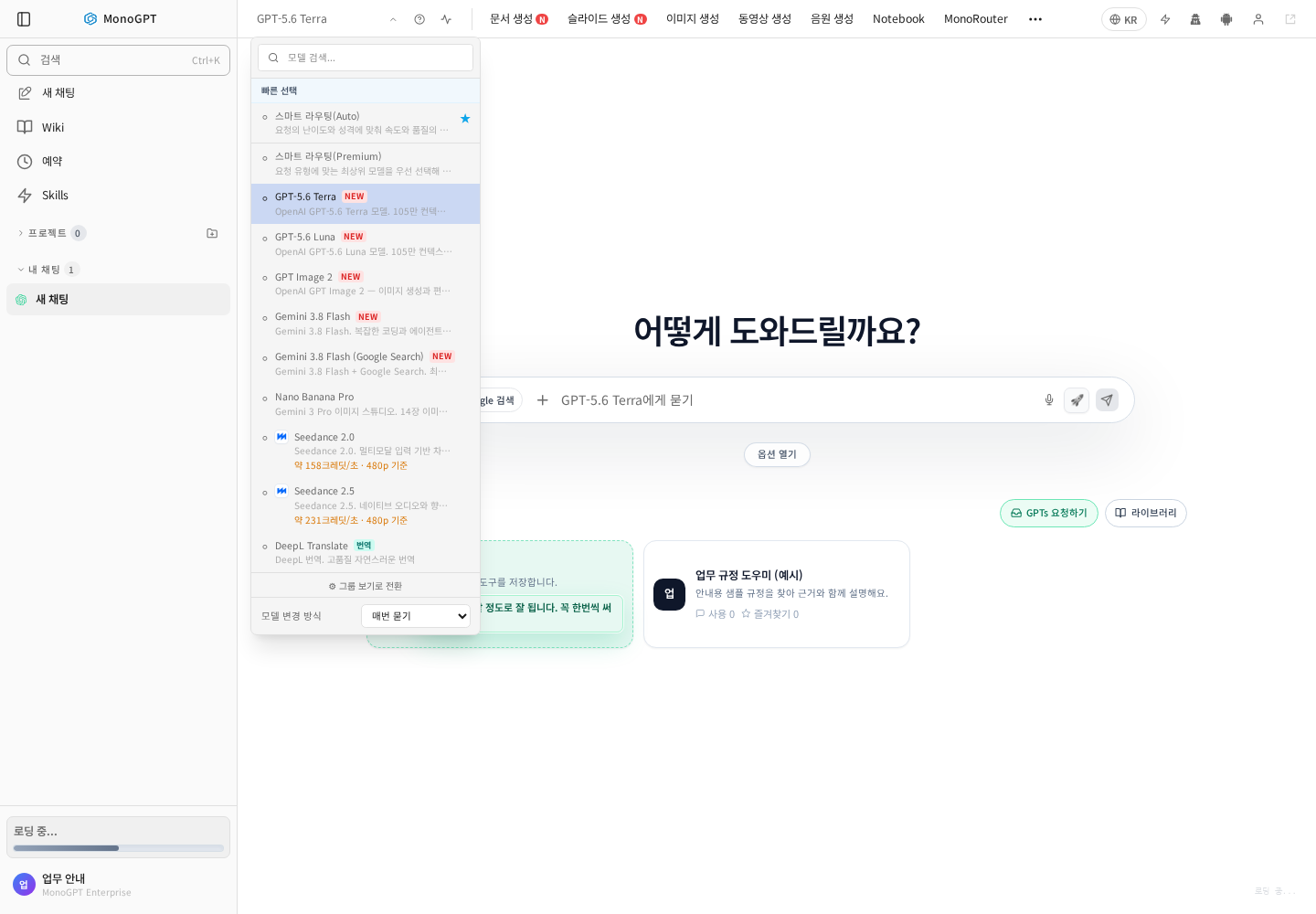
Find Smart routing (Auto) or another available automatic option. Missing or disabled entries may reflect organization/group permissions. Use the current screen for names and costs.
Include material and task requirements
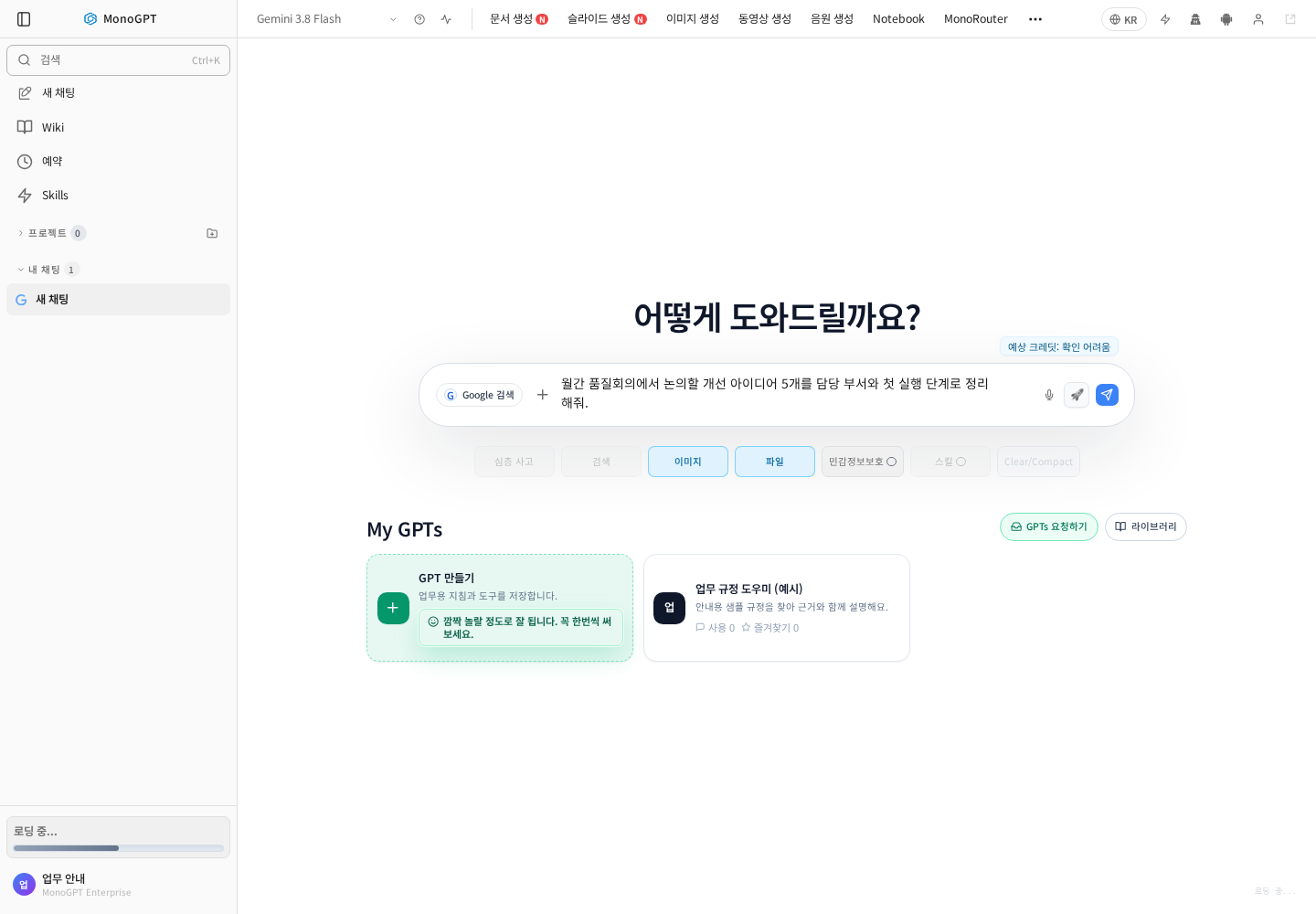
For example: “Using only the attached meeting notes, produce five summary lines and an action table. Mark missing owners and dates as needing confirmation.” Automatic routing does not automatically connect internal documents or internet sources. Verify attachments and required tools separately.
Verify results or switch to a specific model
Check sources, figures and whether attachments were used. When a particular model/tool is required, select it directly and review its input options. Check missing material and unclear instructions before changing models. See Model selection.
Was this answer helpful?