Create a song with Music Studio
Generate a song from a theme or lyrics and a preferred style.
Updated: September 2026
In Song Studio, enter lyrics, a title and style, then compare the outputs available for the selected model. These real UI captures use example inputs and fictional results; no paid generation or sharing was performed.
Enter lyrics and a title
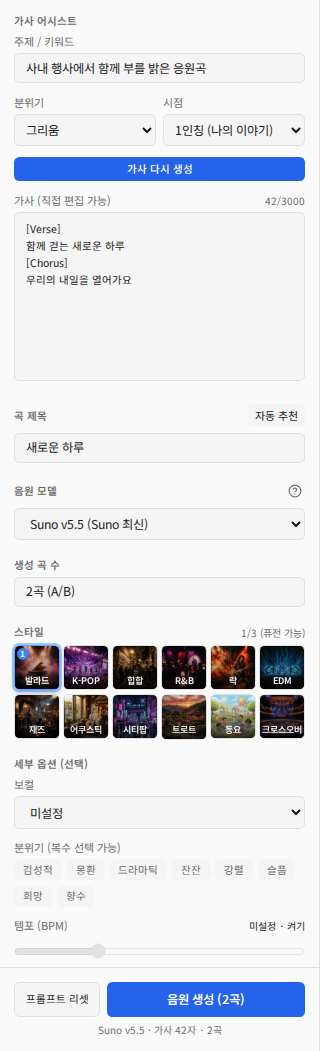
- Open Make music; the initial view may be Templates.
- Choose a topic, mood and perspective, then write lyrics or use automatic lyric generation.
- Enter a title and review pronunciation, repetitions and organization names. Title suggestions and automatic lyrics can also consume credits, so use them when needed.
Select a model, style and options
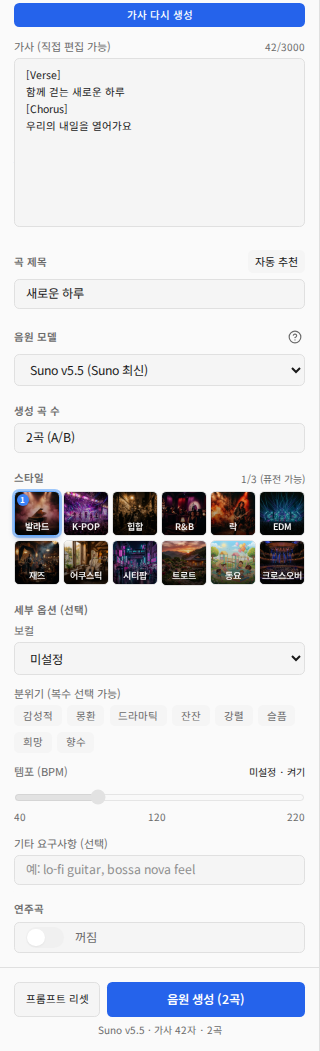
Select the model and check its output count. Combine up to three styles and adjust vocals, mood, tempo and other requirements. Describe purpose and instruments rather than piling on contradictory instructions.
Create instrumental background music
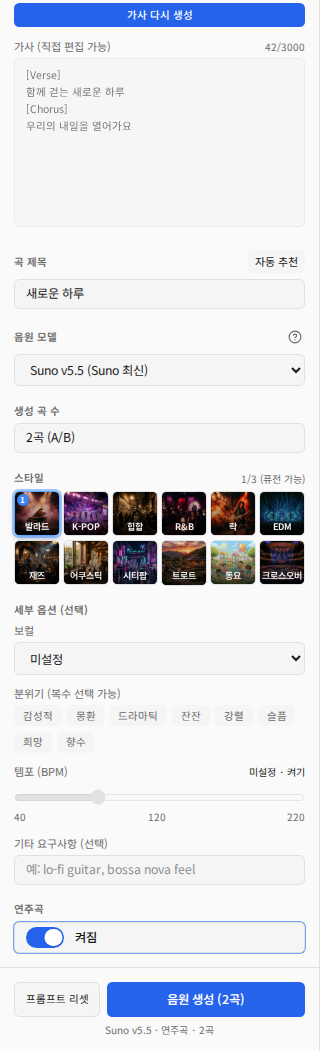
Turn Instrumental on for music without lyrics. For example: quiet piano before an event that leaves room for conversation. Review the model, lyrics/instrumental state, output count and cost information before generating.
Compare, inspect lyrics and download
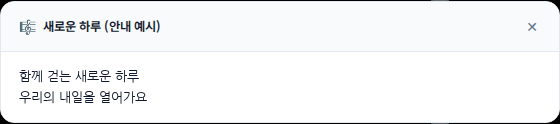
Listen to the entire output and compare variants when provided. Use View lyrics and compare with the input. Download the available MP3 or other file and play it locally. Lyric video downloads depend on an actual video being available for that result.
Check before sharing or deleting
Turning Share on publishes the song to the public gallery and makes a share link available. Keep internal material private. To withdraw it, turn sharing OFF first and verify the state, then delete work history if needed. Deleting history alone does not revoke the existing share. Reset prompt clears inputs rather than created songs. Check pending/failed states before repeating generation.
When generation is disabled
Check that a style is selected and either lyrics are entered or instrumental mode is enabled. For failures, inspect the error and job state before changing inputs. Before business distribution, review rights to the material and the selected service’s current usage conditions.
Was this answer helpful?