Add or remove secondary memberships and change the primary group
Understand primary, secondary and active groups, with separate instructions for masters and group managers.
Updated: September 2026
Screens show real UI components with fictional training names, emails and values. No accounts were changed and no emails were sent. Select an image to open it at full size.
Understand three different group concepts
| Type | Meaning | Example |
|---|---|---|
| Primary group | Default organizational assignment | Junho's primary group is Content Production |
| Secondary group | Additional assignment | Junho also works with Training Support |
| Active group | Group used for the current task's requests | Select Training Support before its work |
Adding a secondary assignment does not change the primary group or transfer credits. Switching the active group affects subsequent requests, not historical usage.
1. Open the target group's members
Masters open Account menu → Member management → Group management → Members for the target group. Verify the group name and the Primary / Secondary / Group manager badges.
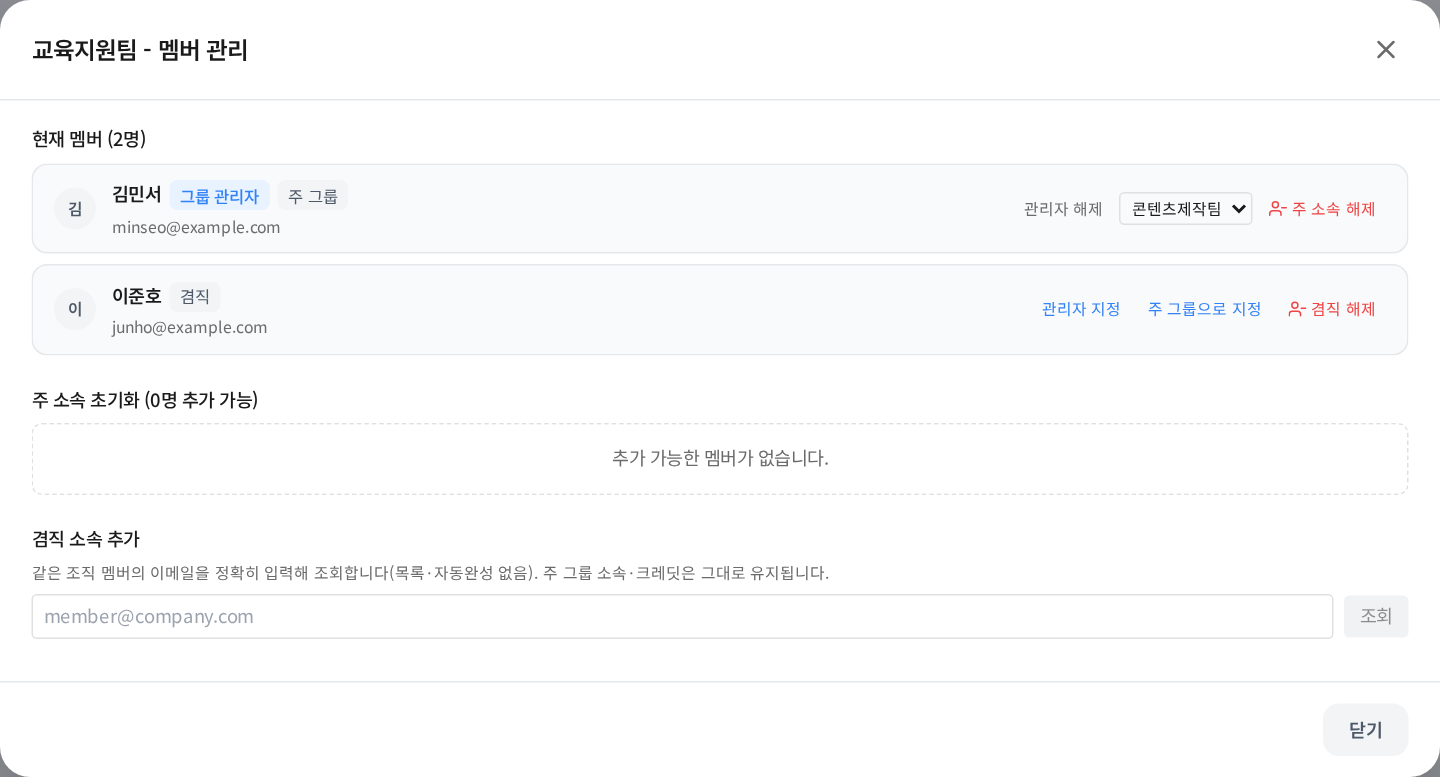
“Group manager” is a permission; “Primary” and “Secondary” describe membership. Adding a secondary assignment does not automatically grant management rights.
2. Add an existing organization member
- Locate Add secondary membership in the destination group's dialog.
- Enter the exact email of an active member in the same organization and select Look up.
- Check the name and email before selecting Add secondary membership.
- Confirm the Secondary badge in this group and verify the original primary group remains.
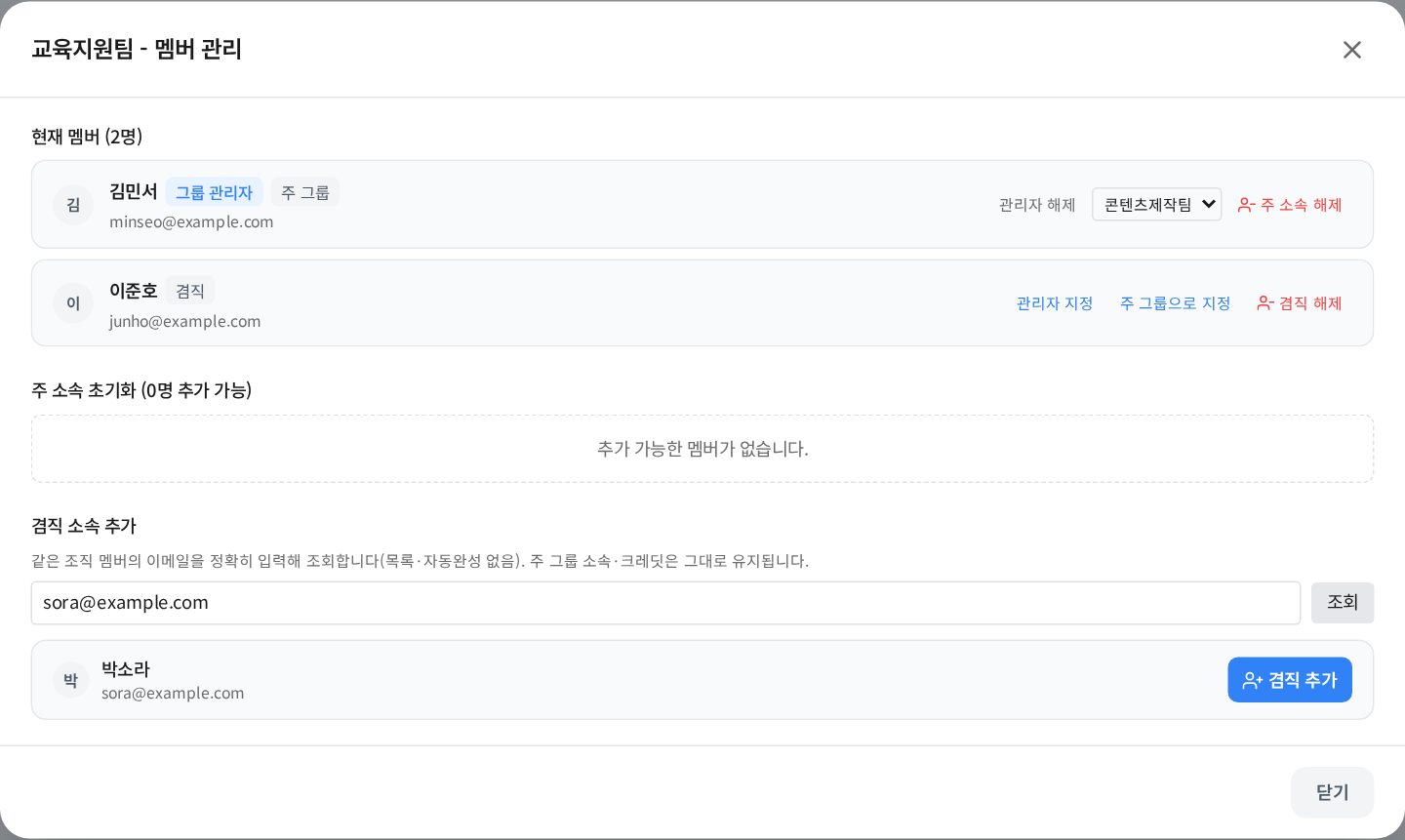
Use the registered email. This lookup is not a global directory, autocomplete or new-account registration form.
3. Remove only the secondary assignment
Select Remove secondary membership for the person in that group. Confirm absence from that group's roster and preservation of the primary assignment. For organization-wide deactivation, follow member lifecycle guidance.
4. Masters change the primary group
To promote an existing secondary group, select Set as primary group. The previous primary group remains as a secondary assignment. If that old role is ending completely, verify the new primary group before separately removing the old secondary assignment.
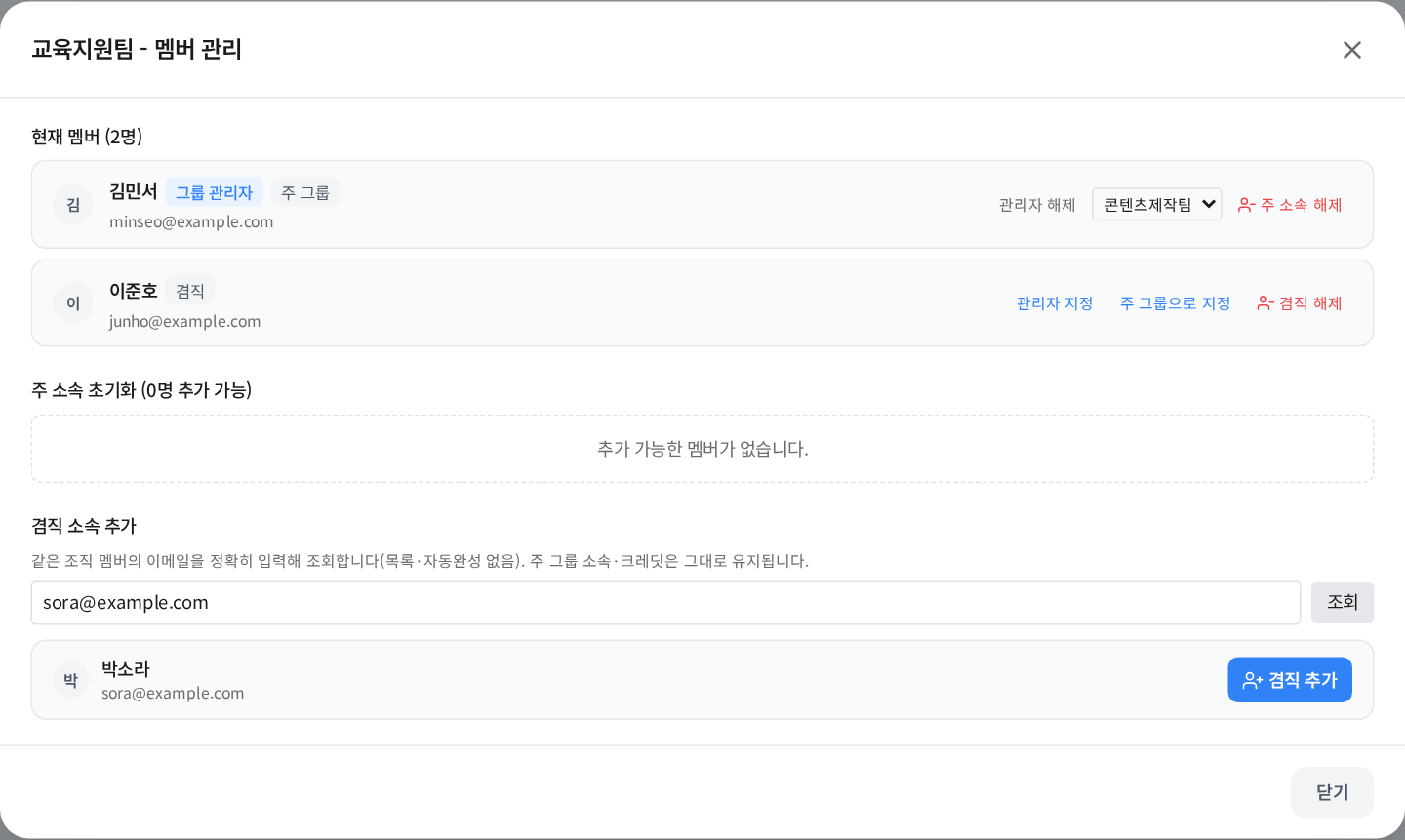
Remove primary membership is a different action. If secondary memberships remain, choose the successor primary group before proceeding. Without another assignment, the person may become unassigned, affecting access. Recheck primary, secondary and active groups afterward.
5. Group managers operate only their assigned groups
Open Group management → Assigned group → Secondary membership management. With multi-group membership enabled, use this dedicated action instead of the legacy add/remove controls. New members and members assigned only to this group can be added or removed from the group's member screen. Ask the master to change primary assignments or move members from other groups.
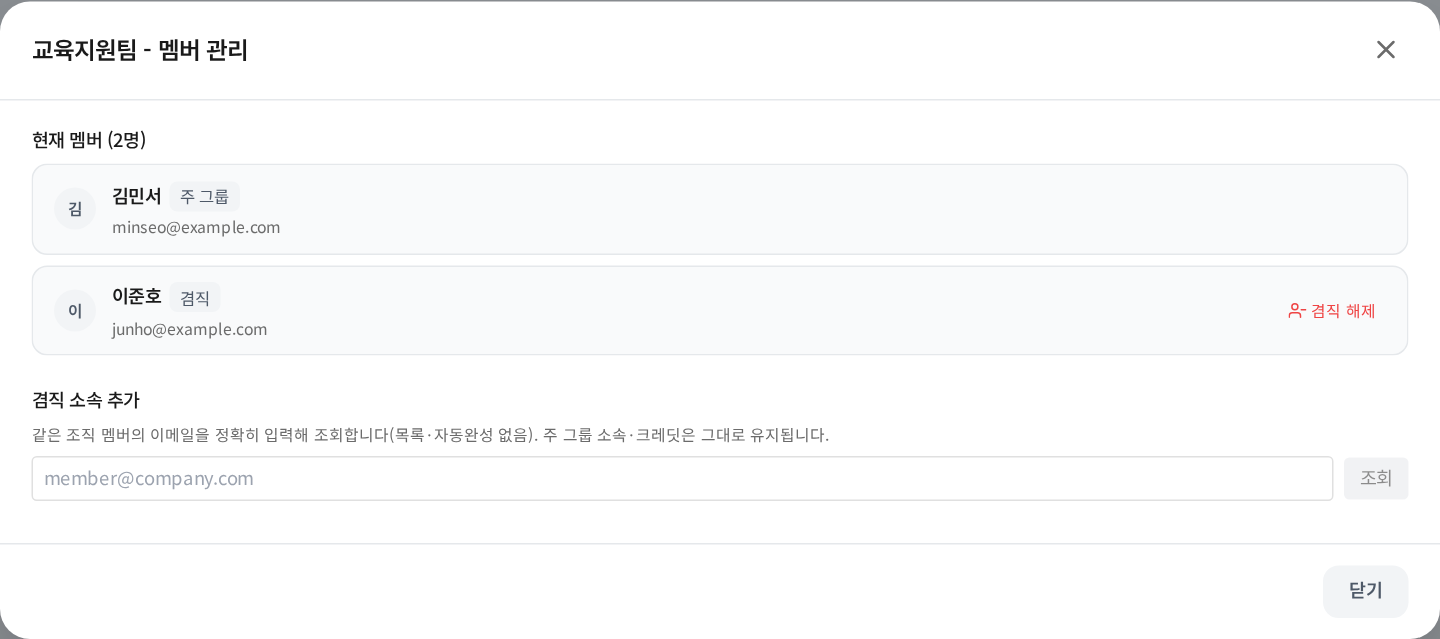
Being able to add a secondary assignment does not grant organization-wide authority to change primary assignments. Primary-group and manager-role buttons shown in the master view are intentionally absent here.
6. Users check the active group before working
Members with at least two assignments can select Active group in the sidebar credit area. Verify the group and balance before the next request. Model access, limits and policies can differ between groups.

The primary and active groups may differ. Refresh and recheck selection after membership or permission changes.
Troubleshooting
| Symptom | Action |
|---|---|
| No secondary-membership menu | Confirm organization enablement and your authority for that group |
| No lookup result | Check spelling, organization, active status and primary assignment |
| Already primary/secondary | Verify the existing roster; do not add a duplicate |
| No primary-group button | Ask the organization master |
| State changed error | Refresh and inspect the latest state before retrying |
| No active-group selector | Check that at least two active assignments exist |
Completion check: Explain how to add Junho to Training Support, remove only that secondary role, and promote Training Support to primary.
Was this answer helpful?