Start a workshop: managers and everyday users
A 50-minute session plan with preparation, role-specific exercises and completion checks.
Updated: September 2026
Open this page together at the beginning. Managers practice membership, secondary assignments and usage oversight. Everyday users practice prompting, model selection and credit checks. The facilitator can open the guides in order and enlarge their screenshots.
Prepare before the session
- Sign in with individual accounts and check the organization. Do not share passwords.
- Prepare a training group and members with group mode and multi-group membership enabled. Enterprise organization charts use a separate workflow.
- Demonstrate production deletion and invitation steps without submitting them. Use approved training accounts for actual changes.
- Prepare short meeting notes with personal information removed. Use 125–150% browser zoom for projection; open screenshots at full size.
Part 1 · Manager operations, 25 minutes
| Time | Guide to open | Completion check |
|---|---|---|
| 0–5 min | Add and deactivate members | Distinguish organization membership from group assignment |
| 5–15 min | Secondary assignments and primary groups | Explain primary, secondary and active groups, and role permissions |
| 15–22 min | Usage and credit operations | Check period, group, member and credit policy |
| 22–25 min | Questions below | Explain the scope of each action |
Part 2 · Everyday use, 25 minutes
| Time | Guide to open | Practice |
|---|---|---|
| 0–5 min | Your first conversation | State the task, source and output format |
| 5–12 min | Auto and Premium exercises | Choose a mode for routine summaries and complex comparisons |
| 12–17 min | Pre-send credit estimates | Distinguish estimates from actual usage |
| 17–20 min | Discounted models | Check discount, end date and selected model |
| 20–25 min | Attach files, Contact support | Check uploads, verify answers and report issues |
Five-minute exercise: turn meeting notes into action items
Use these fictional notes with Auto, then ask a follow-up.
September 28 meeting. New staff training will take place next month. Minseo will check the venue. Junho will draft the announcement. The budget and deadlines are undecided.
First prompt: “Using only these notes, provide three lines of decisions and a task table with task, owner, deadline and open question columns. Mark missing information as ‘Needs confirmation’.”
Follow-up: “Using that table, draft an invitation email under 500 characters. Do not present undecided details as confirmed.”
Compare names, dates and open questions with the source. Request corrections and review before sharing. Sending practice prompts consumes credits too.
Check understanding before finishing
- Managers explain how removing a secondary assignment differs from deactivating an organization member.
- Multi-group members locate the active group for their current task.
- Users explain whether an estimate is a final charge and when to choose Premium.
- Everyone bookmarks Support and searches for secondary membership, credit estimate and Premium.
After the workshop
Managers record assignment, permission and budget changes, then review next week's usage. Users share successful prompts without personal information. Support reports should include the time, feature name, error text and a screenshot with private information removed.
Start with a shared screen
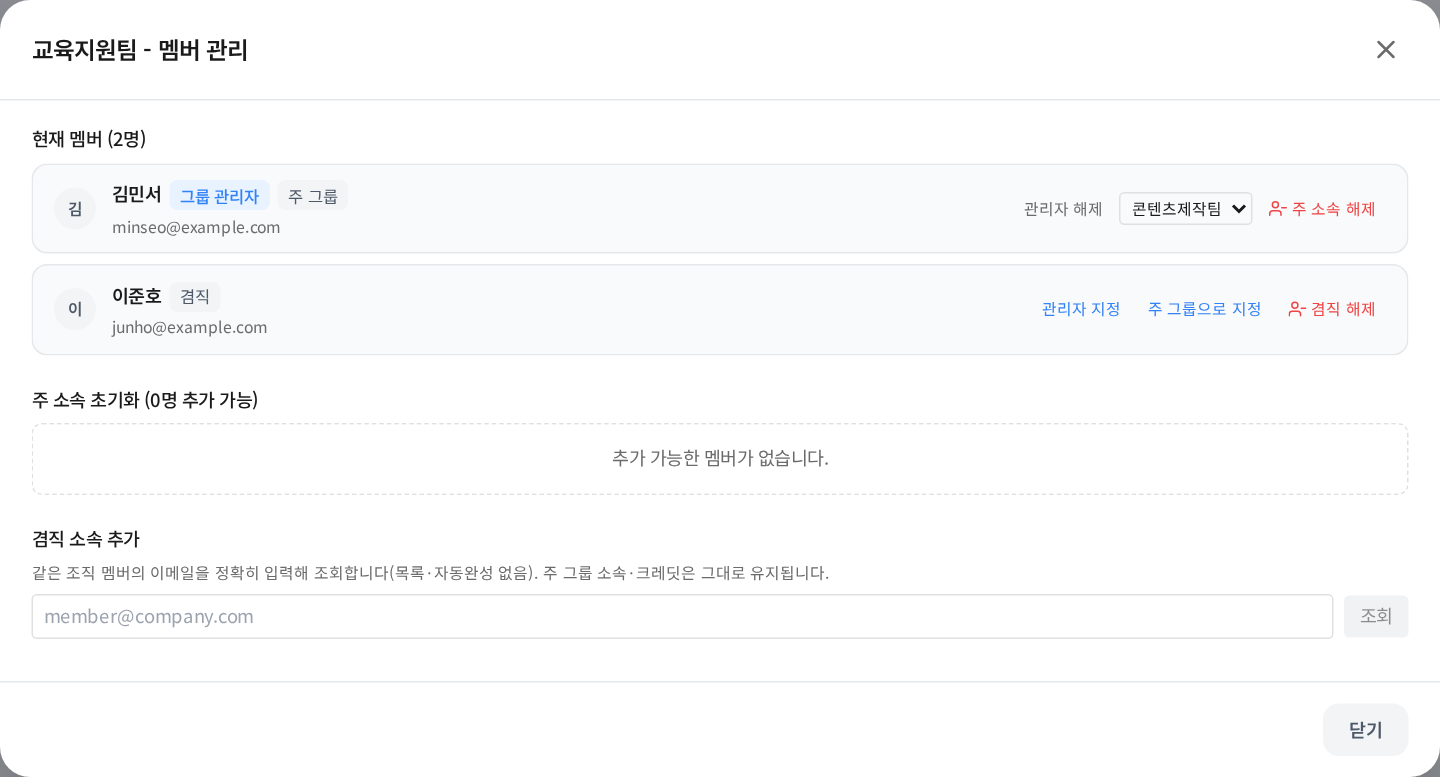
This real UI uses fictional training data. Find the primary and secondary membership badges before starting the administrator session.
Was this answer helpful?