Create and manage an API key
Select models, set a credit limit and save your new key.
Updated: October 2026
Open MonoRouter API keys. Choose Universal API if you need models from multiple providers. The screenshots below show a real key created for this guide.
1. Select models and enter a label
Choose the models you need and enter a recognizable Label, such as Laptop · Codex. Leaving models unselected permits the full model range allowed for that key.
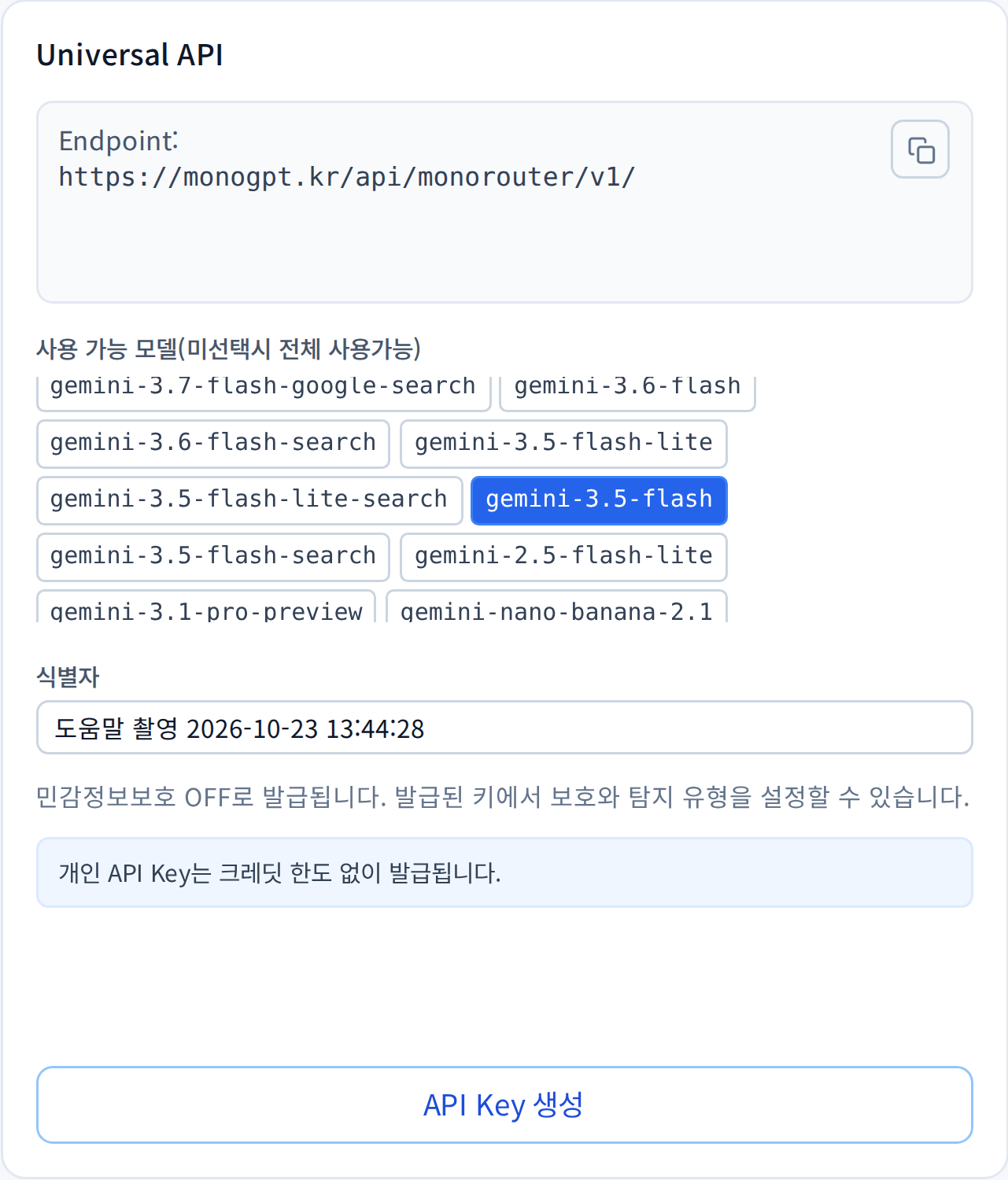
This is the live MonoRouter issuance form. Select the image for the full-resolution capture.
Organization accounts also enter a Credit limit. Issuance assigns that limit to the key and can reduce the unallocated API-key credits. This is separate from model-call usage. Check the displayed minimum, maximum and available balance. This capture uses a personal account, so it has no credit-limit field.
2. Create and copy the key
Select Create API Key. Copy the full value from New API Key. The shortened preview in the key list is not a usable credential.

The capture key was deactivated afterwards. Use your own newly issued key.
The current form issues keys with sensitive-data protection OFF. Configure protection and detection types in the issued key's settings. Account and organization policies may affect available options.
3. Prepare your tool settings
Use Configuration downloads below the key. Codex has a separate Codex quick setup panel.
The new-key and configuration area appears after issuance or reissuance and disappears on reload. Save your key and settings before leaving. If you already saved the key, follow direct Codex setup.
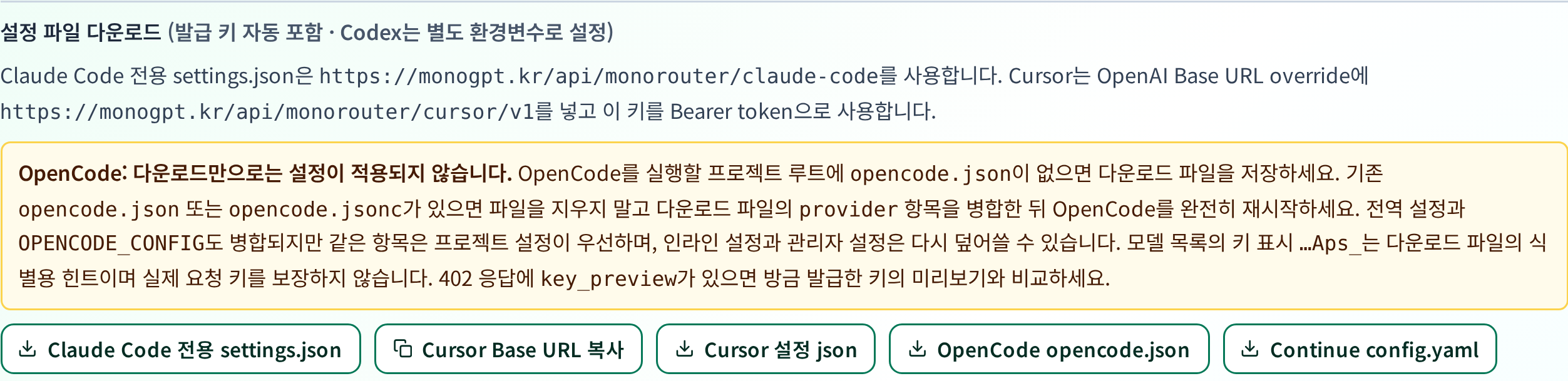
These buttons download files to your computer from the MonoRouter popup.
Downloaded settings can contain the actual key. Keep them out of Git and messages. Codex TOML contains an environment variable name; its key-setting command contains the secret.
4. Retire unused keys
Use Reissue when replacing a key and update every connected tool. Do not reissue merely to reopen the setup panel: use your saved key directly when available. Use Deactivate for a key you no longer need. Check whether another service still uses it first.
Was this answer helpful?