Read-oriented connectors and JANDI sending
Understand the four read-oriented services and separate JANDI webhook delivery.
Updated: September 2026
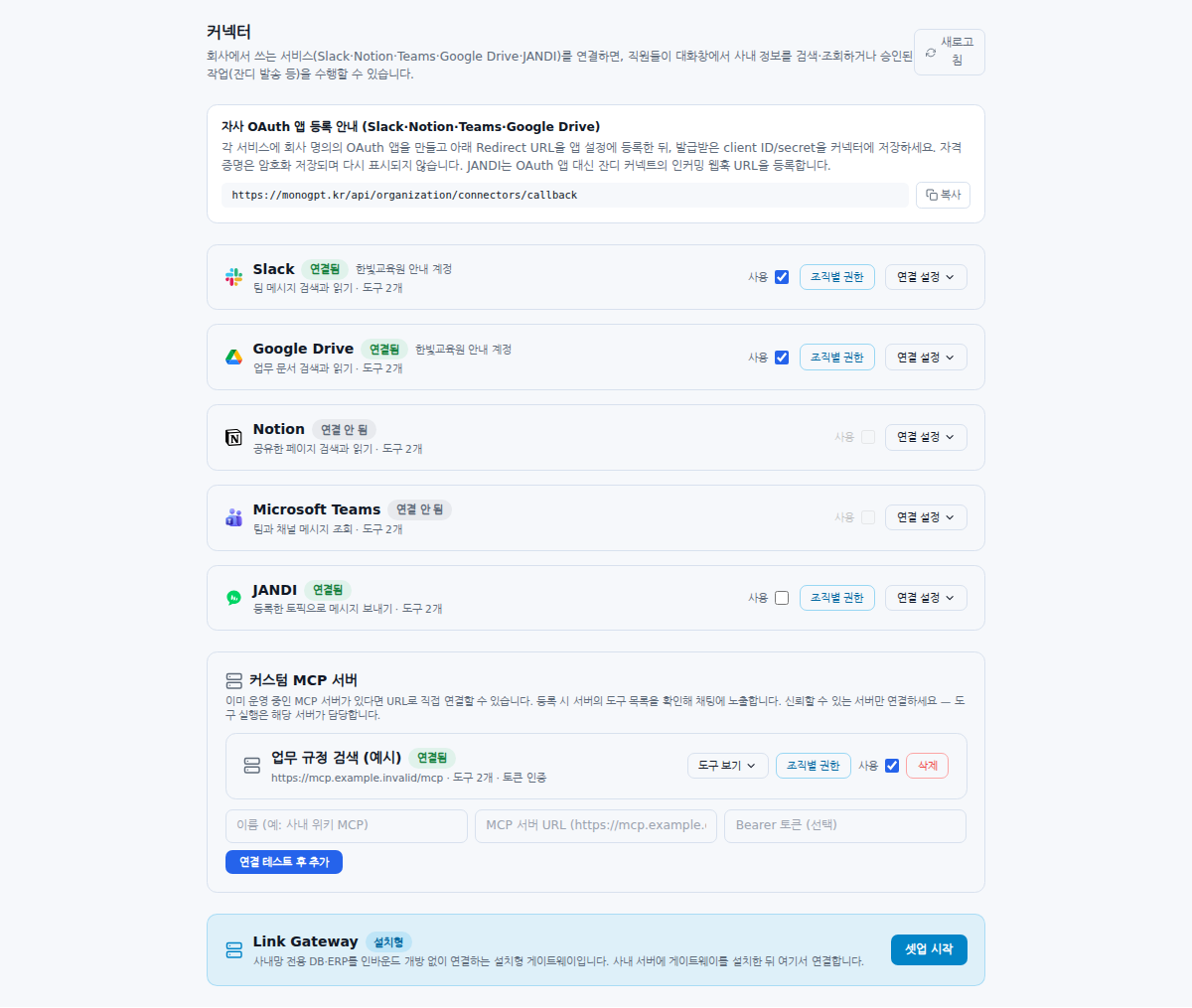
Screenshots show real Korean application components with fictional connection data. No external authorization, registration or sending was performed. Click images to enlarge them.
Four read-oriented service connectors
| Service | Check the accessible scope |
|---|---|
| Slack | Search scope of the connected administrator; channel reading where the bot is invited |
| Google Drive | Drives and shared-drive content accessible to the connected account |
| Notion | Pages shared with the integration |
| Microsoft Teams | Teams and channels of the connected administrator |
Do not assume the shared connection has the same scope as each employee’s external account. Review its accessible material.
JANDI is a sending connector
JANDI uses an incoming webhook URL, not OAuth sign-in. Give each topic a recognizable name. Registration sends a test message, so check the destination first. Treat the URL as a secret and exclude it from screenshots or support messages.
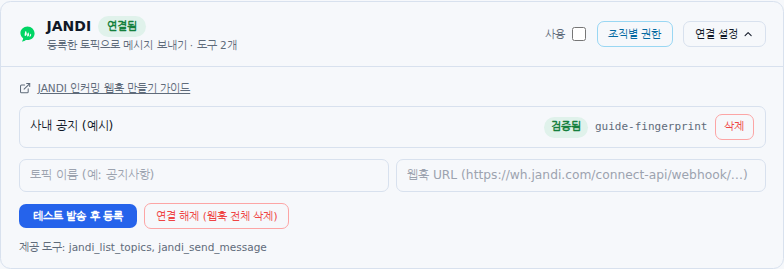
Check before sending
Verify the webhook status, organization enablement and action availability. In chat, review the target topic and message on the confirmation card before approving. Distinguish registration tests from business messages. A server-side sending pause can leave webhook management available while blocking delivery.
When material is missing
Check the account and use state in Administrator connection, then inspect sharing, bot invitations and team membership at the source service. Connecting Notion alone does not expose pages that have not been shared with the integration.
JANDI availability: Its card appears only in environments where the server enables the connector. Ask your administrator if it is absent. Connector visibility and permission to send are separate settings.
Shared-account access: Organization connections use the connected account’s permissions at the source service. They do not automatically substitute each member’s own external-account permissions. Connect an account whose accessible material is appropriate for members allowed to use that tool in MonoGPT.
Was this answer helpful?