Connector frequently asked questions
Review common questions before adopting or using connectors.
Updated: September 2026
Screenshots show real Korean application components with fictional connection data. No external authorization, registration or sending was performed. Click images to enlarge them.
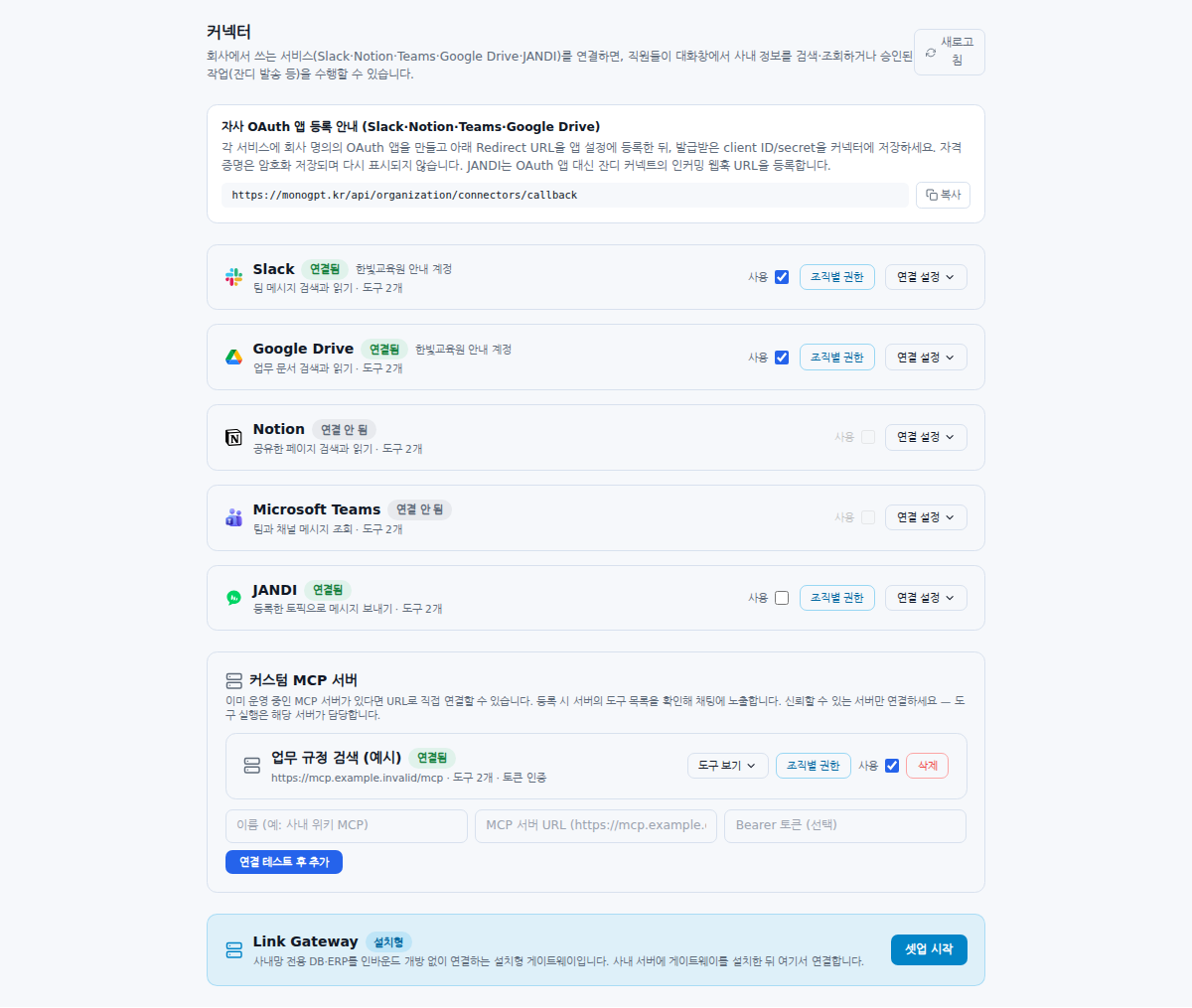
Connected, but unavailable to an employee
Check connection state → Use → unit permissions → supported model → chat ON. Distinguish an authenticated but disabled service from an MCP checkbox change that was never saved.
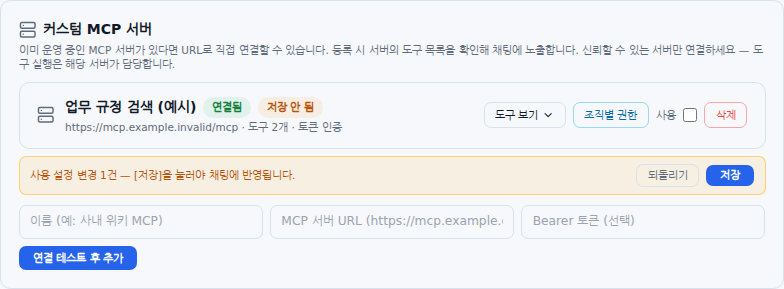
The MCP checkbox reverts
An Unsaved badge means the change is still staged. Click Save, then reload. If saving fails, inspect the displayed error and server state.
Different people see different material
Check both the external connection account’s access and MonoGPT unit permissions. Sign-in does not share every document. Inspect bot invitations, integration page sharing and team membership according to the service.
Can messages leave the organization?
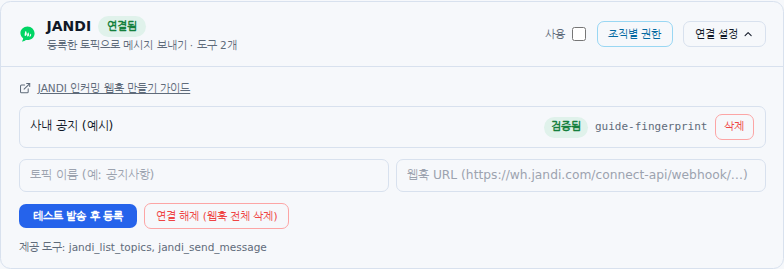
The four read-oriented service connectors read. JANDI webhook registration sends a test message, and chat sending is a separate capability. Review verification, action availability, recipient and body on the confirmation card. A custom MCP write-tool listing also differs from automatic execution support.
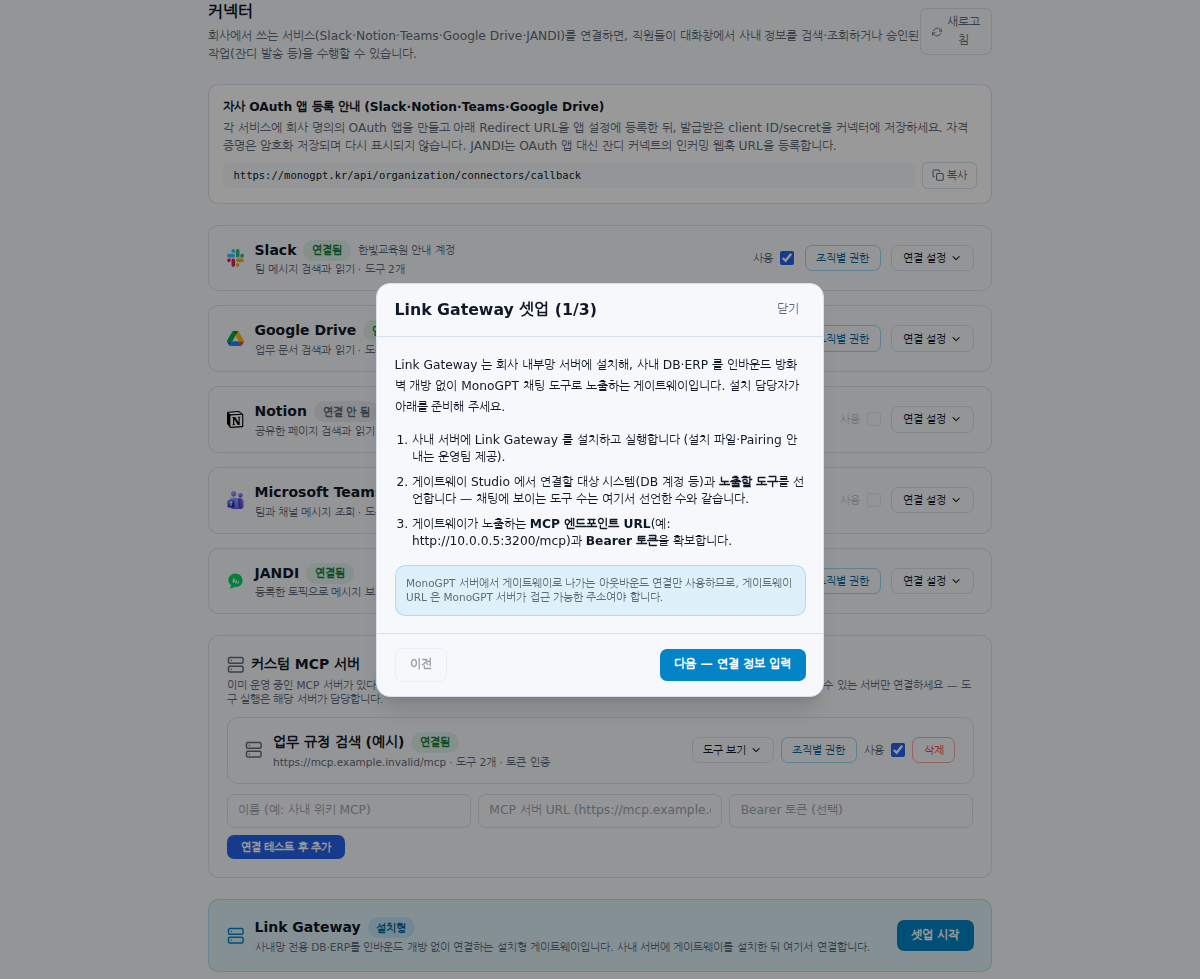
Does the Gateway button install it?
No. The wizard connects a prepared server. Coordinate installation, reachability, authentication and exposed tools with operations first. See Gateway preparation.
What should a support request include?
Include the service/server name, time, connection state, error and affected member’s organizational scope. Exclude Client Secrets, Bearer tokens and webhook URLs. Mention account changes and their timing. Recheck Administrator connection.
JANDI availability: Its card appears only in environments where the server enables the connector. Ask your administrator if it is absent. Connector visibility and permission to send are separate settings.
Shared-account access: Organization connections use the connected account’s permissions at the source service. They do not automatically substitute each member’s own external-account permissions. Connect an account whose accessible material is appropriate for members allowed to use that tool in MonoGPT.
Was this answer helpful?