Connect a connector (admins)
Manage shared connections and enablement in organization management.
Updated: September 2026
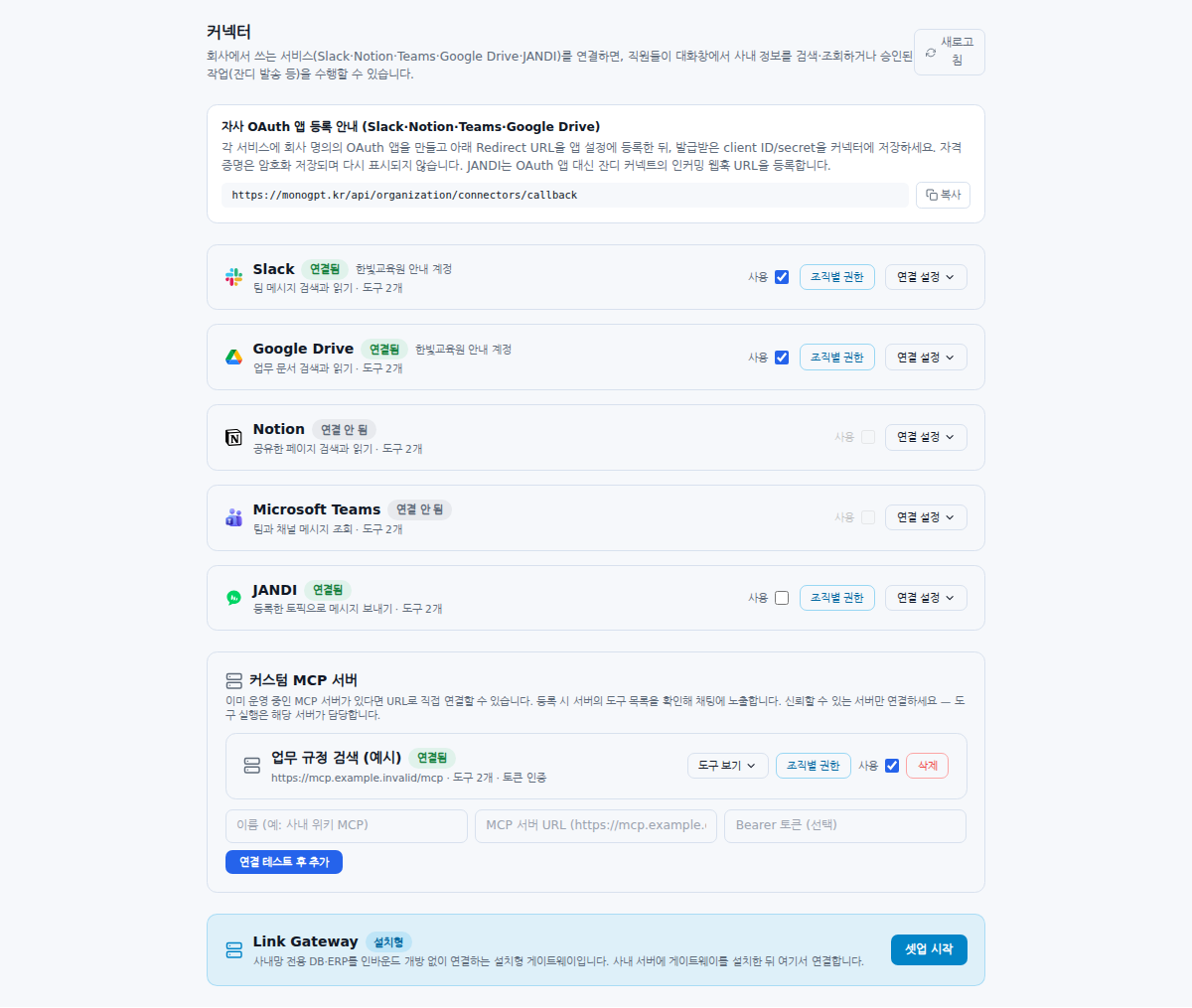
Screenshots show real Korean application components with fictional connection data. No external authorization, registration or sending was performed. Click images to enlarge them.
Open connectors as organization master
Open Connectors in organization management. Organization-wide connections require master access, not only group administration. Refresh and check existing accounts and use states.
Prepare OAuth application credentials
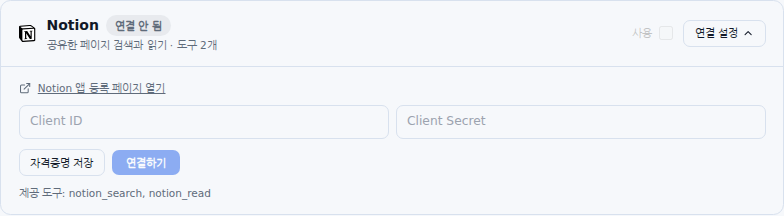
- Expand the service’s Connection settings.
- Follow its app-registration link to prepare an organization-owned application.
- Copy the displayed Redirect URL exactly into the external app.
- Enter the Client ID and Client Secret and save credentials.
Saved secrets may not be displayed again. Check the stored-credentials indicator rather than assuming an empty field means no configuration.
Connect the account and enable use
Click Connect, authorize an account whose material is appropriate to share, then return and inspect the connection state, account and errors. Enable Use. Review company/department scope under Unit permissions where applicable. Finally test availability from a target member’s chat.
Distinguish disabling from disconnecting
Turn Use off to pause access. Read the confirmation before removing the account connection. Disconnecting does not delete source documents but affects organization access. JANDI topic removal and MCP server removal are separate operations.
Diagnose connection failures
Check authorization cancellation, selected external account, Client ID/Secret, exact Redirect URL and external app-approval policy. Share the error and time, not secrets or webhook URLs. Continue with Using connectors in chat.
JANDI availability: Its card appears only in environments where the server enables the connector. Ask your administrator if it is absent. Connector visibility and permission to send are separate settings.
Shared-account access: Organization connections use the connected account’s permissions at the source service. They do not automatically substitute each member’s own external-account permissions. Connect an account whose accessible material is appropriate for members allowed to use that tool in MonoGPT.
Was this answer helpful?