What are connectors?
Learn how connectors bring company content into chat and what is available now.
Updated: September 2026
Screenshots show real Korean application components with fictional connection data. No external authorization, registration or sending was performed. Click images to enlarge them.
Read the connection state
Connectors make organization-connected documents, messaging and business tools available in chat. Connected indicates authentication; Use indicates organization enablement. Check both.
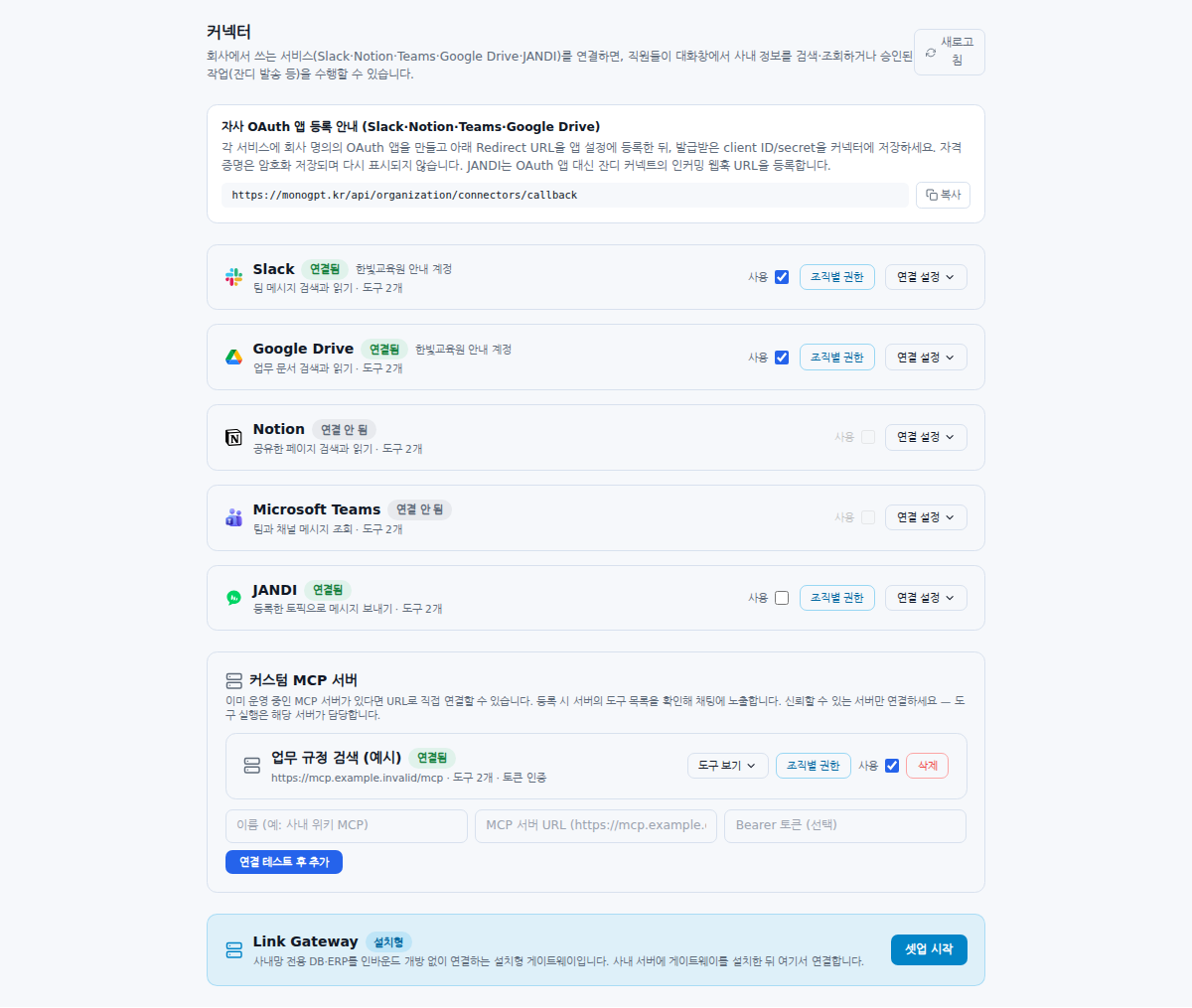
Four steps before use
- The organization master connects a service account or MCP server.
- Enable Use and configure any unit permissions.
- Members choose a supported model and check that Connector is enabled in the input options. It defaults to on; selected styling and hover text show its state.
- Ask for a specific service, material and period, then verify sources.
A connection does not give every member access to every document.
Separate reading from sending
The Slack, Google Drive, Notion and Microsoft Teams connectors search/read. JANDI sends messages to registered topics and requires action enablement and a chat confirmation. Inspect custom MCP tools separately; a listed write tool does not imply automatic execution support.
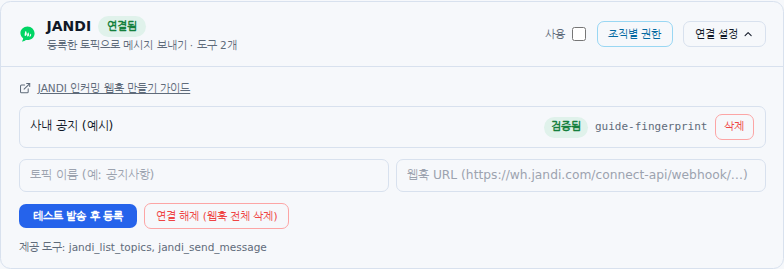
Choose a starting point
Follow Administrator connection steps for existing services, MCP registration for an operated server, or coordinate Link Gateway preparation with the deployment team.
JANDI availability: Its card appears only in environments where the server enables the connector. Ask your administrator if it is absent. Connector visibility and permission to send are separate settings.
Was this answer helpful?