What is Link Gateway?
Prepare an installation, enter connection details and inspect Gateway tools.
Updated: September 2026
Screenshots show real Korean application components with fictional connection data. No external authorization, registration or sending was performed. Click images to enlarge them.
The available setup wizard
Open Link Gateway → Start setup in Connectors. The wizard registers a prepared Gateway; it does not mean every organization already has one installed. Obtain installation and pairing instructions from the operations team.
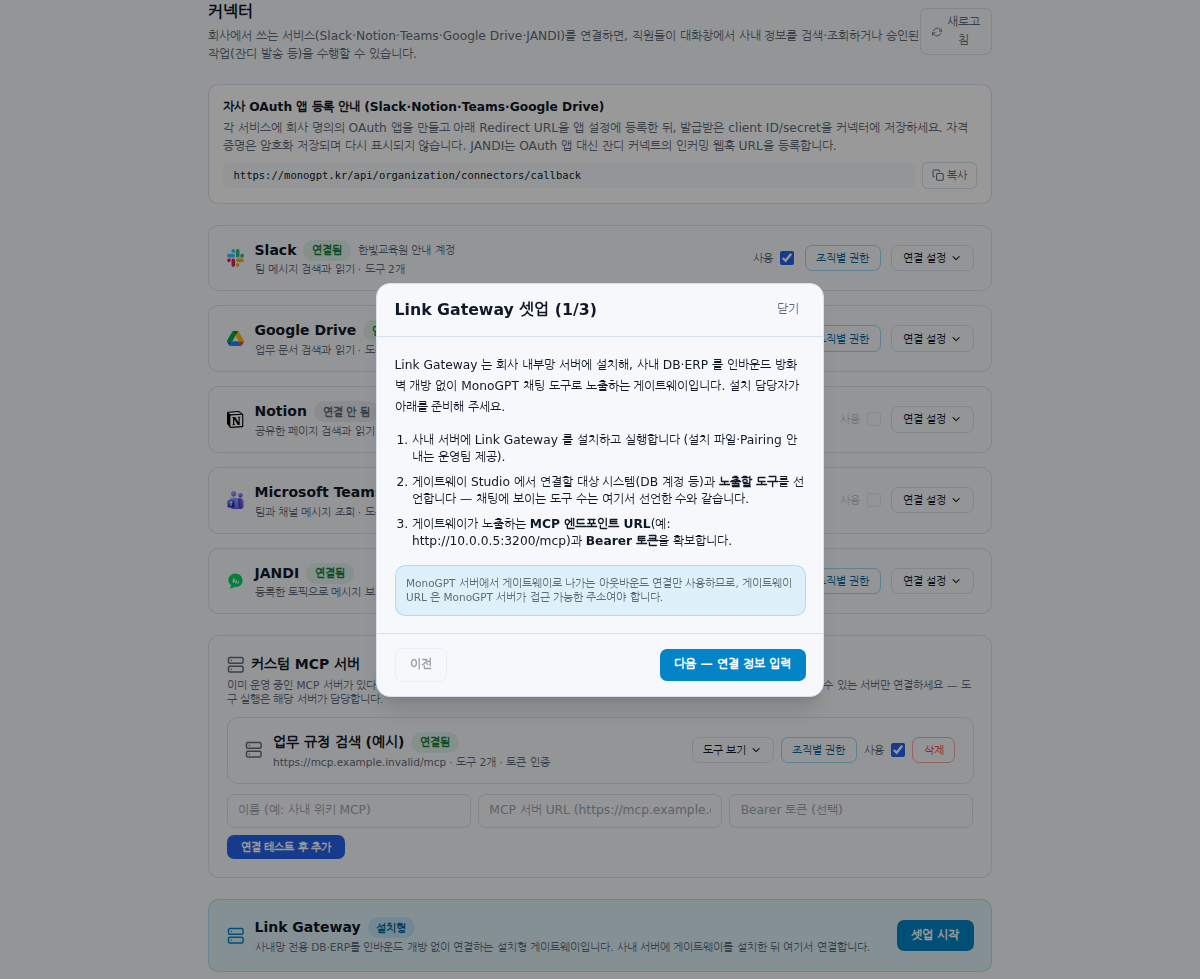
Preparation for the deployment team
Prepare an installed/running Gateway, source-system access, exposed tools, MCP endpoint and authentication. The MonoGPT server must be able to reach the address. Entering a private address does not create that connectivity. Have operations verify routing and firewall rules against the actual deployment.
Enter connection details
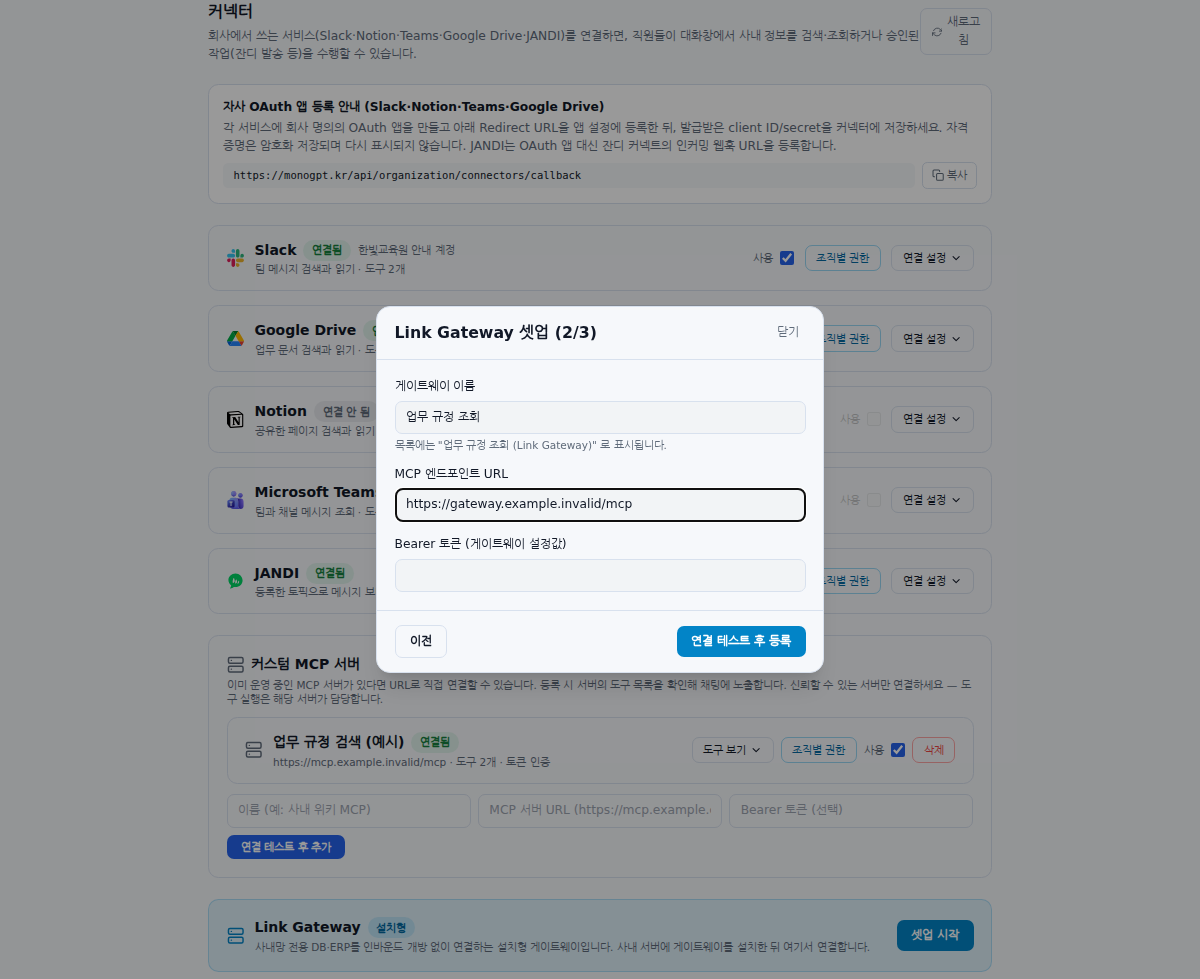
- Read preparation requirements and click Next — connection details.
- Enter a recognizable name.
- Use the MCP endpoint and any Bearer token supplied by operations.
- Connect and inspect the result and discovered tool count.
The screenshot illustrates input only, not a successful connection to a real internal network.
Inspect tools and permissions
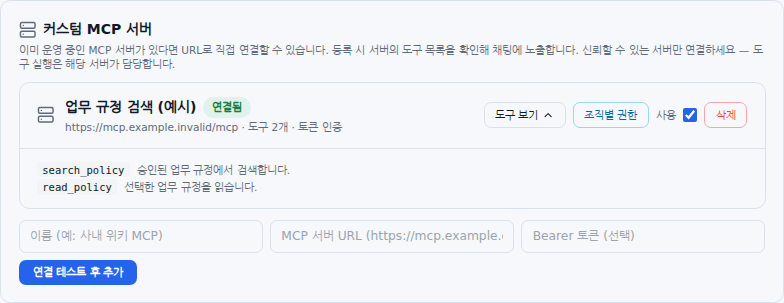
Check the (Link Gateway) suffix, connection state and tool count. Zero tools calls for checking the Gateway’s exposed-tool configuration. Review use state and unit permissions, then try an approved sample lookup. Coordinate server and tool changes with its operator.
If no Gateway has been installed
Do not invent an endpoint or token. Use Contact to describe the systems and lookup scope you need. An existing server can use Direct MCP registration.
Was this answer helpful?