Use connectors in chat
Find connected company content by asking questions in a normal chat.
Updated: September 2026
Screenshots show real Korean application components with fictional connection data. No external authorization, registration or sending was performed. Click images to enlarge them.
Check organization availability
The administrator should first confirm Connected + Use enabled. Check unit permissions if availability differs by member. Service connectors and MCP servers have separate enabled states.
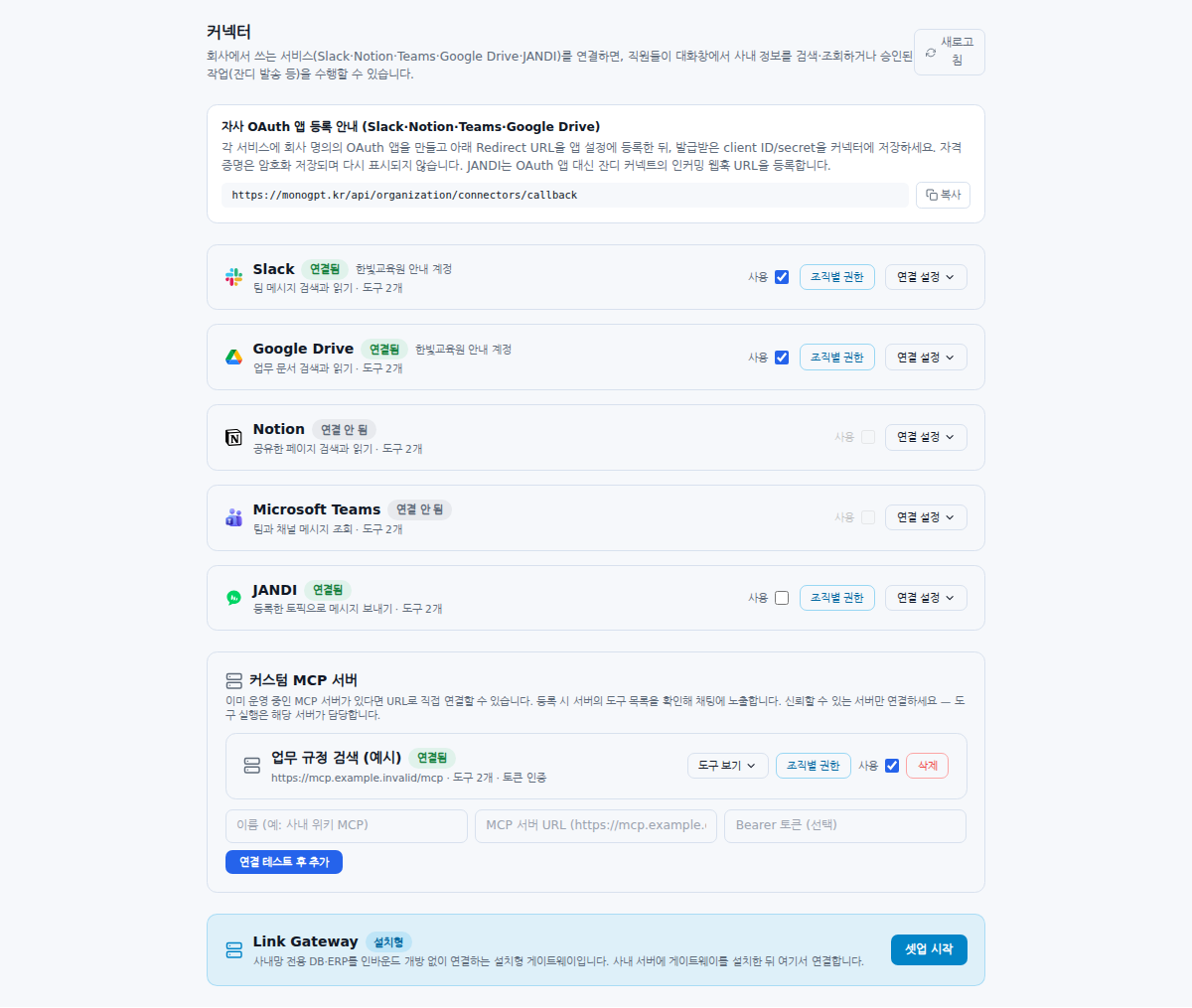
Turn the chat control ON
Choose a supported model and inspect Connector in the input options. Its selected color and hover text indicate whether it is on or off. Enable it if off; an already-enabled control needs no extra click. The button may be hidden if no connection is available. If the model is unsupported, choose an available supported model. ON makes tools available; it does not force every tool to run for every question.
Specify the service, period and target
For example: “Find lodging limits and required receipts in the Google Drive travel policy. Include document names and source links.” Or ask for last week’s changed training dates in Slack. Ask the assistant to report missing evidence rather than invent it.
Inspect tools and sources
Open source links and check names, dates and context. View tools lets administrators inspect an MCP server’s capabilities. A connection with no usable tools or disabled access cannot perform the requested lookup.
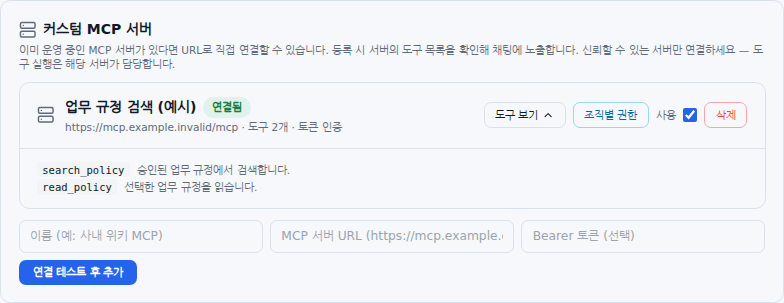
Confirm sending separately
JANDI sending differs from reading. Review the registered topic, body and confirmation state. Do not repeat a send until you have checked its outcome. Asking a read-only connector to edit or send does not add that capability.
When controls or material are missing
Use the Connector FAQ sequence: connection → enabled state → permissions → model → chat ON. Also verify the connected account can access the source material.
Compare the chat-control states
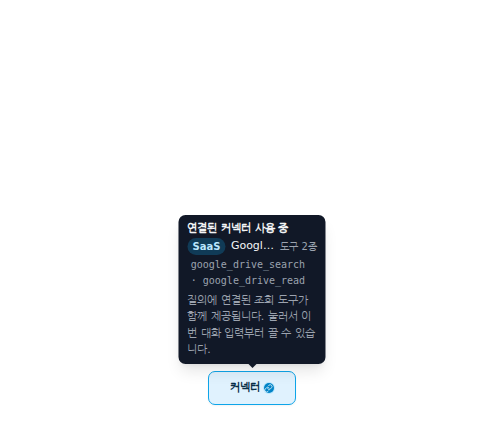
The enabled state shows available connections and tools.
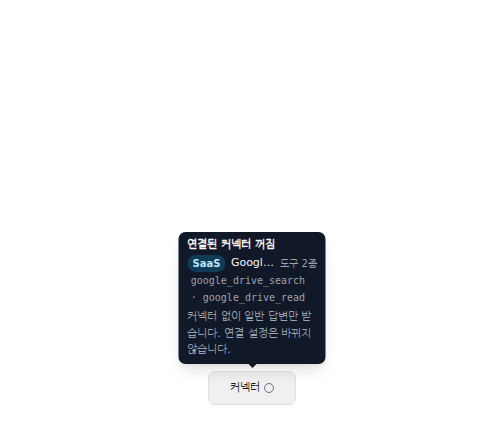
Turning it off affects subsequent questions without removing administrator connections.
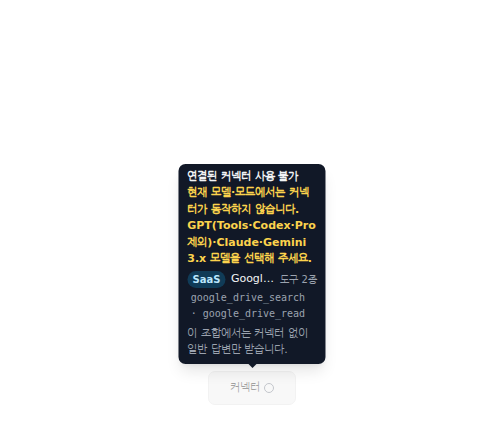
Unsupported model/mode combinations appear disabled. Choose a supported available model. These captures enlarge the actual input-option component.
JANDI availability: Its card appears only in environments where the server enables the connector. Ask your administrator if it is absent. Connector visibility and permission to send are separate settings.
Was this answer helpful?