Review member requests and troubleshoot access
Review, approve, or reject model, credit, and general requests and resolve common admin issues.
Updated: September 2026
This guide covers personal/group modes. Screenshots use the real Korean UI with fictional people and amounts. No account changes or emails were executed for the captures. Click an image to enlarge it.
Open the request inbox
Open Member management → Requests and review pending items. Check name, email, request type, reason and status before acting on similar requests. The enterprise workspace has a separate Request management guide.
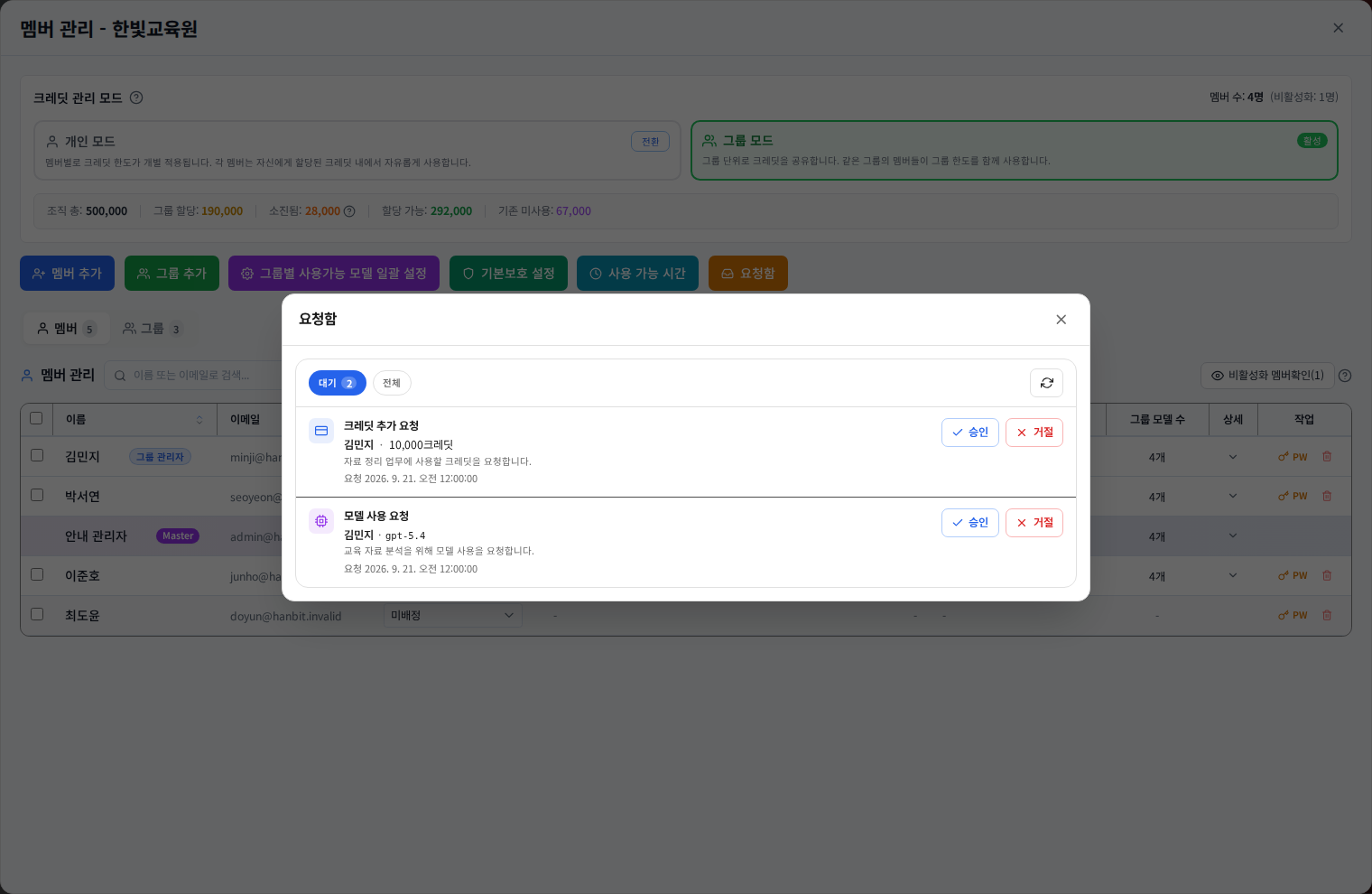
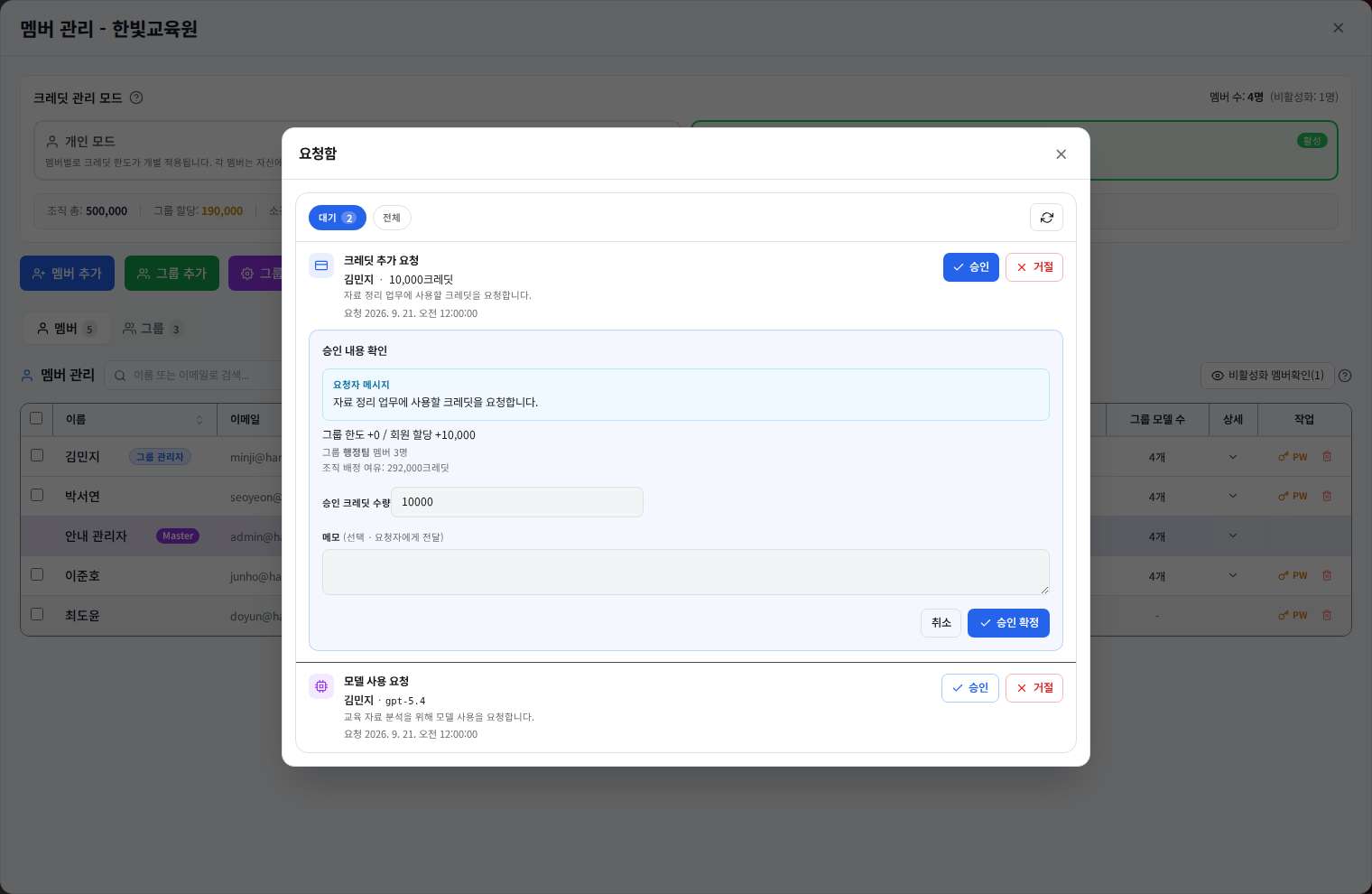
Approve a credit request
Click Approve to open the preview. Review the amount, current operating mode, actual group/member target and remaining organization capacity. Shared-group funding and isolated-member allocation affect different balances. After approval, verify both the request status and the actual balance.
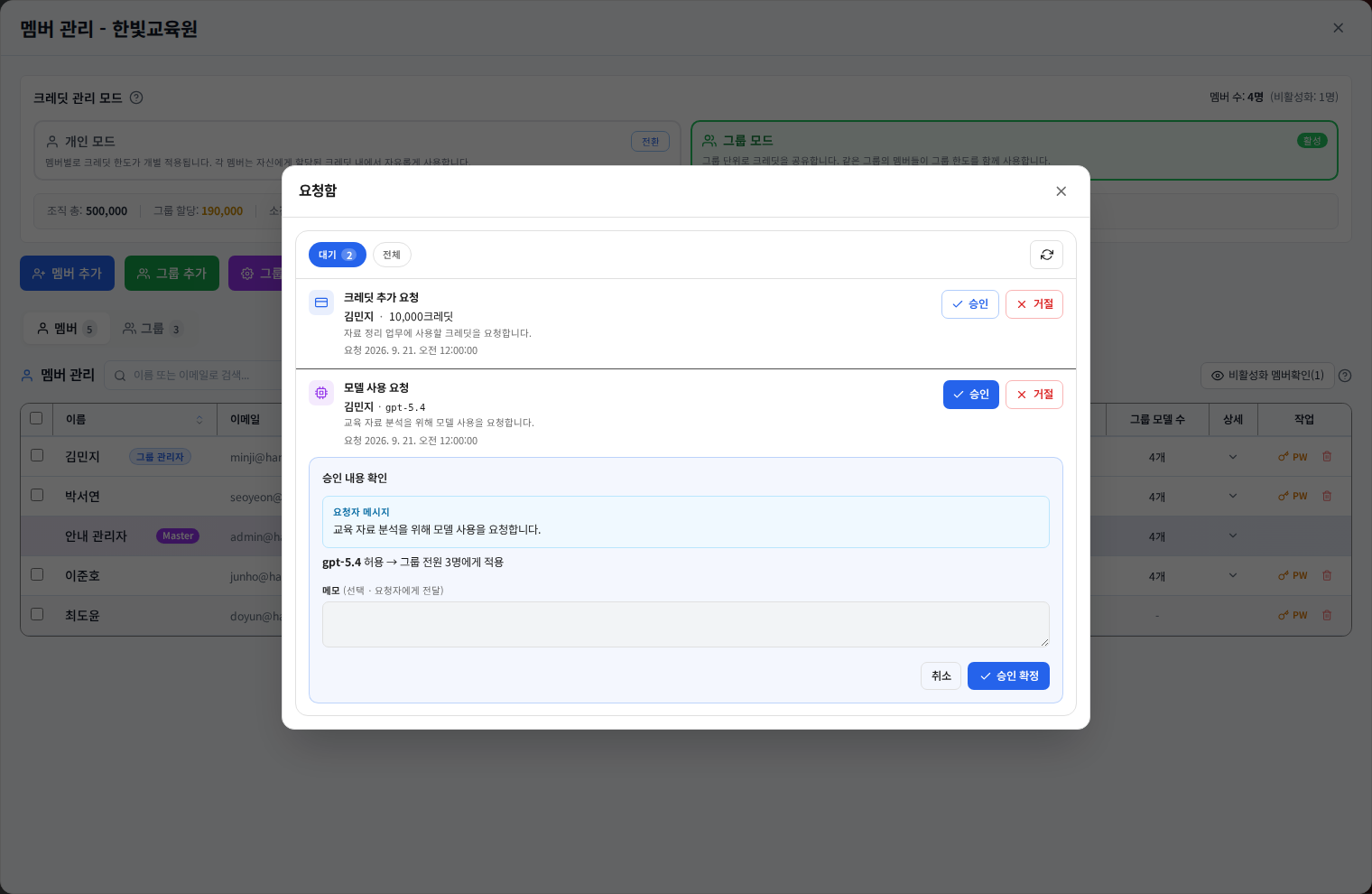
Approve a model request
Review the requested model and affected scope. A group policy change can affect other people in the group, not only the requester. Read preview reasons when a model is outside the organization allowance or already available.
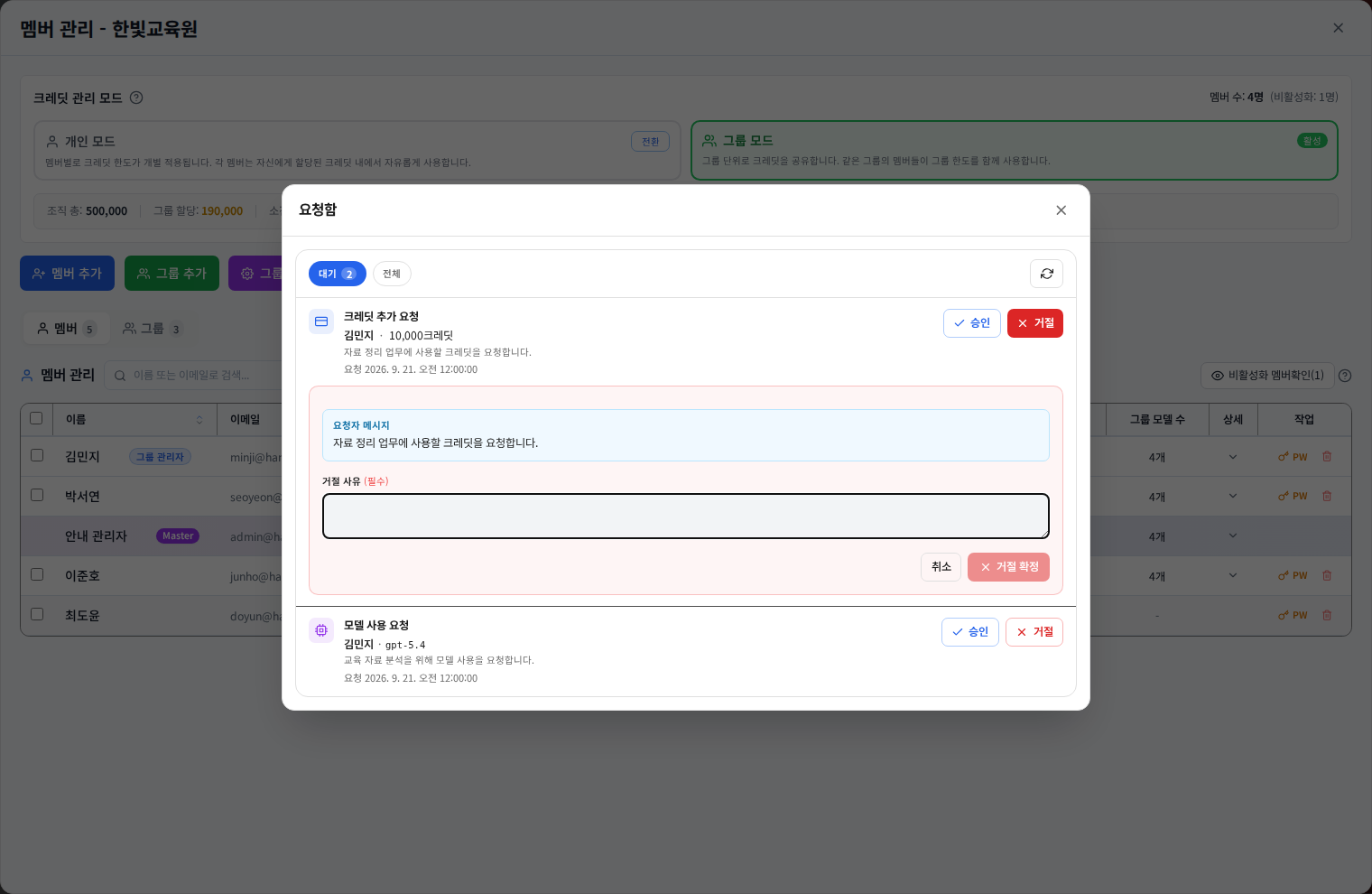
Reject with a useful explanation
Click Reject and enter a reason the requester can act on. If an amount needs adjustment, describe the permitted scope and what to request again. Rejection can require a reason even when approval notes are optional. Verify the new status afterwards.
When processing fails
| Situation | First check |
|---|---|
| Insufficient organization credits | Review existing allocations and reduce the amount if appropriate. |
| Inactive or moved member | Reload current membership and the target group. |
| Already handled by another administrator | Refresh the list and inspect the outcome. |
| Model approval unavailable | Check organization and group model permissions. |
| Uncertain save result | Reload status and balances before attempting approval again. |
Provide useful information when asking for help
Include the request type, time, account email, group name and displayed error. Do not include passwords or access tokens. Also see Member accounts and Credit management.
Was this answer helpful?