Manage organization and group credits
Understand credit modes and available allocation, then distribute group and member limits safely.
Updated: September 2026
For Group mode with secondary memberships ON, start with the current operating guide. Primary/secondary memberships and organization account deactivation are separate operations. The earlier screens below can differ depending on this setting.
This guide covers personal/group modes. Screenshots use the real Korean UI with fictional people and amounts. No account changes or emails were executed for the captures. Click an image to enlarge it.
Distinguish organization, group and member funds
Personal mode manages member limits; group mode manages group limits, and isolated groups also require member allocations. Organization total, allocated, consumed and available to allocate are different figures. Inactive/deleted history can make active rows differ from organization totals. For enterprise scheduling, see Credit allocation.
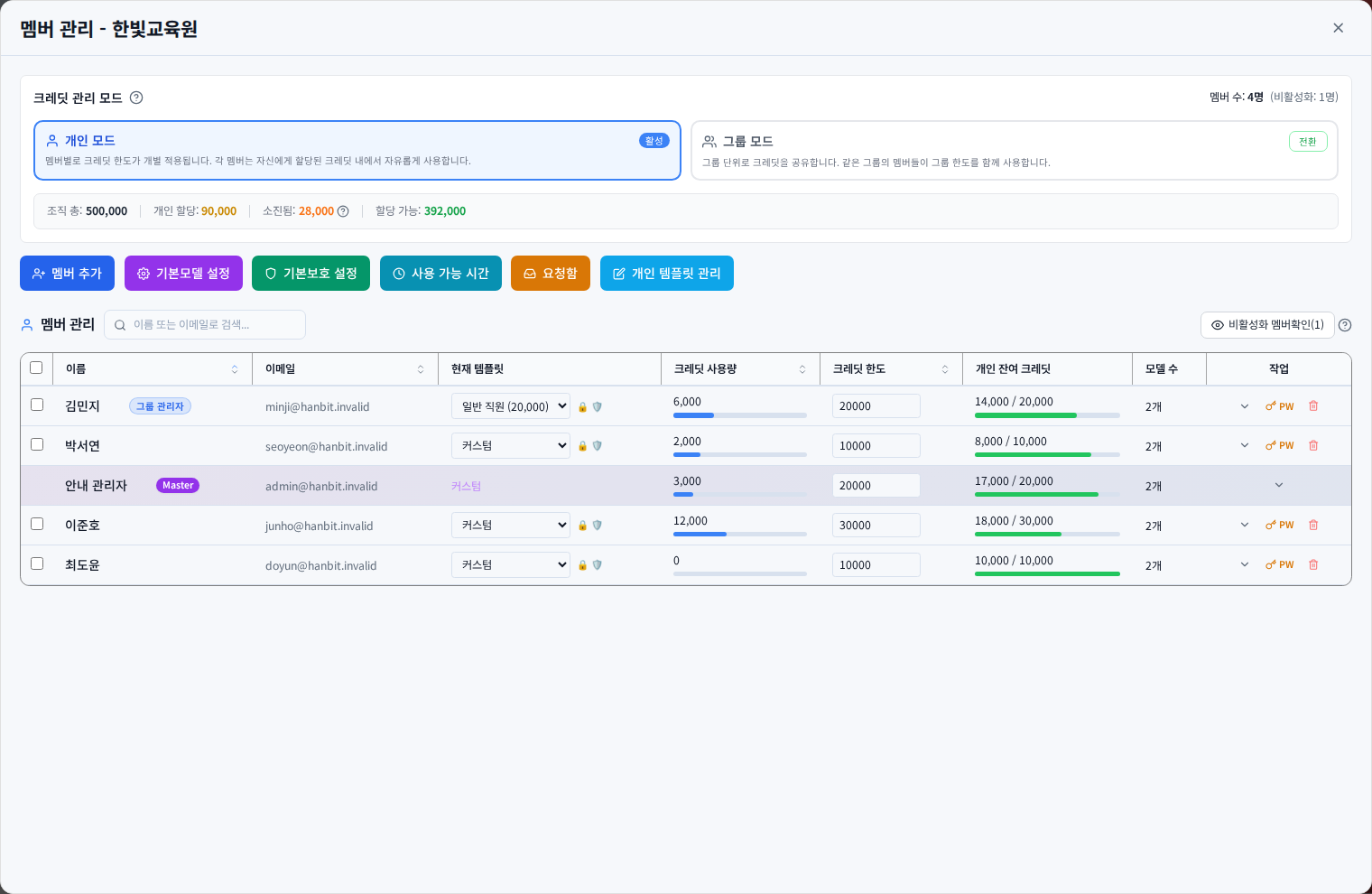
Personal mode: read limits and remaining credits
A 20,000 limit with 6,000 consumed leaves 14,000. Raising that limit to 30,000 leaves 24,000 if consumption is unchanged; it does not grant a fresh 30,000 balance. Edit the row, click Apply all changes, then verify the saved balance.
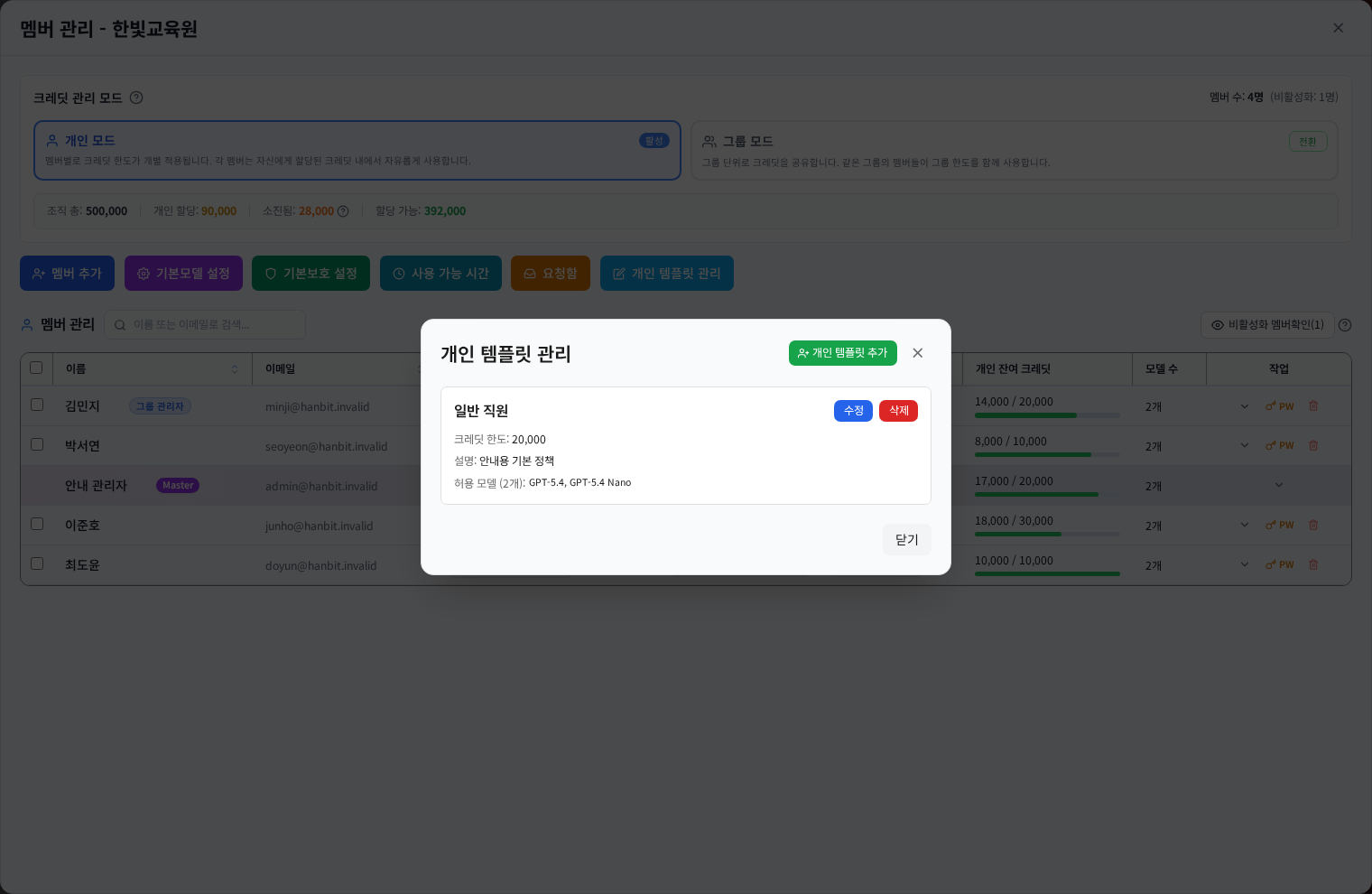
Group mode: shared versus isolated
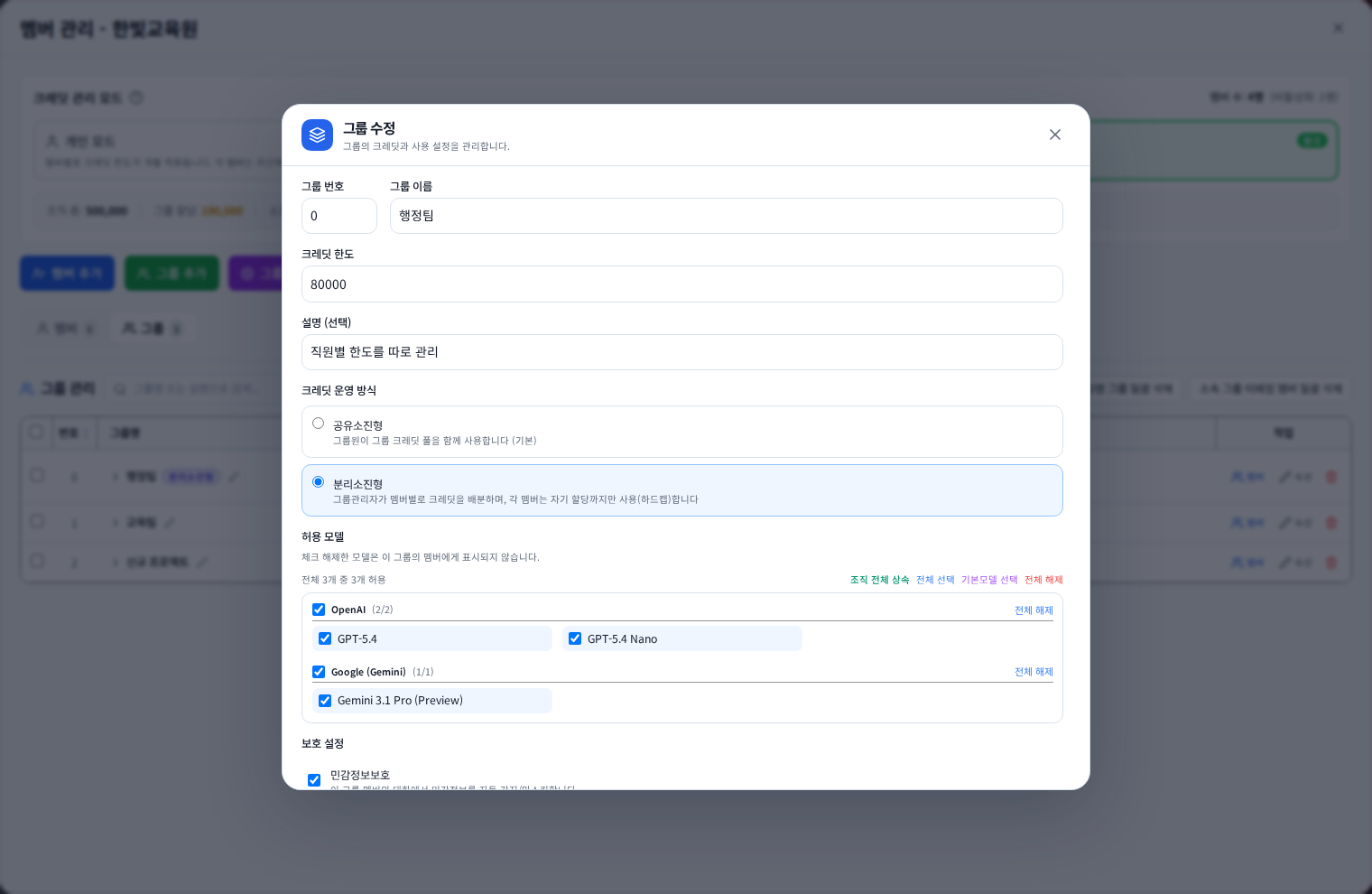
Shared members draw from a common pool. Isolated groups require both group capacity and individual allocations. A remaining group balance can still be unallocated and unavailable to a member. Inspect each person under Groups → Members.
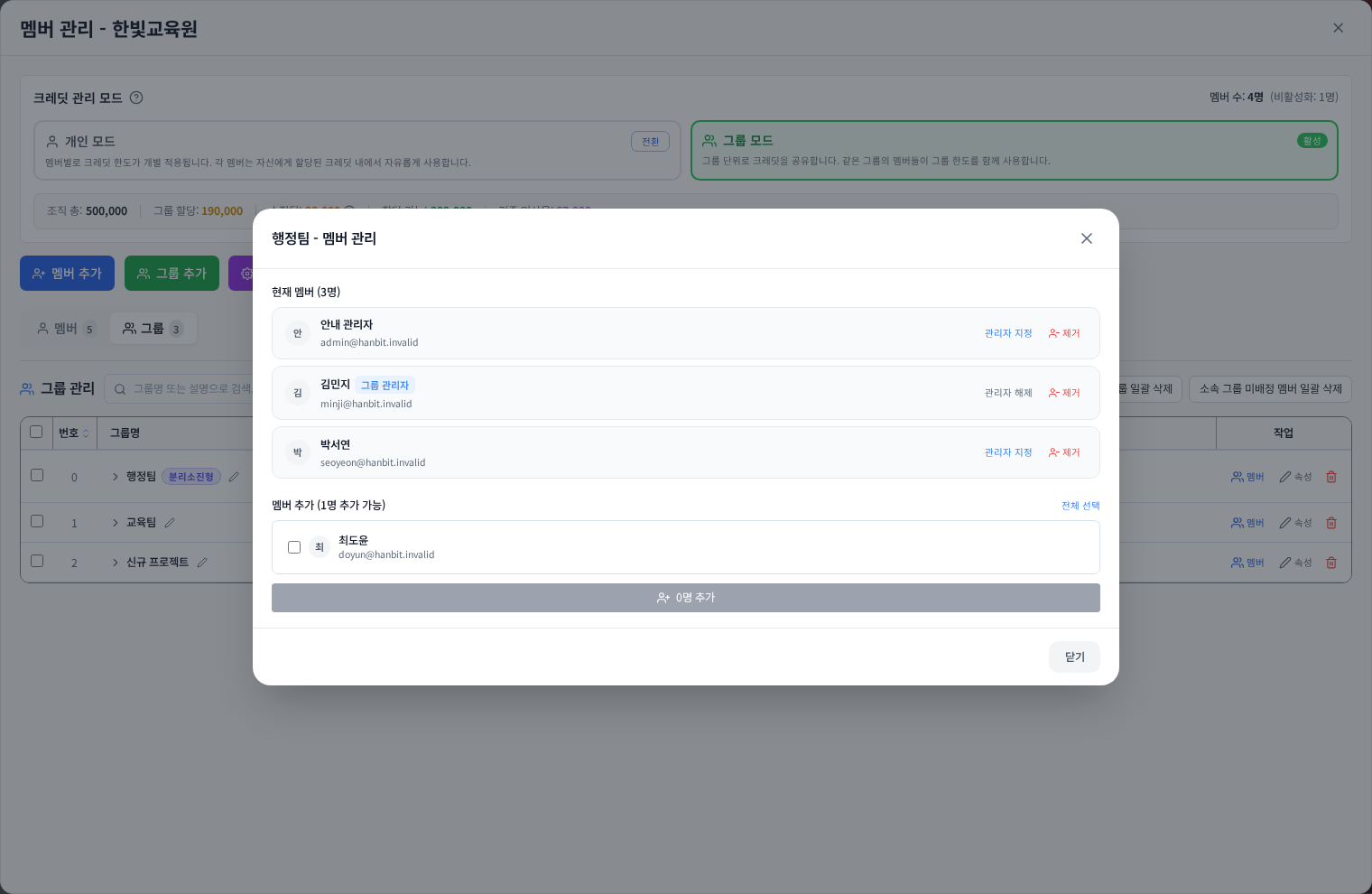
Change group limits in bulk
Open Groups → Bulk group credits. Enter new limits directly or use proportional/equal distribution or Excel. These tools prepare values; Apply limits saves them. Review minimum required limits, changed-group count and the organization-wide total. Limit application is all-or-nothing rather than a partial success across groups. Correct the preview errors before retrying the full operation. Existing consumption is preserved.
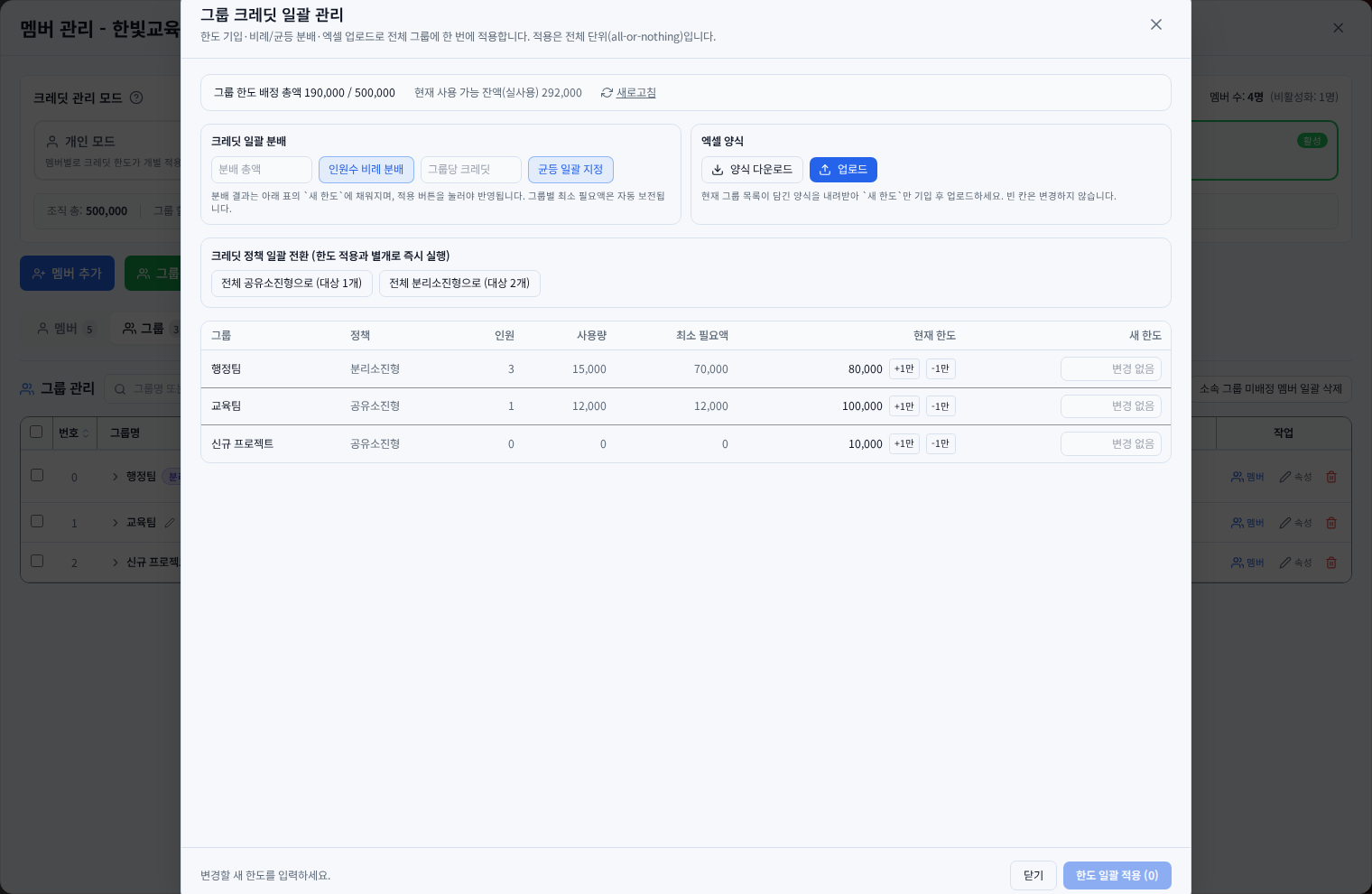
Do not confuse a policy change with monthly scheduling
Shared/isolated controls in Properties change how credits are spent. They do not create a monthly top-up schedule. Bulk spending-policy conversion runs separately, immediately after its own confirmation. Apply limits does not save both operations together. For bulk conversion, read affected group/member counts and any allocation-reset notice. Enterprise per-person and scheduled-allocation screens are separate workflows.
Handle budget and concurrent-edit errors
Check available organization capacity, consumption and amounts held by isolated members. Refresh the preview after another administrator changes data, then review before/after values. If success is uncertain, reload the saved state before retrying. Purchasing credits and distributing existing credits are separate actions.
Was this answer helpful?